← Back to products

JelinaOSIndustrial edge operating system

Keep devices running for yearsKeep a way back when updating

Field devices need to run for years, and their systems must continue to evolve. Built on industrial Linux, JelinaOS runs native and containerized applications and incorporates updates, boot verification and recovery paths into the device lifecycle.

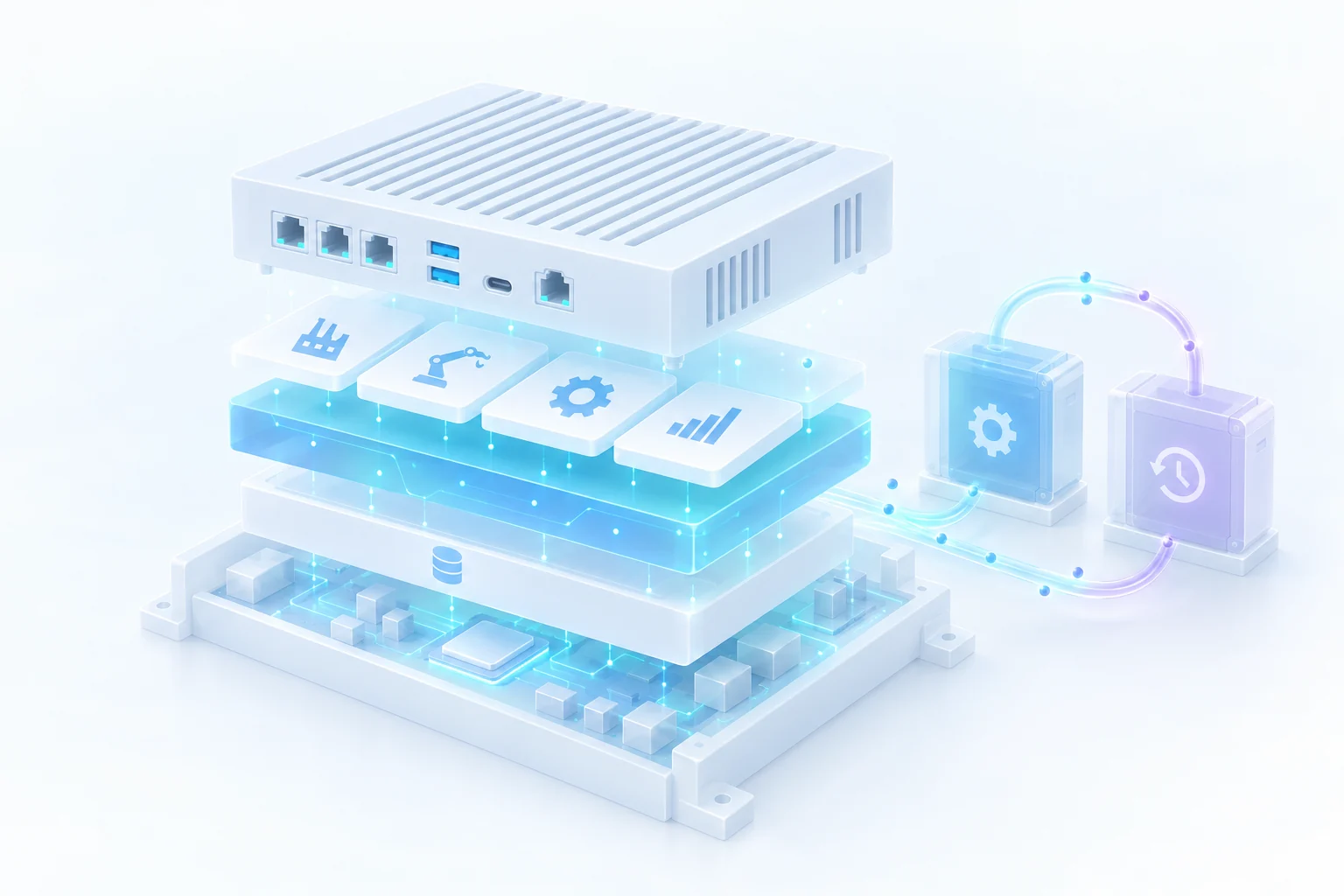
The application layer, independent data layer and A/B system partitions inside an industrial device, together with the reboot, verification and rollback paths after an update.
Keep devices maintainable and able to evolve after delivery.
01

Continue using existing native and containerized applications

02

Manage operating data separately from the system

03

Retain a recovery path if an update fails

01 / What changes

The device runs for years, but nobody dares change its system.

Updates may affect site operations, system files and data are mixed together, and recovery after a failure depends on an engineer visiting the site. Over time, known issues remain in older versions, making it increasingly difficult to evolve the device.

01

Existing applications continue to deliver value.

Native programs and container workloads can run on the same industrial Linux foundation. Teams choose a deployment method that fits each application and bring their existing software expertise to field devices.

02

The system can be updated. Data has its own location.

Runtime writes go to an independent data partition, keeping the system and data separate. During routine maintenance, engineers can distinguish the system version more clearly from content generated on site.

03

Know the way back before the next update.

The new version is first written to the standby system, then activated and verified after a reboot. If boot or verification fails, the recovery mechanism rolls the system back. Designing the recovery path before the update reduces the manual work needed after a failure.

02 / A better way to work

Every update includes a deliberately designed recovery path.

The active system runs applications while the standby system receives the new version. A reboot switches to the new system for verification, while operating data remains in an independent partition.

Concept illustration
Native and containerized applications
System A
System B
Update · reboot · verify
Fallback on failure
Independent operating data

Switching systems requires a reboot. The verification result determines whether to continue using the new system or enter the recovery process.

03 / Explore the implementation

A way back from an update starts with understanding the switching mechanism.

The A/B system documentation explains writing to the standby partition, switching on reboot, boot verification and when rollback takes effect, helping teams plan updates around the site’s maintenance windows.

Learn about A/B updates and rollback

JELINA / OS

Design the way back from your next update today.

First confirm the hardware platform, existing applications and on-site maintenance windows. Then use the product guide to plan device operation, updates and recovery.