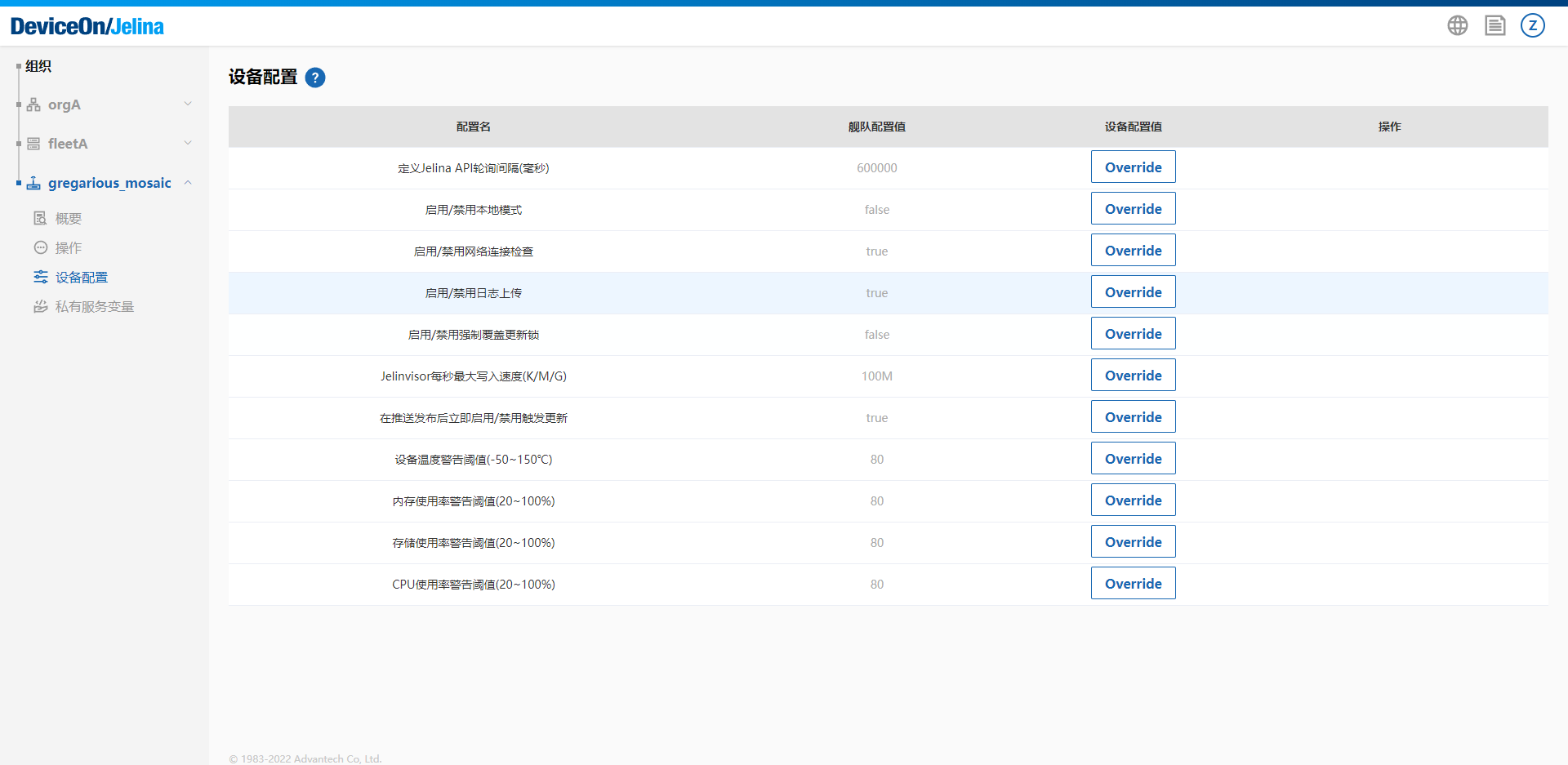
Device runtime policy configuration
Jelina defines settings with default values that control device runtime policies.
Additional settings will be added to provide more flexible control.
Configuration reference
Section titled “Configuration reference”Before using remote SSH, remote desktop, or a device service proxy, confirm that the device is activated and Online.
| Code | Name | Default | Description |
|---|---|---|---|
| JELINVISOR_POLL_INTERVAL | Jelina API polling interval in milliseconds | 900000 | Interval at which Jelinvisor synchronizes state with JelinaCloud; minimum 600000 ms (10 minutes) |
| JELINVISOR_CONNECTIVITY_CHECK | Enable/disable network connectivity checks | Enabled | |
| JELINVISOR_LOG_CONTROL | Enable/disable sending logs to Jelina | Enabled | Devices send system and service logs to JelinaCloud by default; default storage supports 100000 log entries |
| JELINVISOR_OVERRIDE_LOCK | Enable/disable forced update lock override | Disabled | |
| INSTALL_WRITE_SPEED_LIMIT | Maximum Jelinvisor write rate per second (K/M/G) | 5M | Limits Jelinvisor writes; units are k/m/g/K/M/G |
| RELEASE_INSTANT_UPDATE_TRIGGER | Enable/disable immediate update triggering after publishing | Enabled | Whether to notify devices to update immediately after publishing a new Release |
| NOTICE_TEMPERATURE_WARNING_THRESHOLD | Device temperature alert threshold (-50~150°C) | 60 | When reached, JelinaCloud sends a system notification to all members of the device’s organization; identical notifications occur at most once every 3 hours |
| NOTICE_MEMORY_USAGE_WARNING_THRESHOLD | Memory usage alert threshold (20~100%) | 60 | When reached, JelinaCloud notifies all members of the device’s organization; identical notifications occur at most once every 3 hours |
| NOTICE_STORAGE_USAGE_WARNING_THRESHOLD | Storage usage alert threshold (20~100%) | 80 | When reached, JelinaCloud notifies all members of the device’s organization; identical notifications occur at most once every 3 hours |
| NOTICE_CPU_USAGE_WARNING_THRESHOLD | CPU usage alert threshold (20~100%) | 80 | When reached, JelinaCloud notifies all members of the device’s organization; identical notifications occur at most once every 3 hours |
| PRODUCTION_MODE | Enable/disable production mode | Enabled | In production mode, devices are accessible only through JelinaCloud, even from the same LAN; configure LAN-accessible ports in the Release configuration if required |
| DEVICE_SERVER_PROXY_PORT | Device service proxy port | 80 | The service proxy accesses device port 80 by default; this setting changes it |
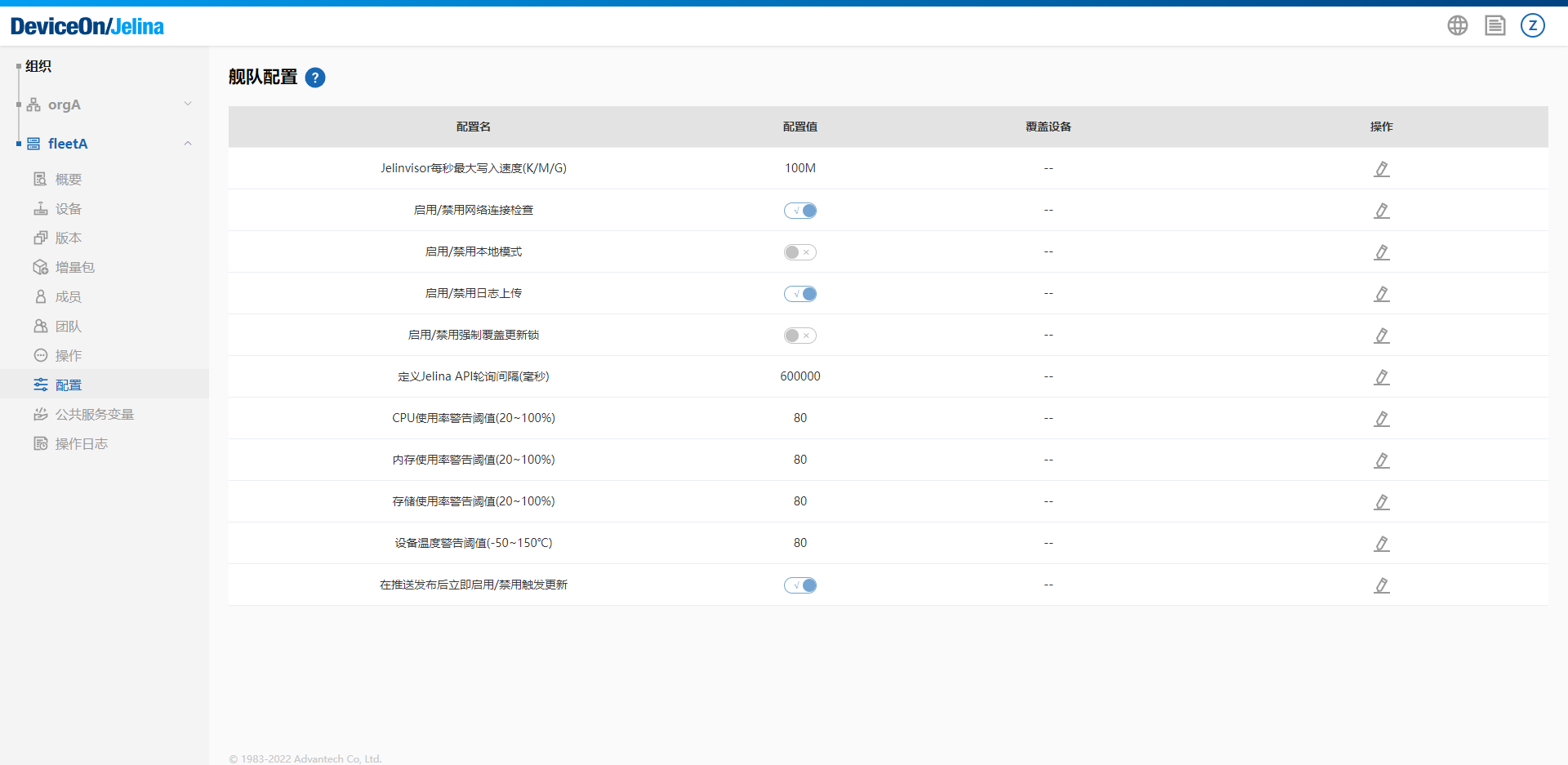
Fleet configuration
Section titled “Fleet configuration”Shared configuration for all devices. Change values here to configure devices consistently.
Device configuration
Section titled “Device configuration”Configuration for an individual device. Override fleet values here; overrides affect only that device and do not change the fleet configuration.