
Create a Release
This Release contains one containerized application, mysql, and one native application, an sh script.
Step 1: Start creation
Section titled “Step 1: Start creation”Open the fleet’s Release list and select New Release.
Step 2: Select an editing mode
Section titled “Step 2: Select an editing mode”Non-developer mode
Users without development experience can create Releases through a form-based interface. This method supports only the simplest Release configurations and does not allow application-specific customization through Compose configuration.
Developer mode
Developer mode allows more detailed application configuration through Compose. It requires some development experience, including:
- Familiarity with Docker workflows.
- Understanding of docker-compose configuration.
- Knowledge of native application runtime requirements.
- Prior review of Jelina’s Compose support.
Step 3: Enter configuration
Section titled “Step 3: Enter configuration”Non-developer mode
Section titled “Non-developer mode”Complete the configuration according to the field names.
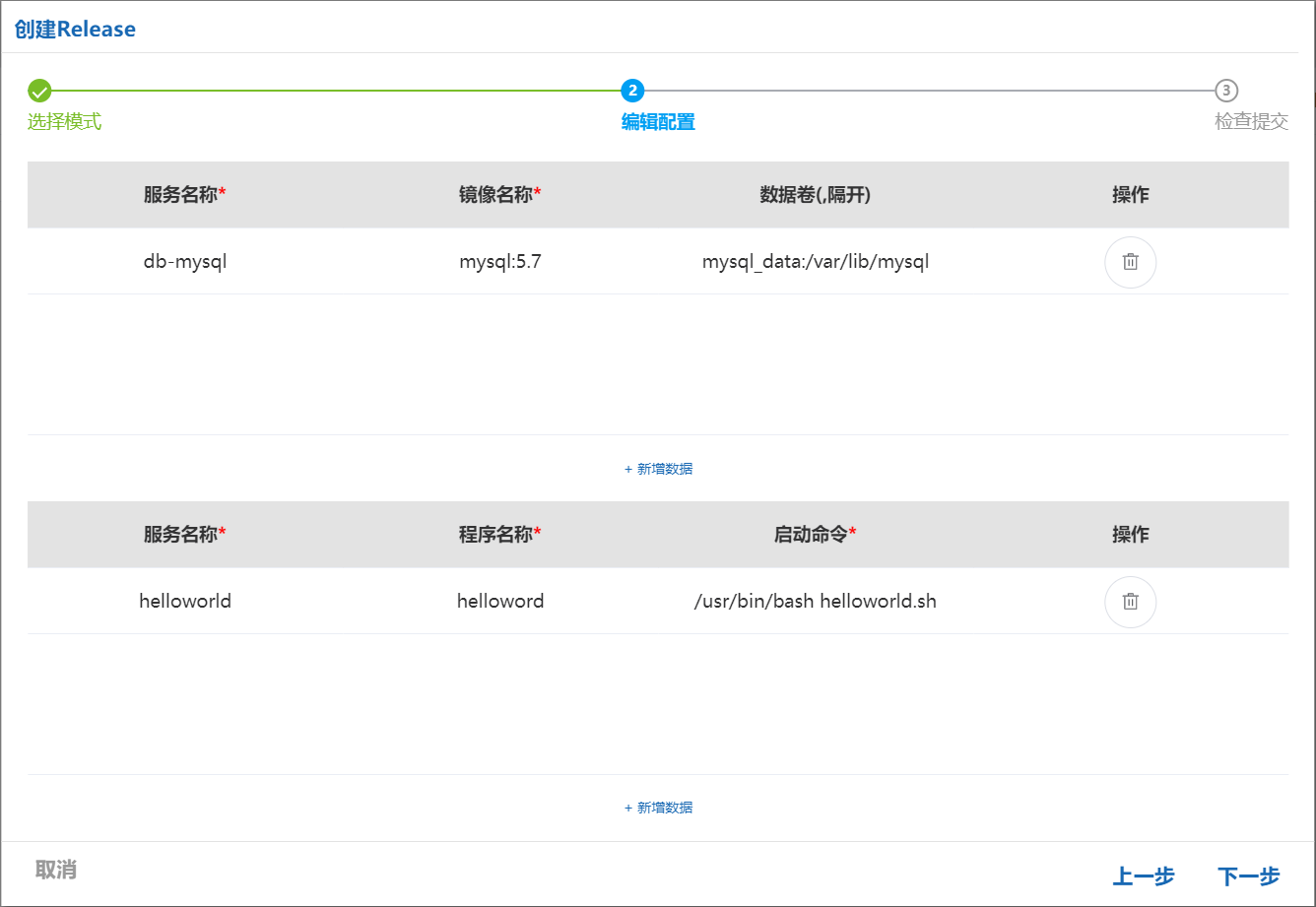
Developer mode
Section titled “Developer mode”Upload a prepared compose.yaml file or edit the configuration directly in the YAML editor.
This example uses the following Compose configuration:
version: 2services: db-mysql: #Container service name image: mysql:5.7 #Container image name; if no image file is uploaded, this setting is used to pull a public image from Docker Hub environment: MYSQL_ROOT_PASSWORD: '123456' #Initialize the database password ports: - '3306:3306' #Map the container port to a host port volumes: - mysql_data:/var/lib/mysql #Mount a data volumeprograms: #A Jelina-defined label for loading native applications, similar to services helloworld: #Service name program: helloworld restart: on-failure #Restart policy: restart on service failure command: /usr/bin/bash helloworld.sh #Service startup command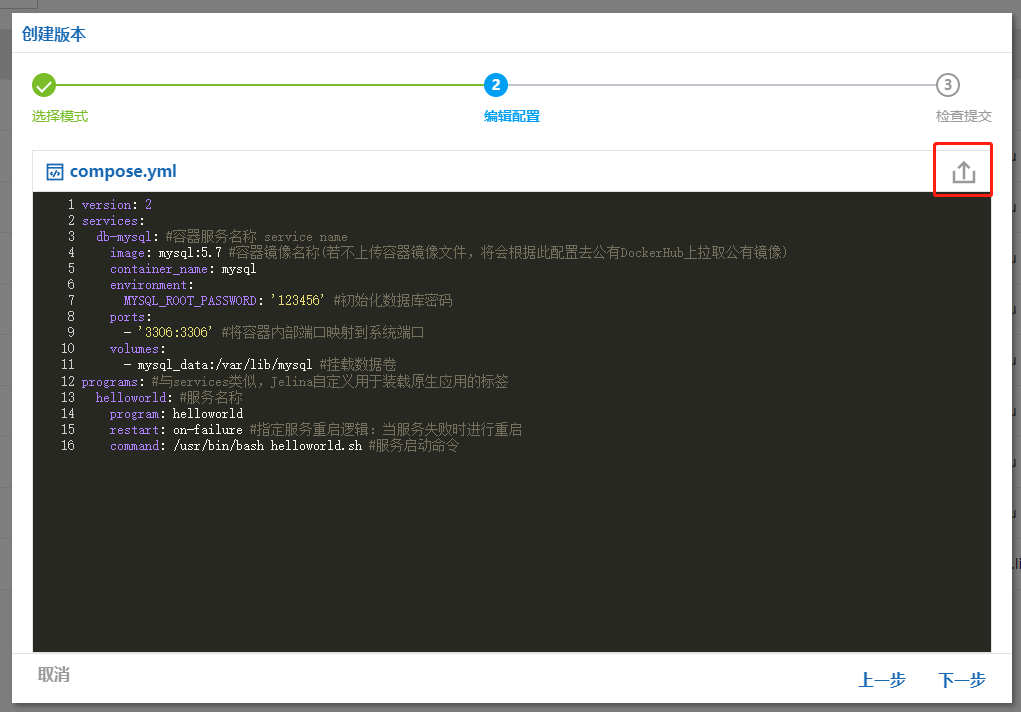
Step 4: Publish the configuration
Section titled “Step 4: Publish the configuration”Verify that the generated services match your intentions, then select Save to publish the Compose configuration.
Note: Native services do not have volume configuration; it appears here only for alignment with the other columns.
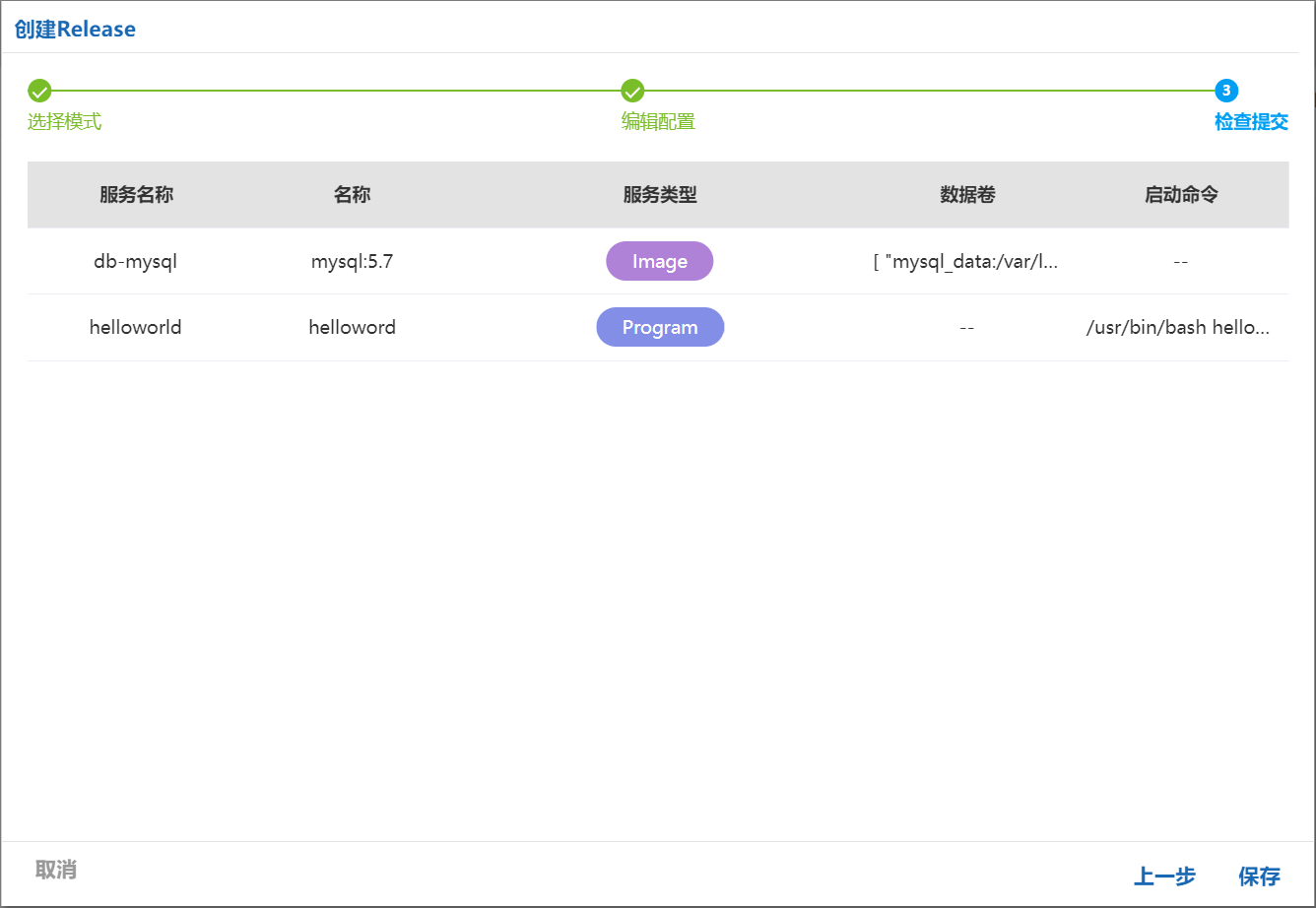
Step 5: Upload application packages
Section titled “Step 5: Upload application packages”After publishing the configuration, you are redirected to Release details, where you upload container images and native application packages.
Note: Supported package formats are [.tar], [.tar.gz], [.tgz], [.tar.bz2], [.tbz2], [.tar.xz], and [.txz].
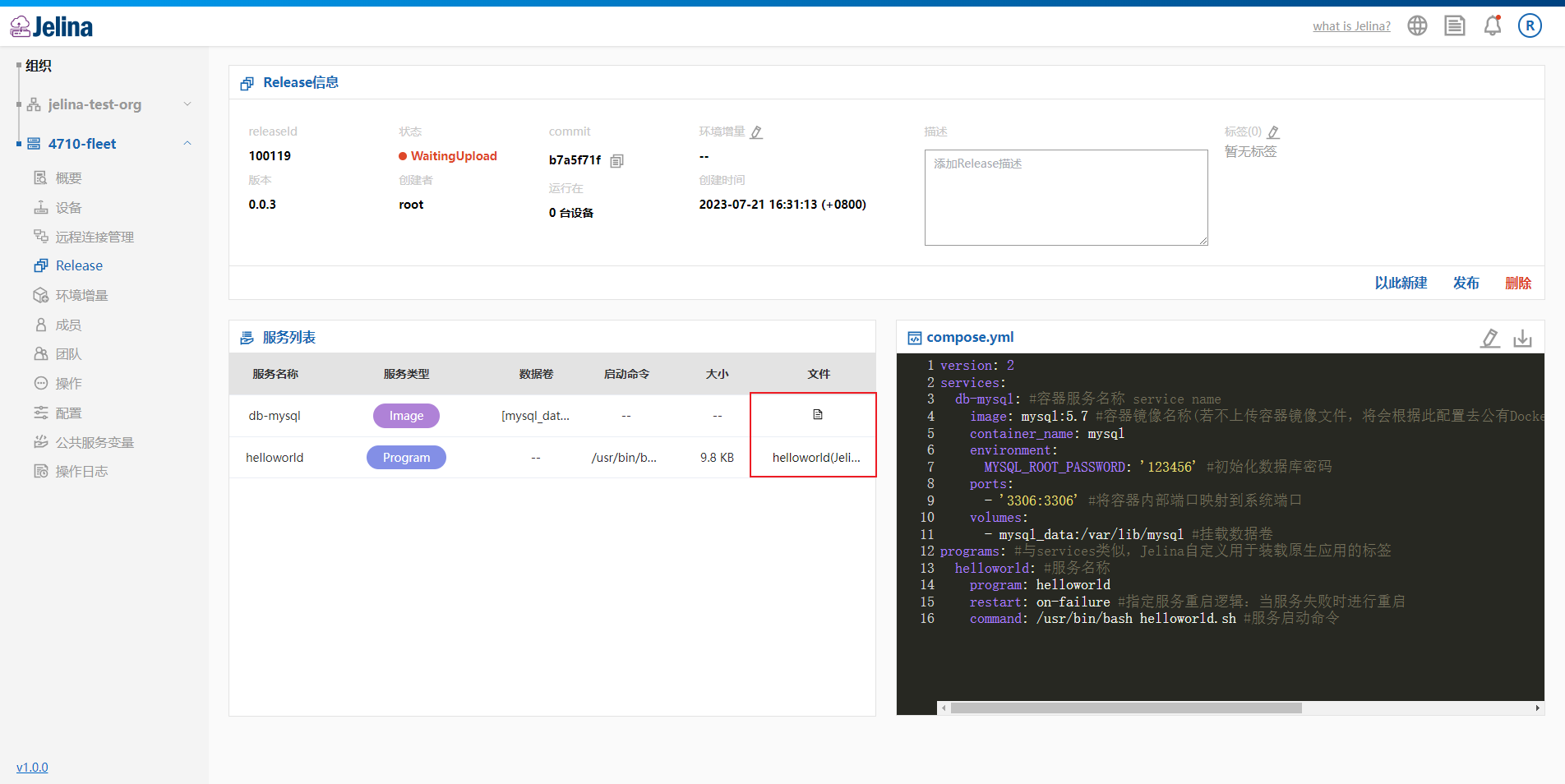
Upload container images
Section titled “Upload container images”If the specified image is available on DockerHub, uploading an image file is optional.
In this example, mysql:5.7 is available directly on DockerHub, so no image file is uploaded.
Upload native applications
Section titled “Upload native applications”We provide a simple script to deploy as a native application.
Native application: helloworld.tar.gz
The script performs the following:
Prints helloworld $i every 10 seconds.
Prints the service variable $name every 100 seconds.
#!/bin/bashfor((i=1; ;i++));do echo "helloworld $i" sleep 10 if [ $(expr $i % 10) == 0 ] then echo "name:$name" fidoneStep 6: Publish the Release
Section titled “Step 6: Publish the Release”Select Publish to publish the Release officially.
Note
Container image uploads are optional; Jelina pulls images from DockerHub according to the image field.
Native applications must upload their package file and specify a startup command.
Only published Releases can be deployed to devices.
Published Releases cannot be changed.
Devices install the fleet’s latest published Release automatically by default.