
Deploy a Release
Default deployment
Section titled “Default deployment”By default, every device in a fleet keeps the latest published Release installed.
Devices disconnected from JelinaCloud update and deploy the Release immediately upon their next connection.
-
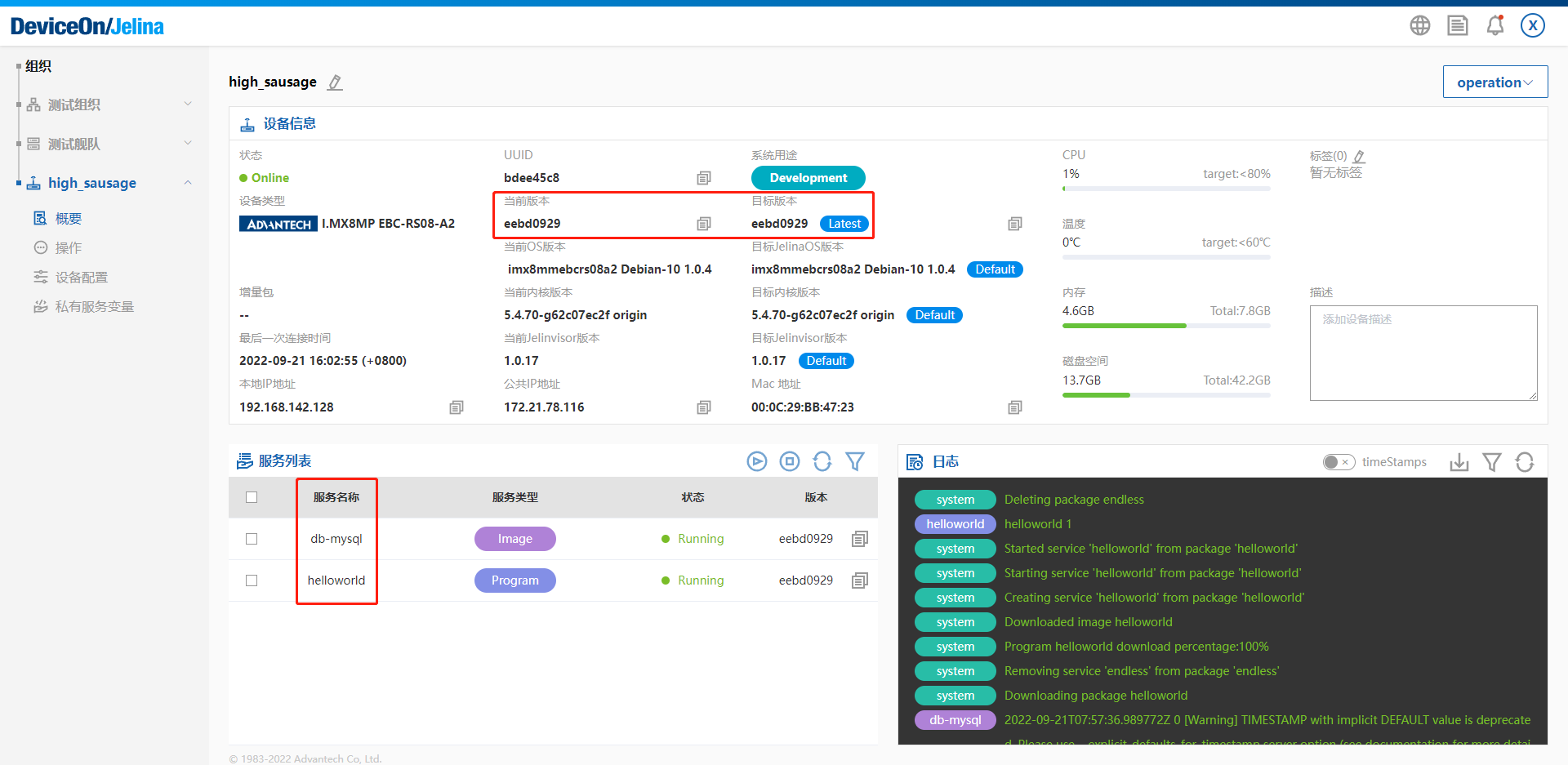
The device overview shows the currently installed and target Releases.
-
The service list at the lower left shows installed services and their status and lets you control their lifecycles.
-
Device logs appear on the right. Logs are available per service so you can observe the entire Release installation and subsequent application behavior.
Select a specific deployment
Section titled “Select a specific deployment”Specify which application Release a device should run.
Set a fleet Release
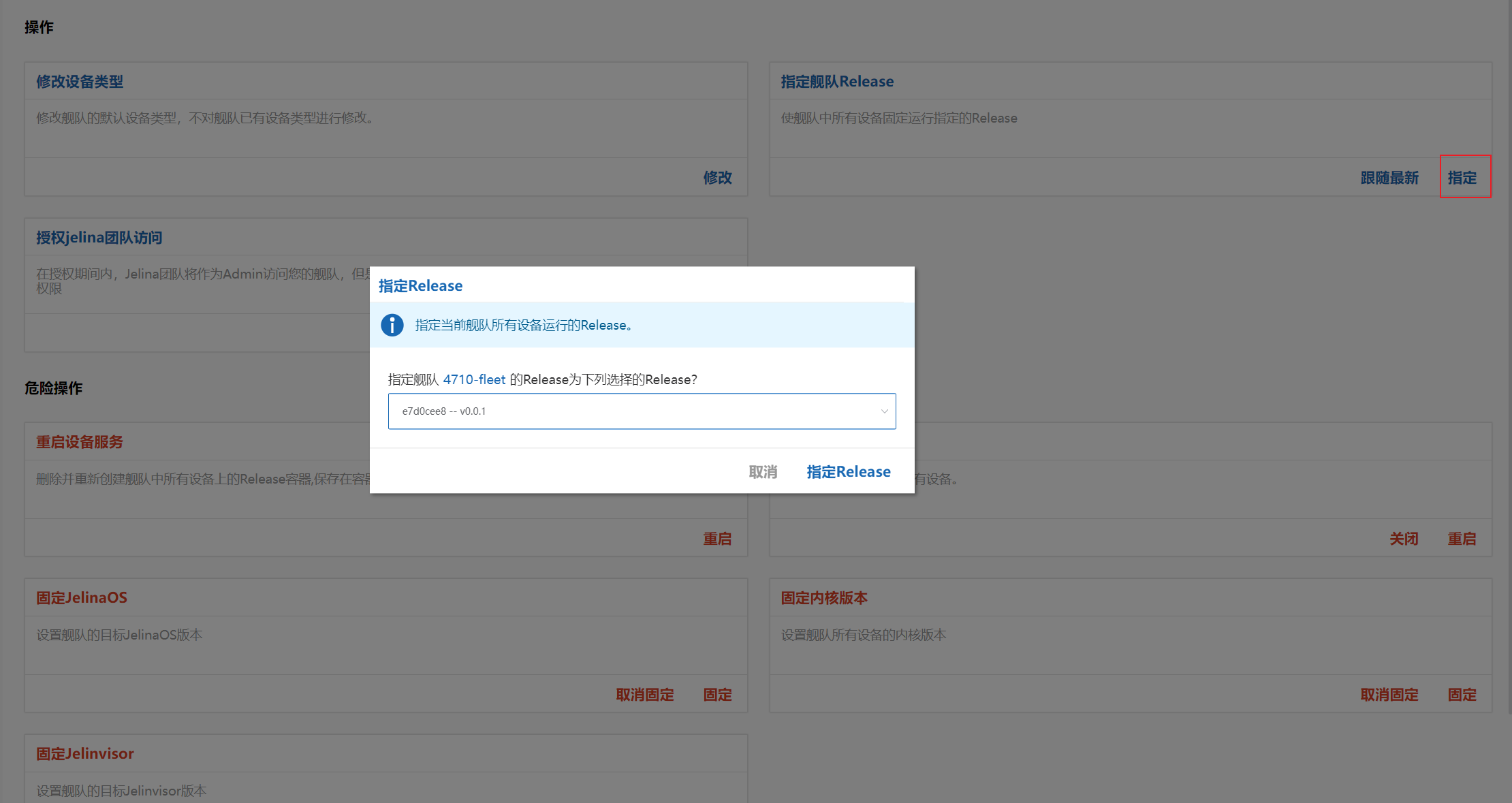
Section titled “Set a fleet Release”To prevent automatic installation of the latest Release, use the fleet’s Actions page to specify one Release for all devices.
After pinning a fleet version, all fleet devices target that version and install it on their next update.
Set a device Release
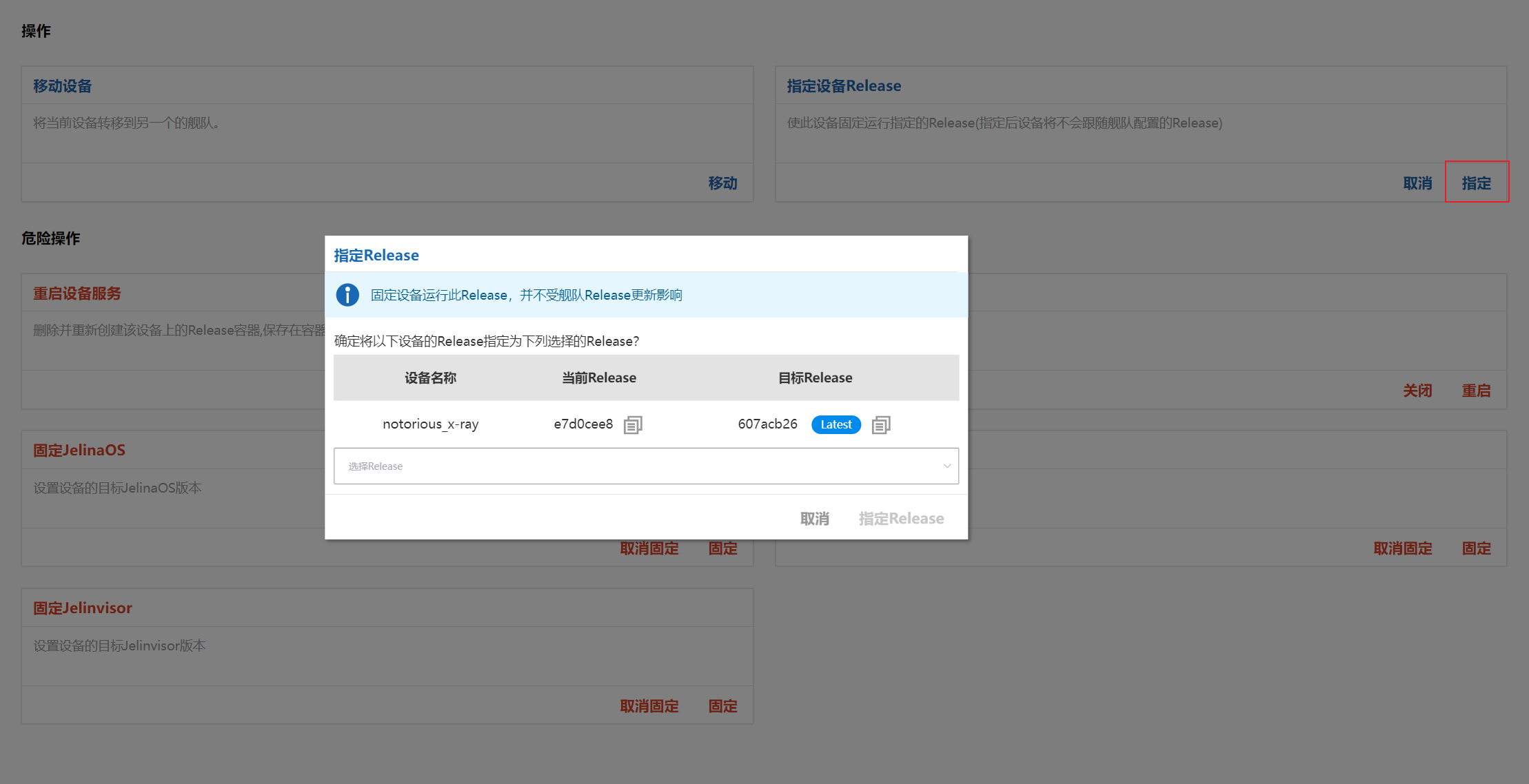
Section titled “Set a device Release”You can also specify a version directly for an individual device. Once pinned, it does not follow the fleet’s selected version.
Note
Although supported, pinning individual device versions is not recommended because it departs from the fleet’s intended shared environment configuration. If not managed carefully, it can complicate future maintenance.
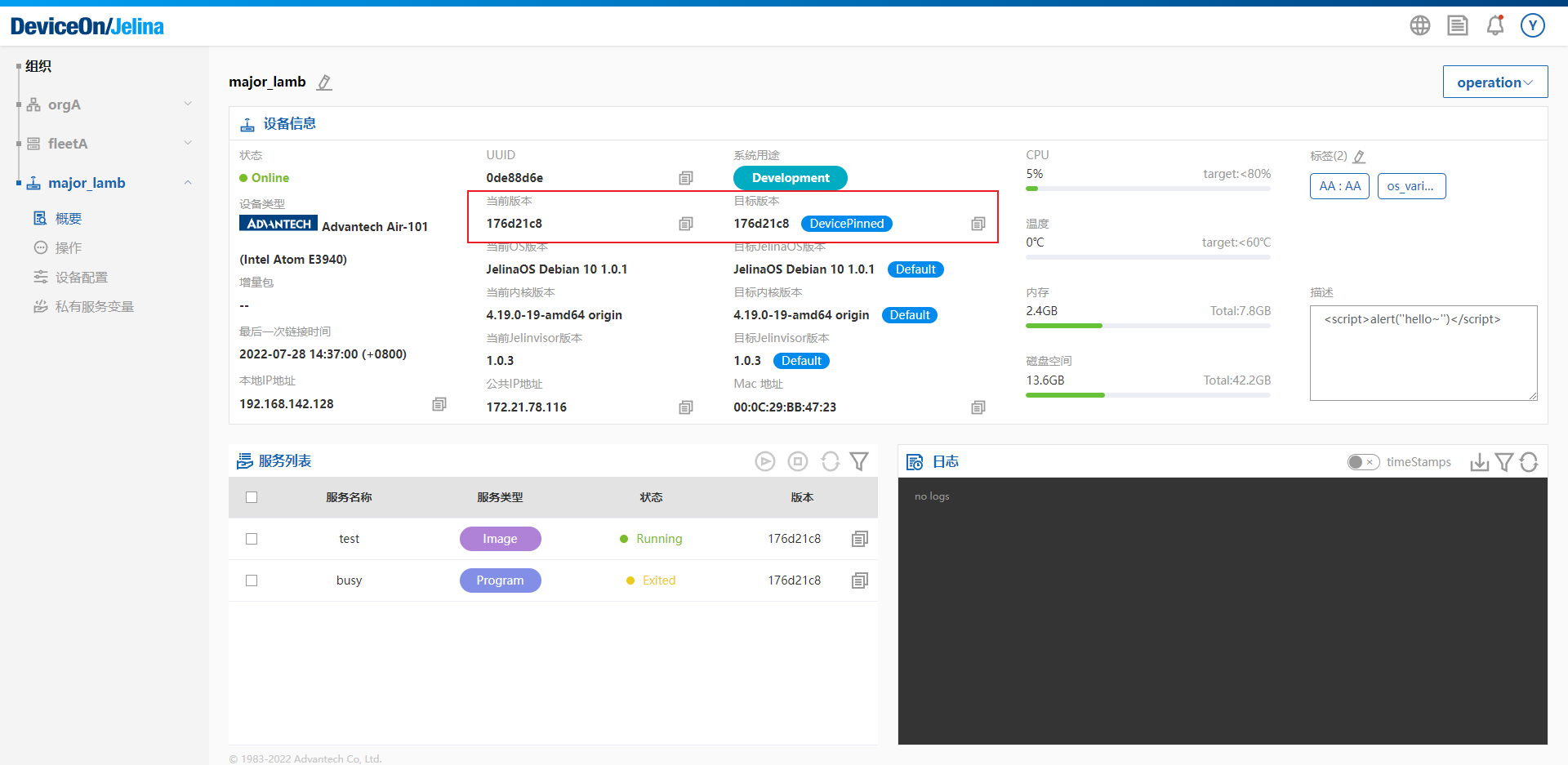
After selection, the device overview shows its next action: installing the specified version.
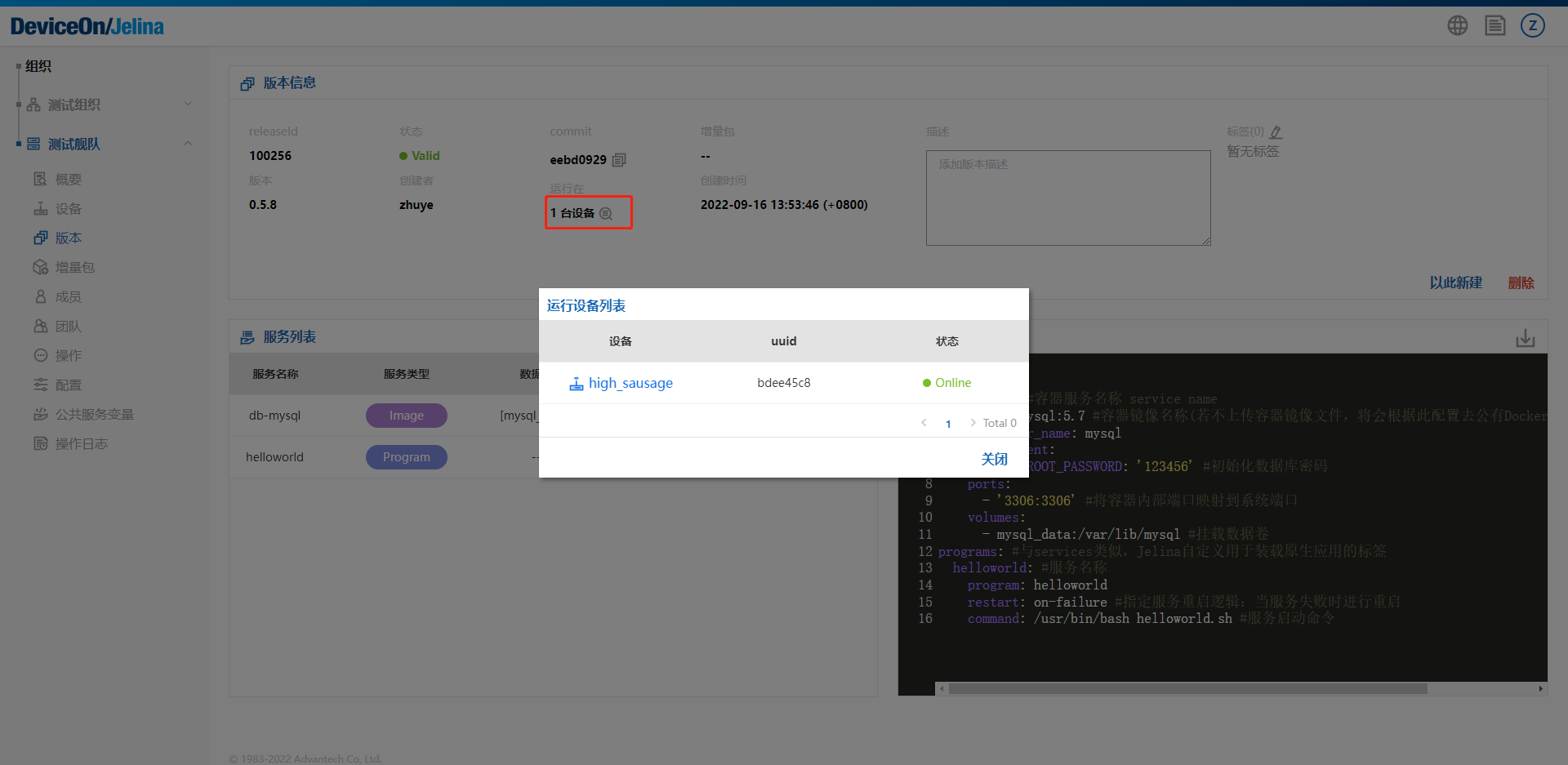
To understand deployment status, open Release details to see which devices have installed it.
Configure service variables
Section titled “Configure service variables”Service variables add environment variables to applications running on devices. They are not added to system-wide variables and affect device services only.
Shared fleet service variables
Section titled “Shared fleet service variables”Variables configured at fleet level apply across its devices.
There are two scopes:
All Services: applies to every service on every device in the fleet.
A specified service: applies to one service within a particular Release, only on devices with that Release installed.
Add variables
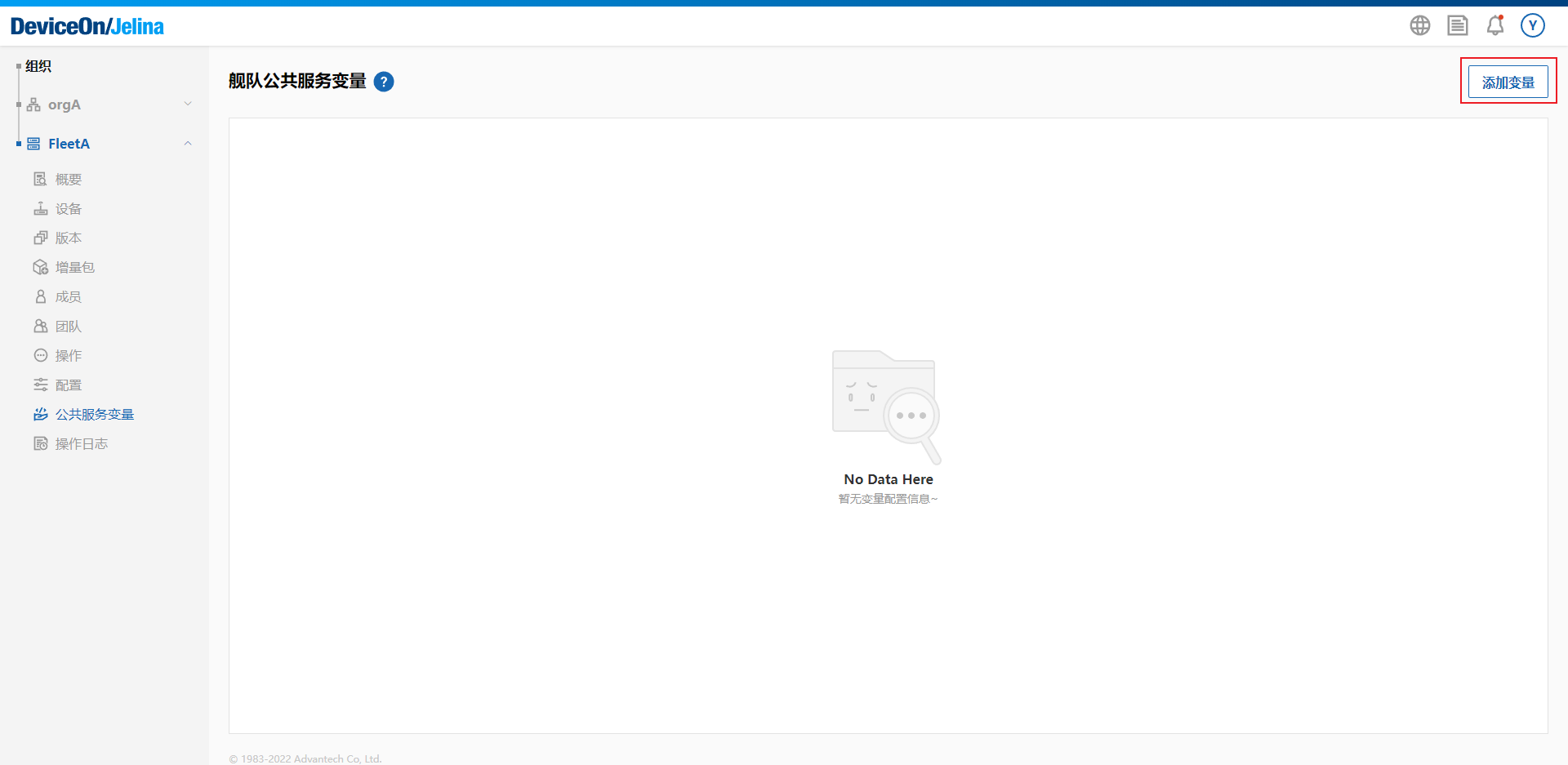
Open the fleet’s shared service variables page and select Add variable.
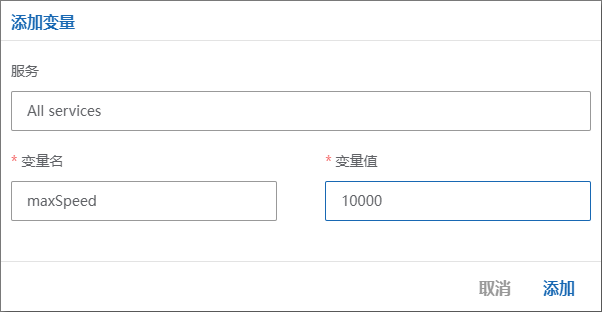
Select the service scope, enter a variable name and value, and select Add. Names may contain only letters, digits, and underscores.
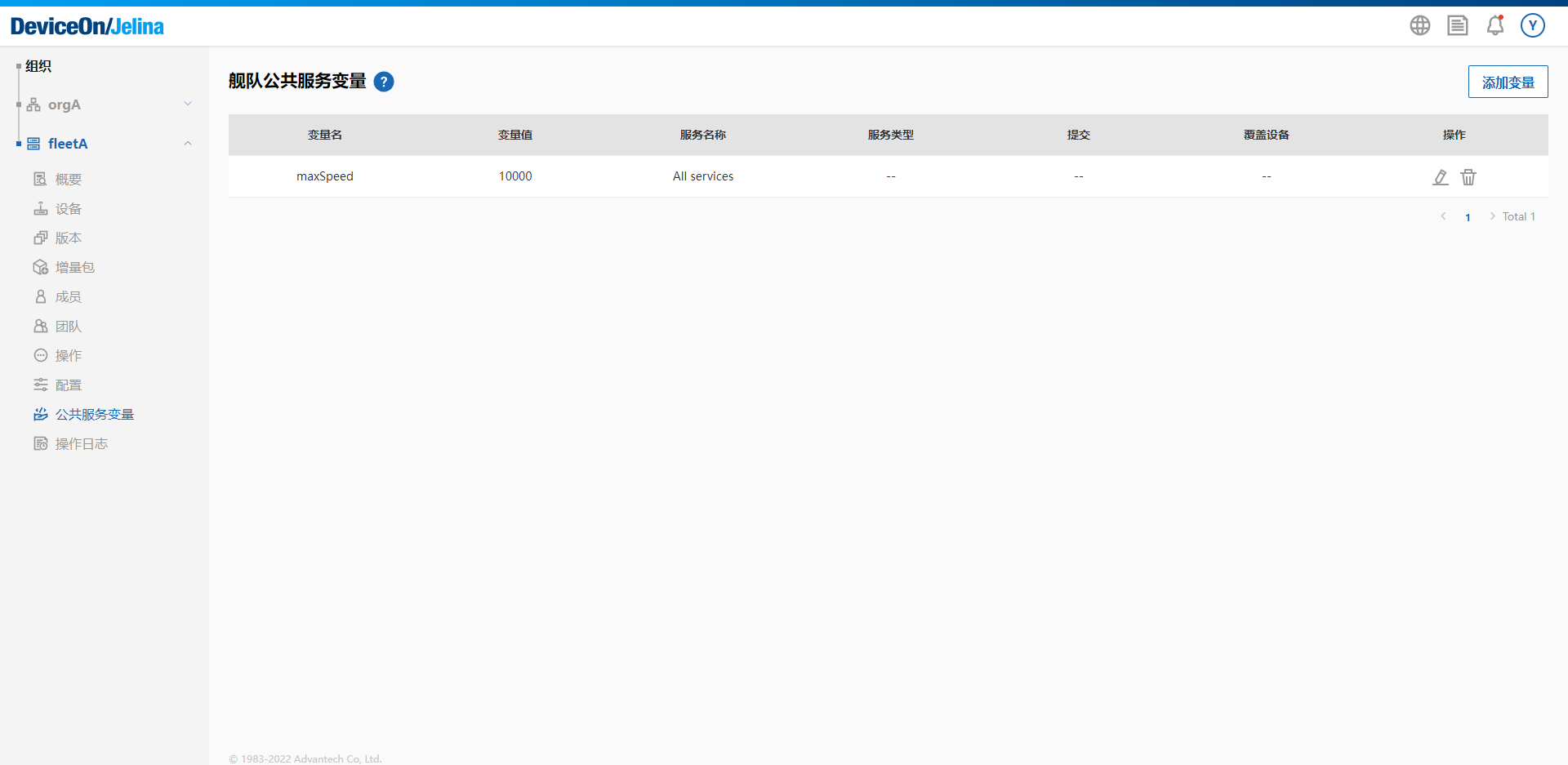
The variable appears in the list.
Private device service variables
Section titled “Private device service variables”Private service variables work like shared variables but apply only to services running on the selected device.
Keep the following in mind:
- If a private variable and a shared variable have the same name, the private value takes precedence.
- Override shared values for one device without changing the fleet’s original value.
- Deleting an override makes the device use the shared value again.
Add variables
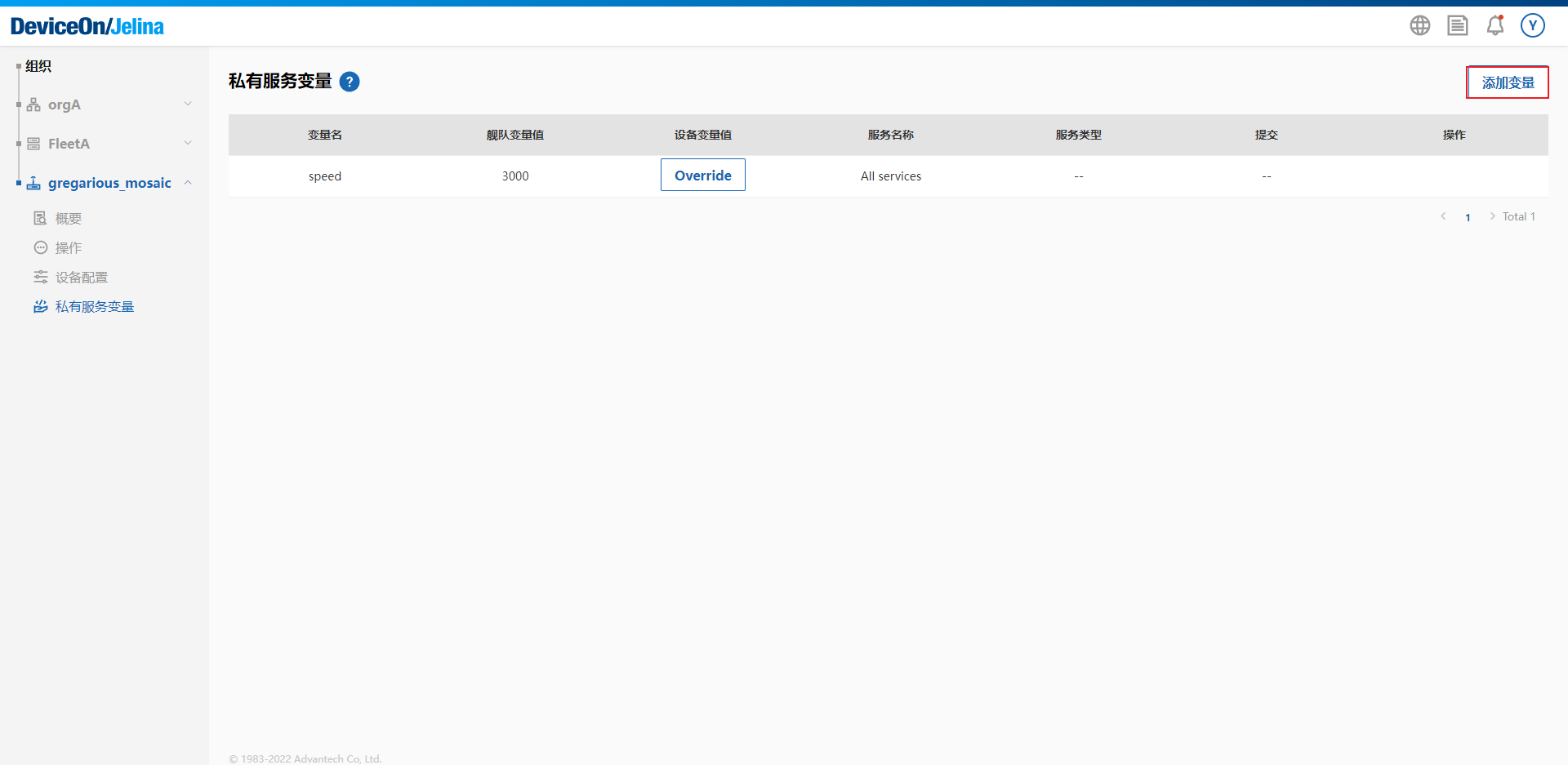
Open the device’s private service variables page and select Add variable.
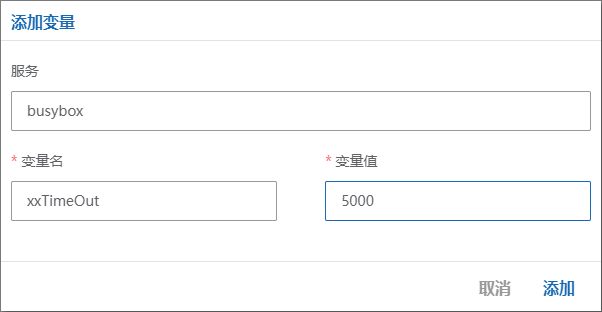
Select a service, enter the name and value, and select Add. Names may contain only letters, digits, and underscores.
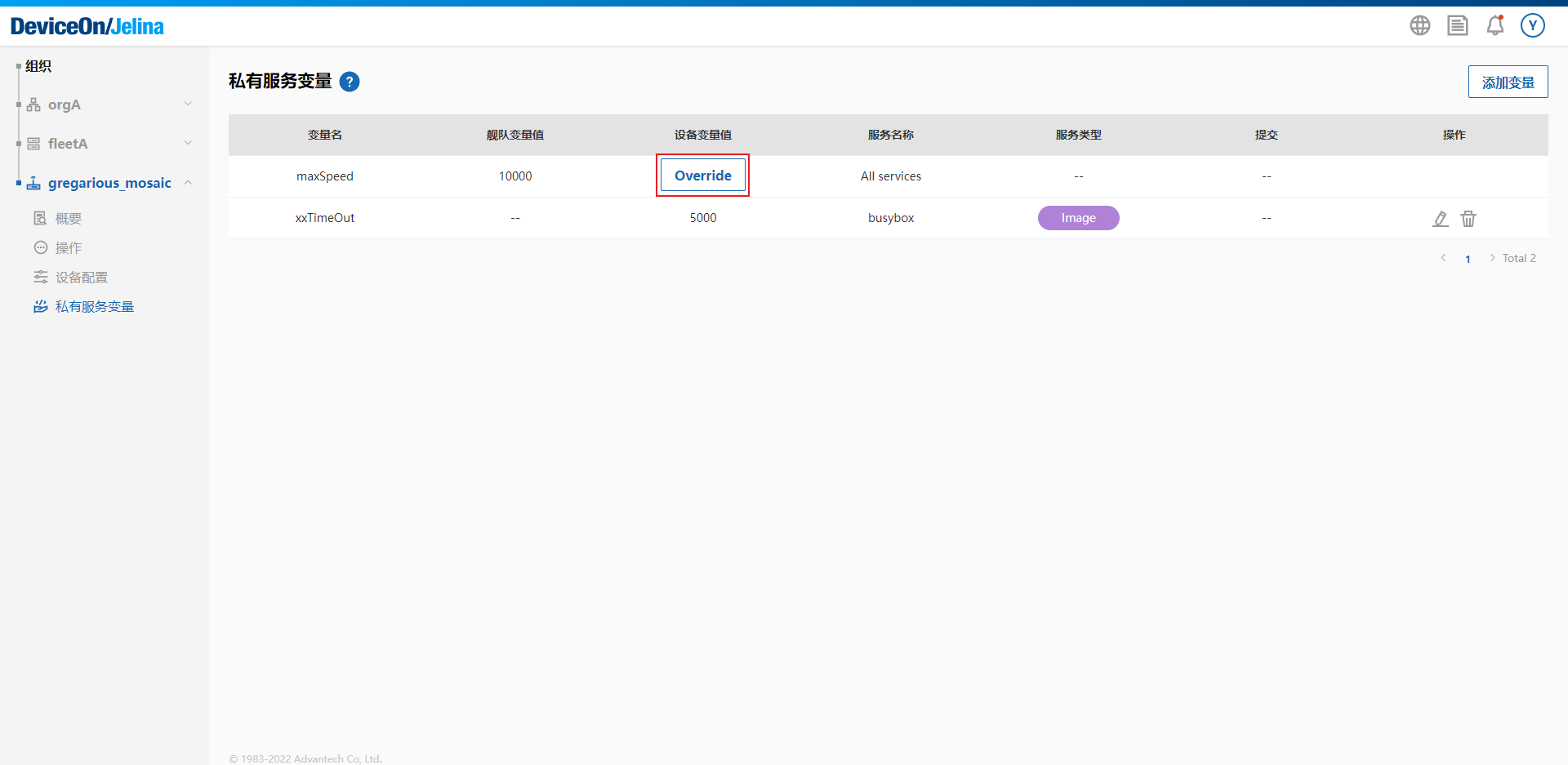
Override variables
Select Override.
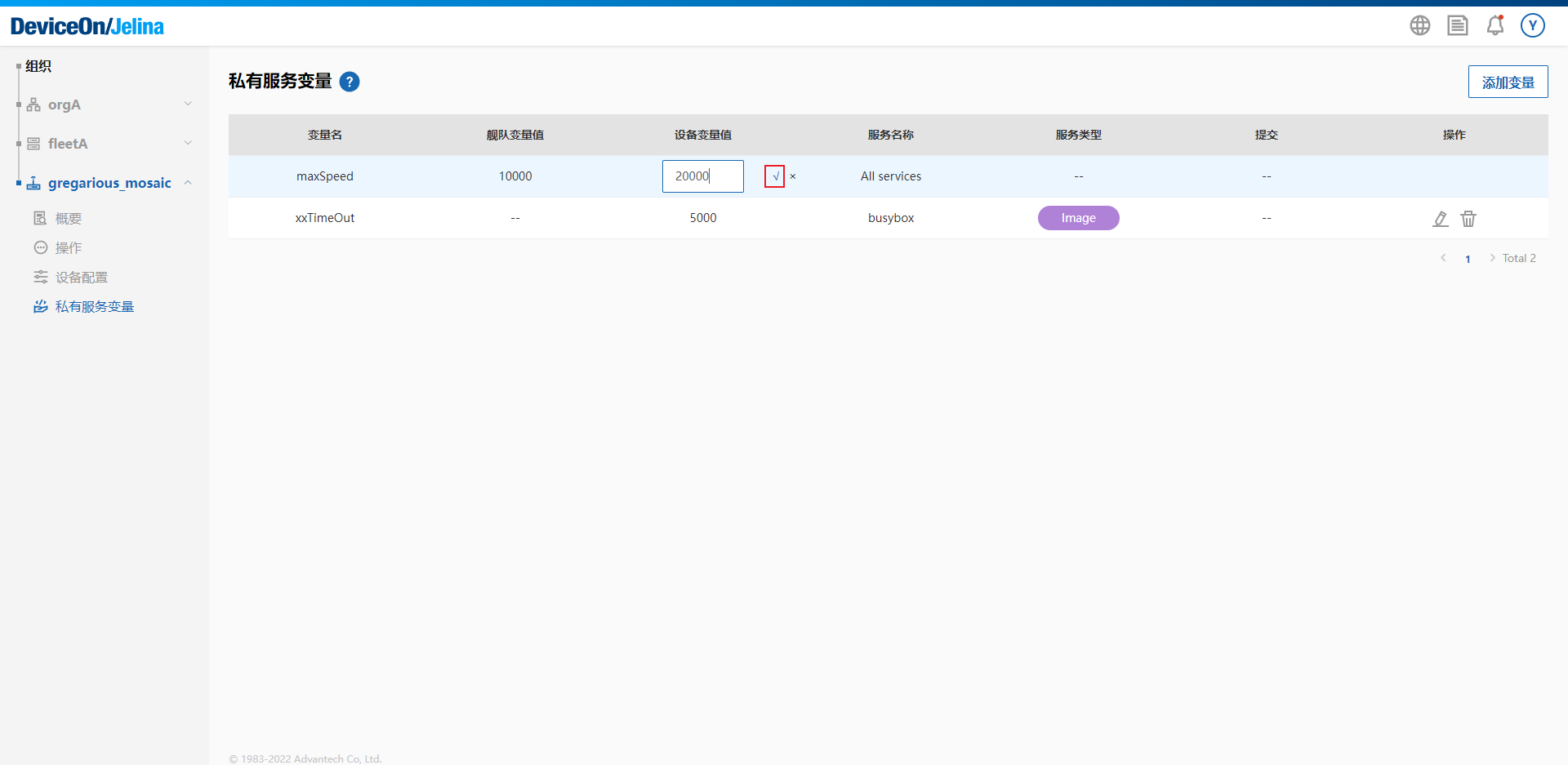
Enter the value and select Confirm.
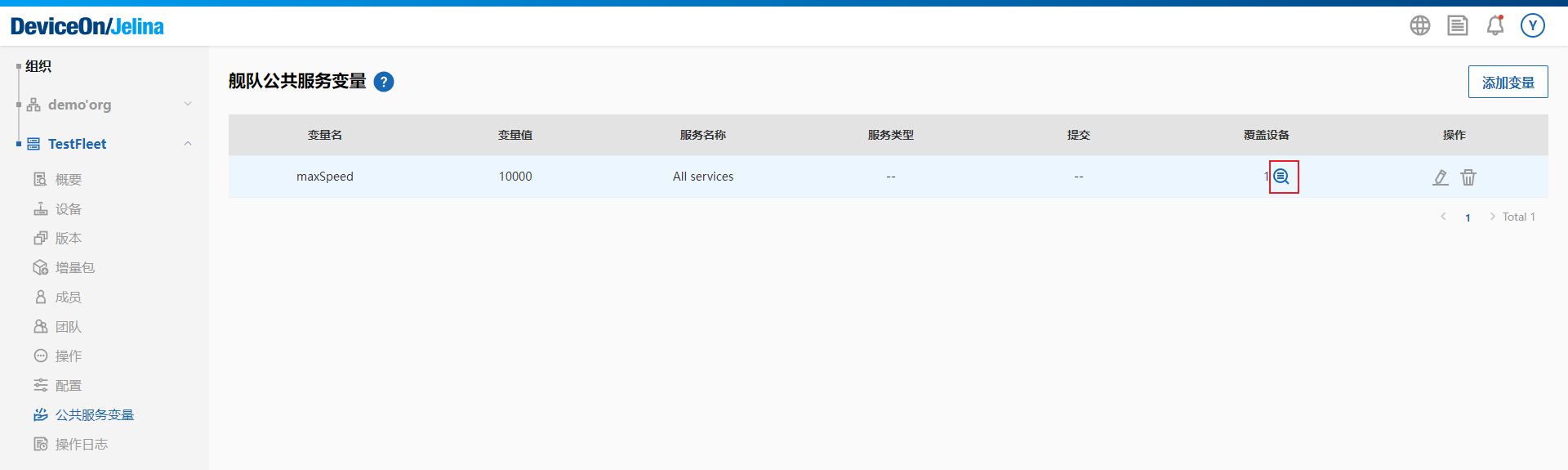
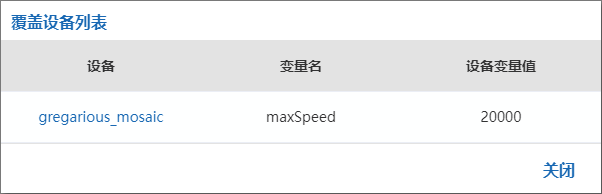
The fleet’s shared service variables page shows which devices override a variable.
Service variable behavior
Section titled “Service variable behavior”- Where do service variables apply?
- Containerized applications: JelinaCloud adds them to environment, the environment field in Compose. If a name matches a variable in your Compose configuration, the configured service variable takes precedence.
- Native applications: variables become the application’s runtime environment variables.
- What happens when variables change?
- Container services: containers are destroyed and recreated to apply the variables.
- Native applications: services restart.
- Service variables let you configure application behavior flexibly, provided the application reads them and adjusts its behavior accordingly. Jelina provides the infrastructure; implementation is up to you.
Example uses to inform your development:
- Deliver connection keys or addresses for IoT clouds such as Azure, Amazon, Aliyun, and Tencent.
- Configure database connections.
- Configure MQ connections.
- Configure maximum resource usage.
- Act as a configuration center for service runtime policies.