
Getting started guide
The Jelina platform includes device, server, and client software designed to deploy your code securely to groups of devices.
The basic idea is straightforward: once devices run JelinaOS, you can manage, monitor, and update them and their applications from the JelinaCloud dashboard. JelinaCloud stores application configuration as a separate unit and delivers it to your fleet to simplify deployment.
For a closer look at how Jelina works, this guide explains the components and workflows of a typical deployment in enough detail to answer common questions.
Ready to explore? Start your own project.
On the device
Section titled “On the device”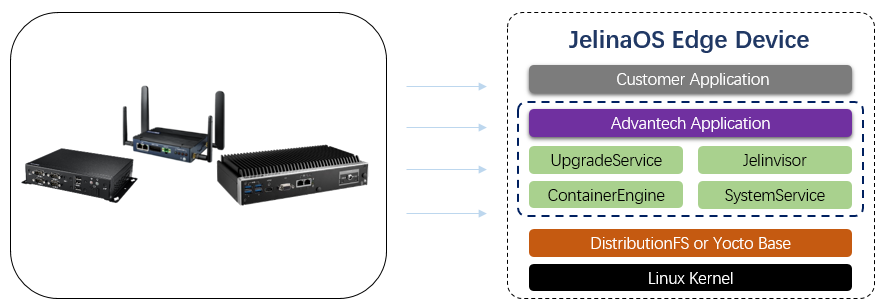
Devices in the Jelina ecosystem run JelinaOS, a minimal host operating system based on standard Debian or Ubuntu distributions and bundled with the Docker container engine. The host OS starts Jelinvisor, the device supervisor, along with containerized and program services. Each Jelina base operating system can run Docker images and Linux ELF programs compatible with the device architecture. Base operating systems share a kernel with the host OS but otherwise operate independently. You can configure container services to run privileged, access hardware directly, and even load kernel modules. The Jelina device manager runs in its own container, allowing device operation to continue even if an application crashes.
System and kernel updates
Section titled “System and kernel updates”Jelina aims to be fully updatable. JelinaOS system and kernel updates are independent, each with separate A/B partitions. If a device is running from partition A, an update writes the target version to B and switches to B after success. If updating fails or an unexpected error occurs after switching, the device remains on or reverts to A. Jelina always maintains at least one usable partition to protect applications and data.
All JelinaOS devices, development or production, can receive system and kernel updates controlled through the JelinaCloud dashboard.
Device configuration
Section titled “Device configuration”How do you add a device to your fleet?
First, download a JelinaOS image. Each download embeds a unique device configuration. If you already have an image, you can download only the configuration and embed it with jelina_flash_stream, a tool not yet publicly available. The configuration contains basic fleet settings, a unique fleet-bound registration key, and the registration address.
After flashing the image, ensure that networking is available. At boot, Jelinvisor starts and registers the device automatically without user intervention. It uses the configuration to register with the target fleet and generates a unique API Key for subsequent cloud communication. After registration, the cloud stores the API Key, deletes the registration key, and retains the device information. The device then appears in the dashboard.
After a device joins a fleet, it automatically installs the latest available Release, unless the fleet has a pinned Release, in which case it installs that version.
Build a Release
Section titled “Build a Release”A Release combines multiple containerized and native (Program) applications. Configuration is based on docker-compose 2.0 with extensions for non-containerized applications. Both developers and non-developers can use it: write Compose configuration manually or generate it by completing the service list in the interface. After configuration, upload container images and program applications. Once published, the Release can be deployed to all devices in a fleet.
Build an Increment (optional)
Section titled “Build an Increment (optional)”If native applications need additional runtime dependencies, configure the device environment by uploading an Increment package.
Note: Devices upload Increments to JelinaCloud. First configure the runtime on a device, then select that device in the dashboard to upload an Increment. It packages its runtime environment and uploads it to its fleet.
An Increment takes effect only when bound to a Release. Before installing the Release, the device installs its bound Increment to provide the correct runtime. In principle, incremental packages let JelinaOS run any type of application, depending on package contents.
Access devices
Section titled “Access devices”At intervals determined by fleet configuration, devices retrieve their target state from the cloud. It contains the required Release, JelinaOS, Kernel, Jelinvisor, and Increment versions, together with device configuration and service variables.
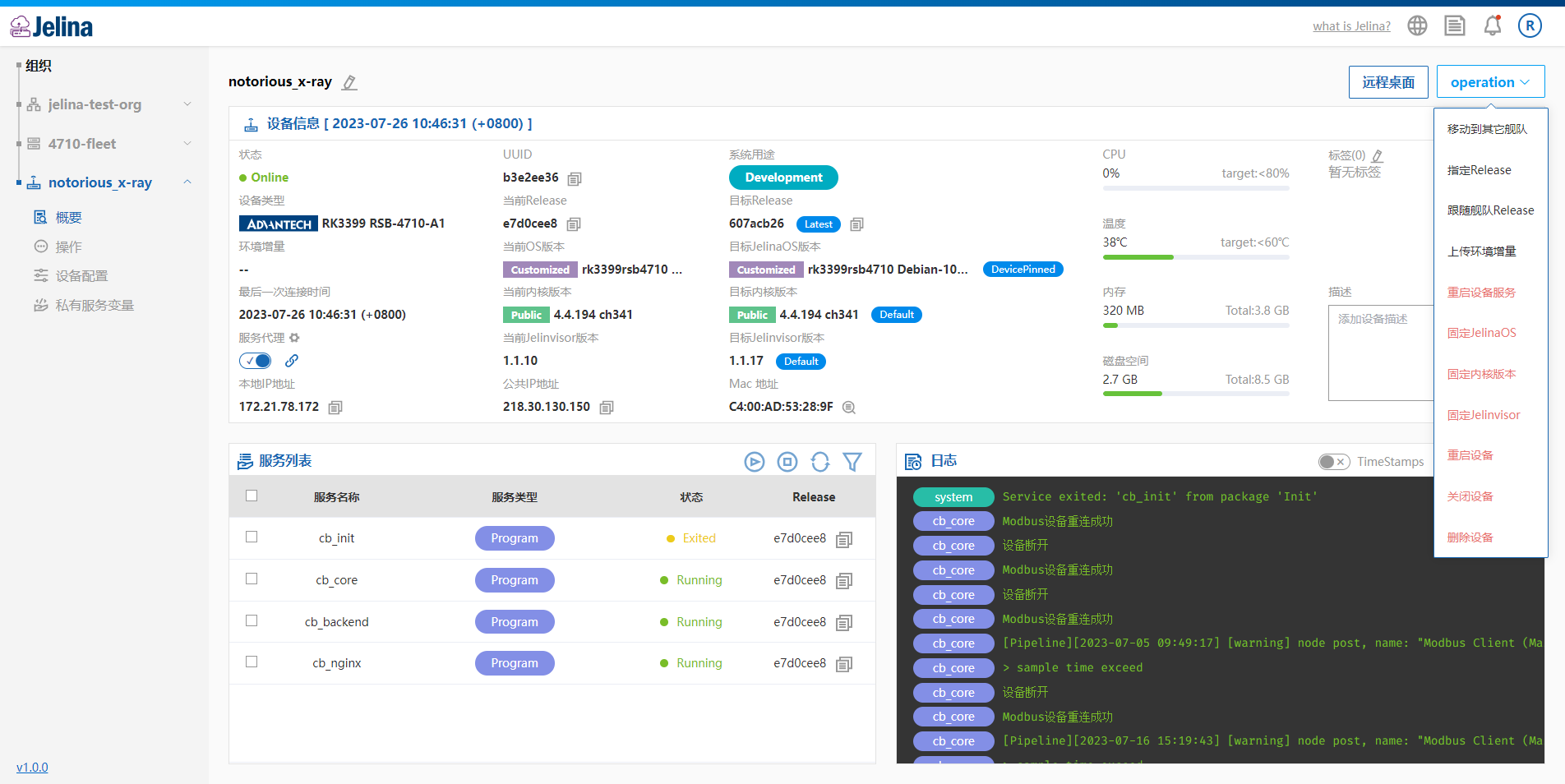
Every 30 seconds, devices report status, including device information and running services. They also upload logs through a persistent connection so you can observe system and application operation.
The device dashboard shows detailed information, running services, upcoming updates, and logs, and allows you to control the lifecycle of the device and its applications.
Fault notifications
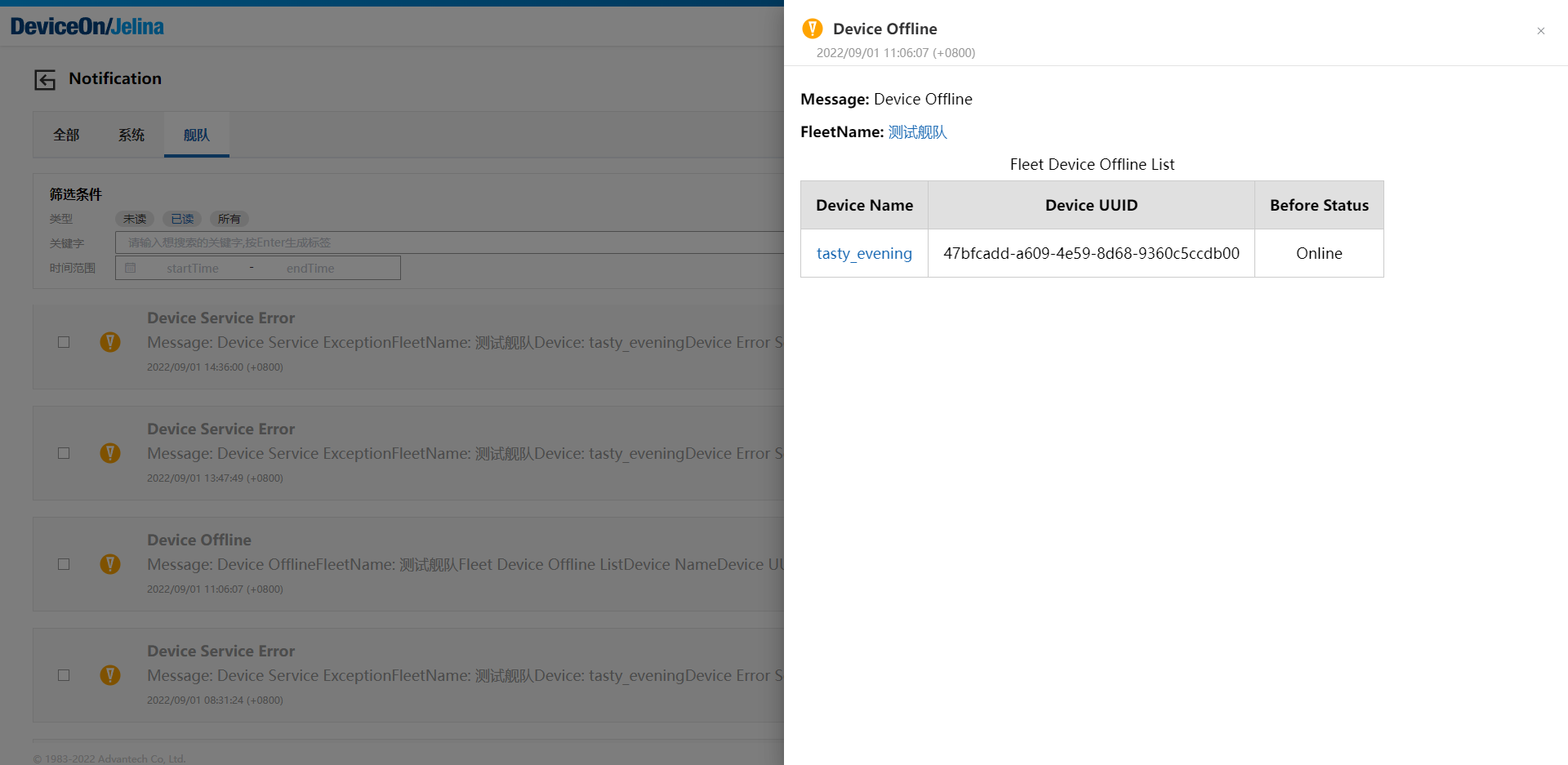
Section titled “Fault notifications”To promptly notify you of device and application issues, JelinaCloud automatically notifies all members of a device’s fleet when the device goes offline or encounters service faults, device faults, or abnormal resource usage. Resource alert thresholds are configurable. If the same issue occurs within three hours, JelinaCloud sends only one notification.
Supporting development
Section titled “Supporting development”Use Jelina to configure test and development environments consistently, deploy quickly, and test application functionality. Device logs help analyze application behavior on real hardware and accelerate development and deployment.