Bulk operations
Acquisition protocols including Modbus, Serial, OPCUA, S7, IEC104, and CAN support bulk point import and export.
The following uses Modbus TCP to demonstrate bulk point import and export.
Bulk import
Section titled “Bulk import”1. Create nodes
Section titled “1. Create nodes”(1) Open CommBridge Digital Twin and switch to Device Connectivity on the left.
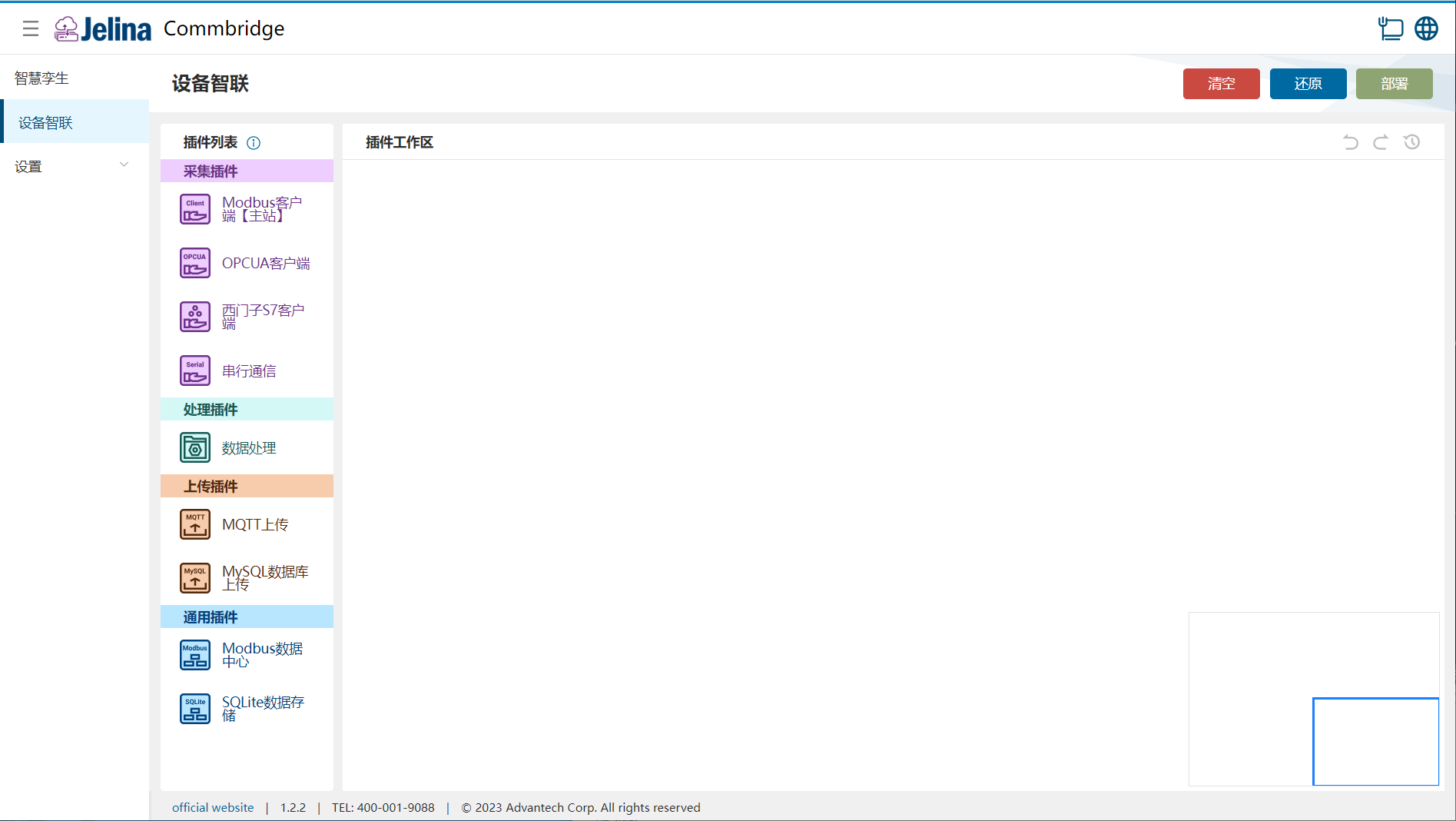
(2) Drag Modbus Client (Master), Data Processing, and MQTT Upload into the workspace to create three nodes.

(3) Connect Modbus Client (Master) → Data Processing → MQTT Upload.

2. Create a scheme
Section titled “2. Create a scheme”Select protocol
Modbus-TCP.
(1) Double-click Modbus Client (Master) and select Add scheme.
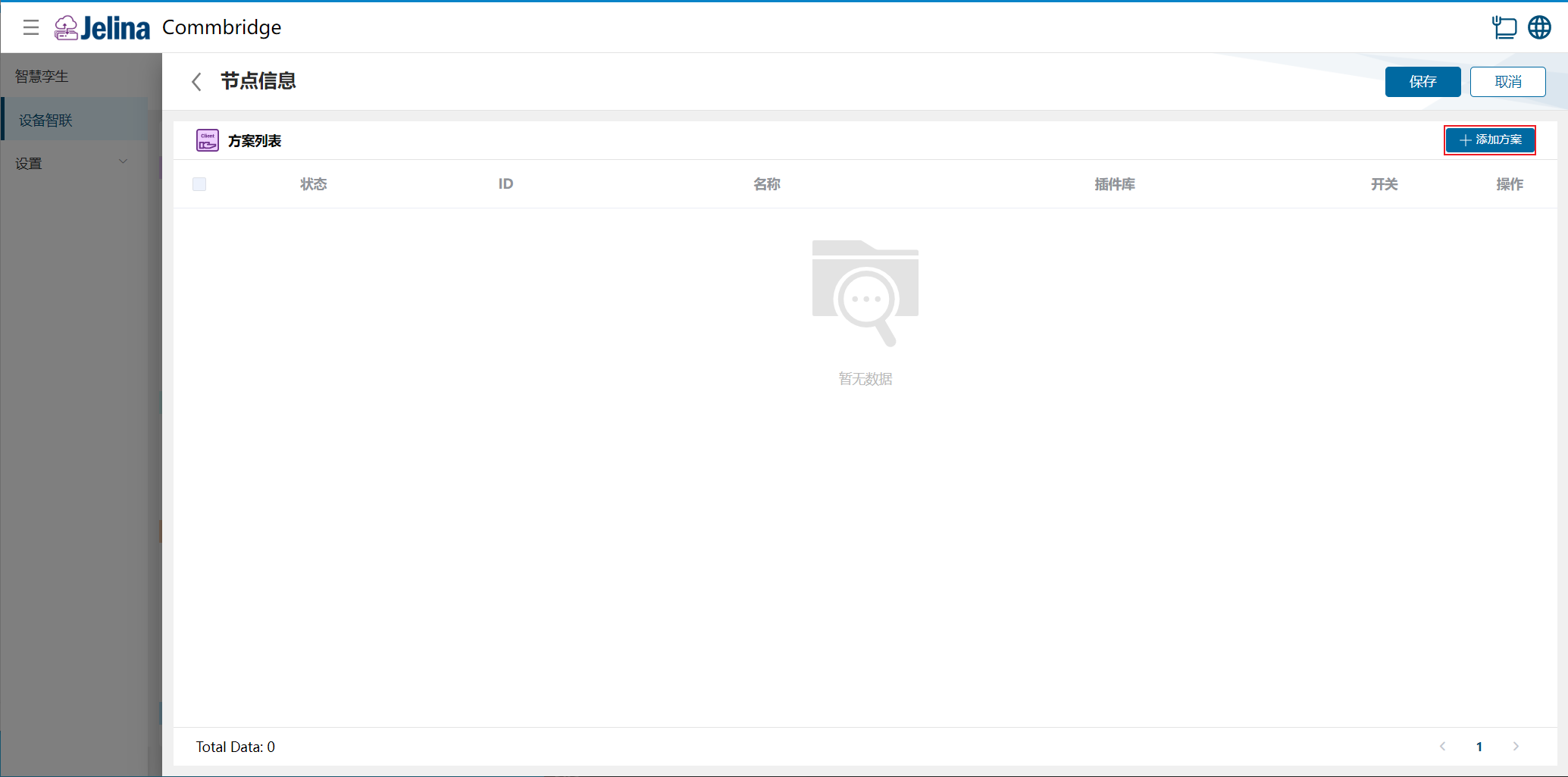
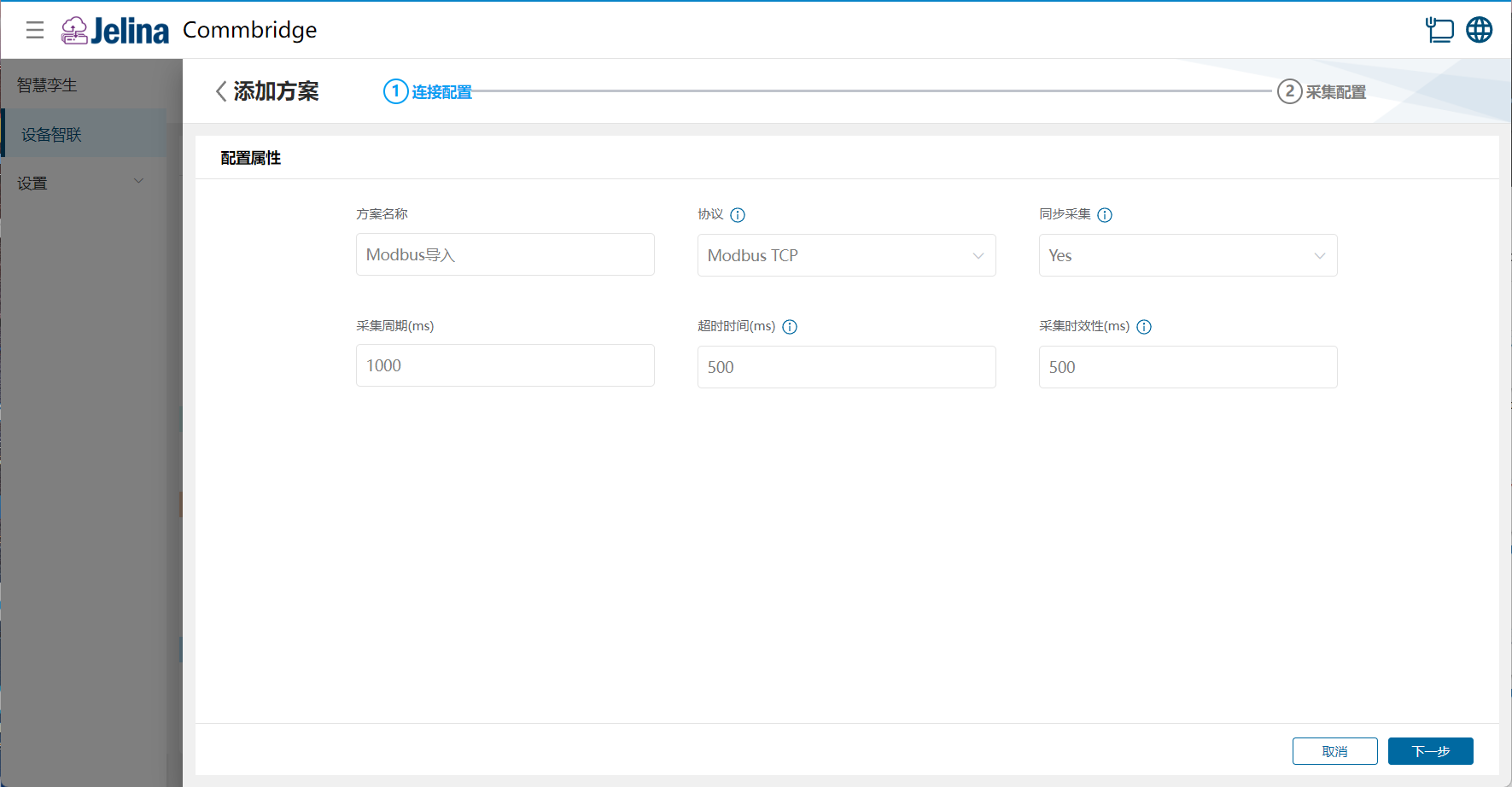
(2) Enter connection settings and select Next.
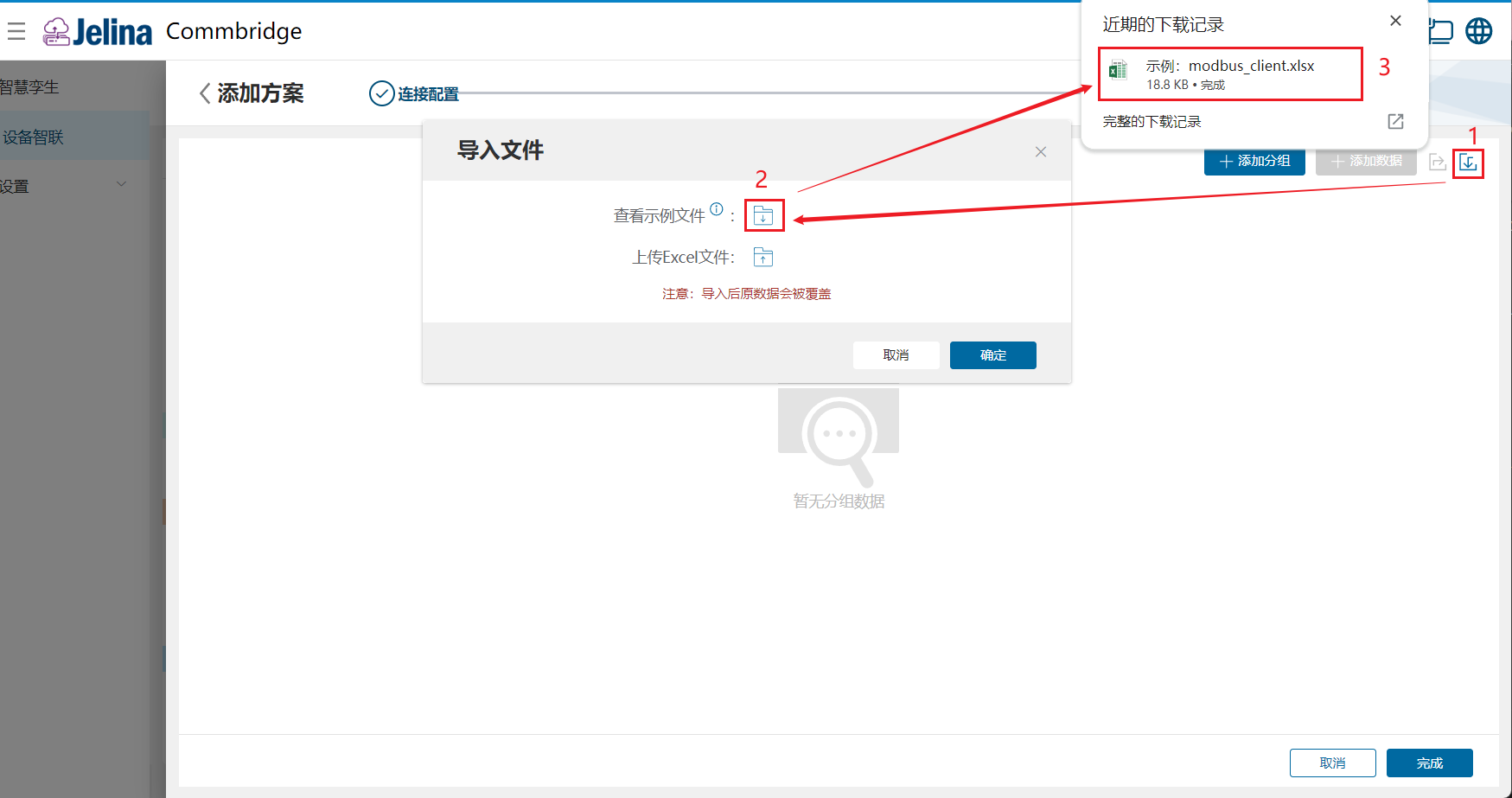
(3) Select Import, then download View sample file.
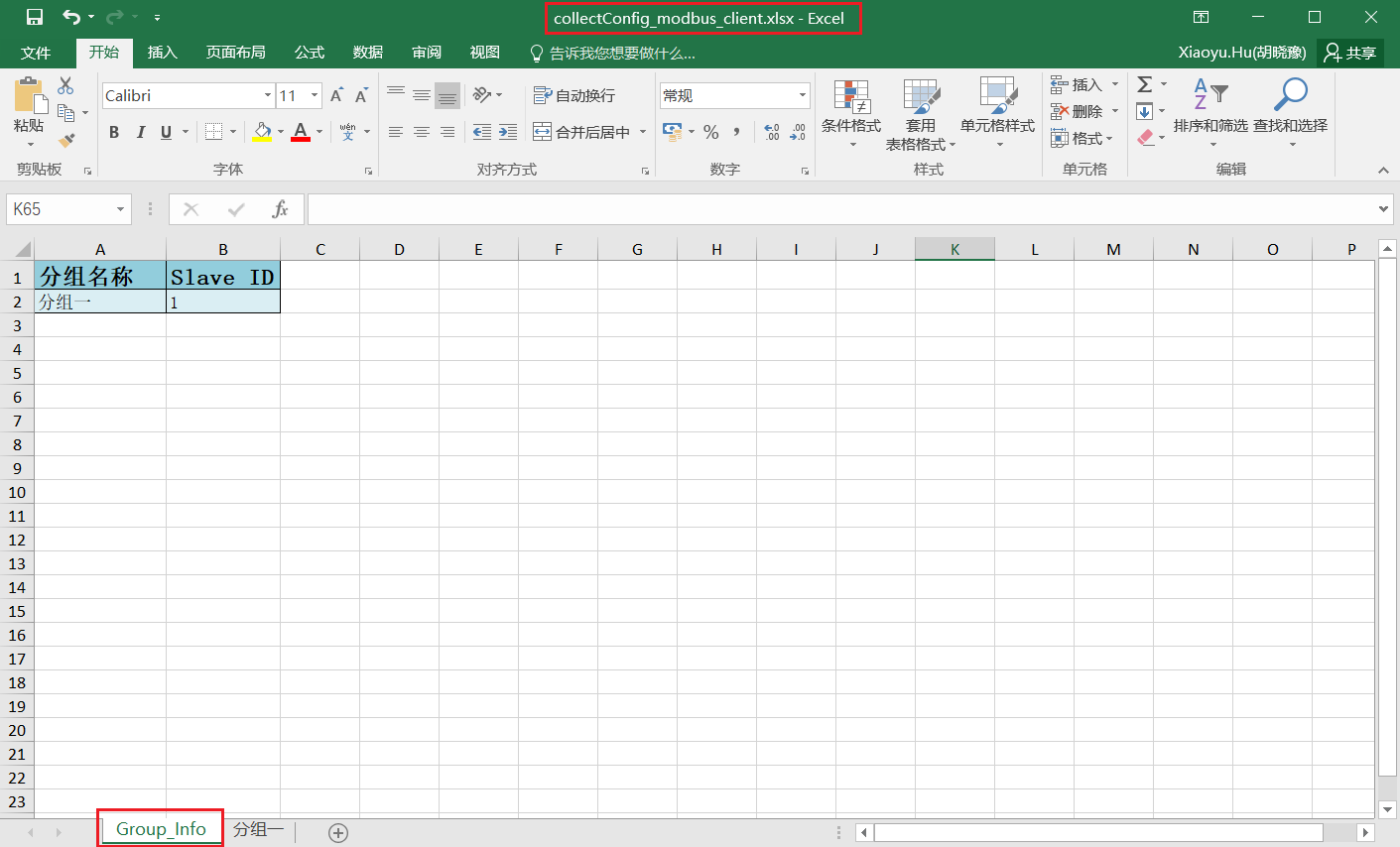
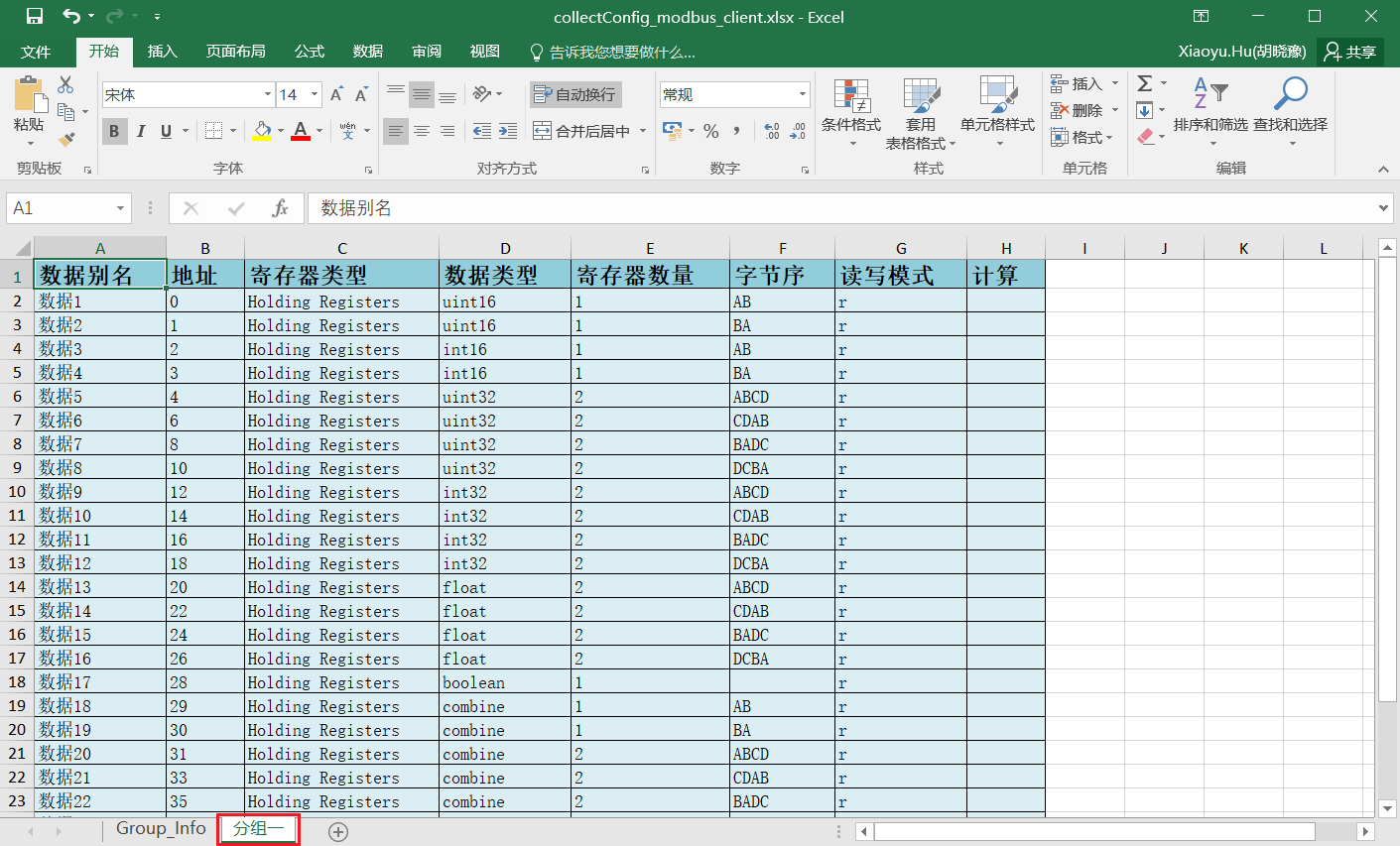
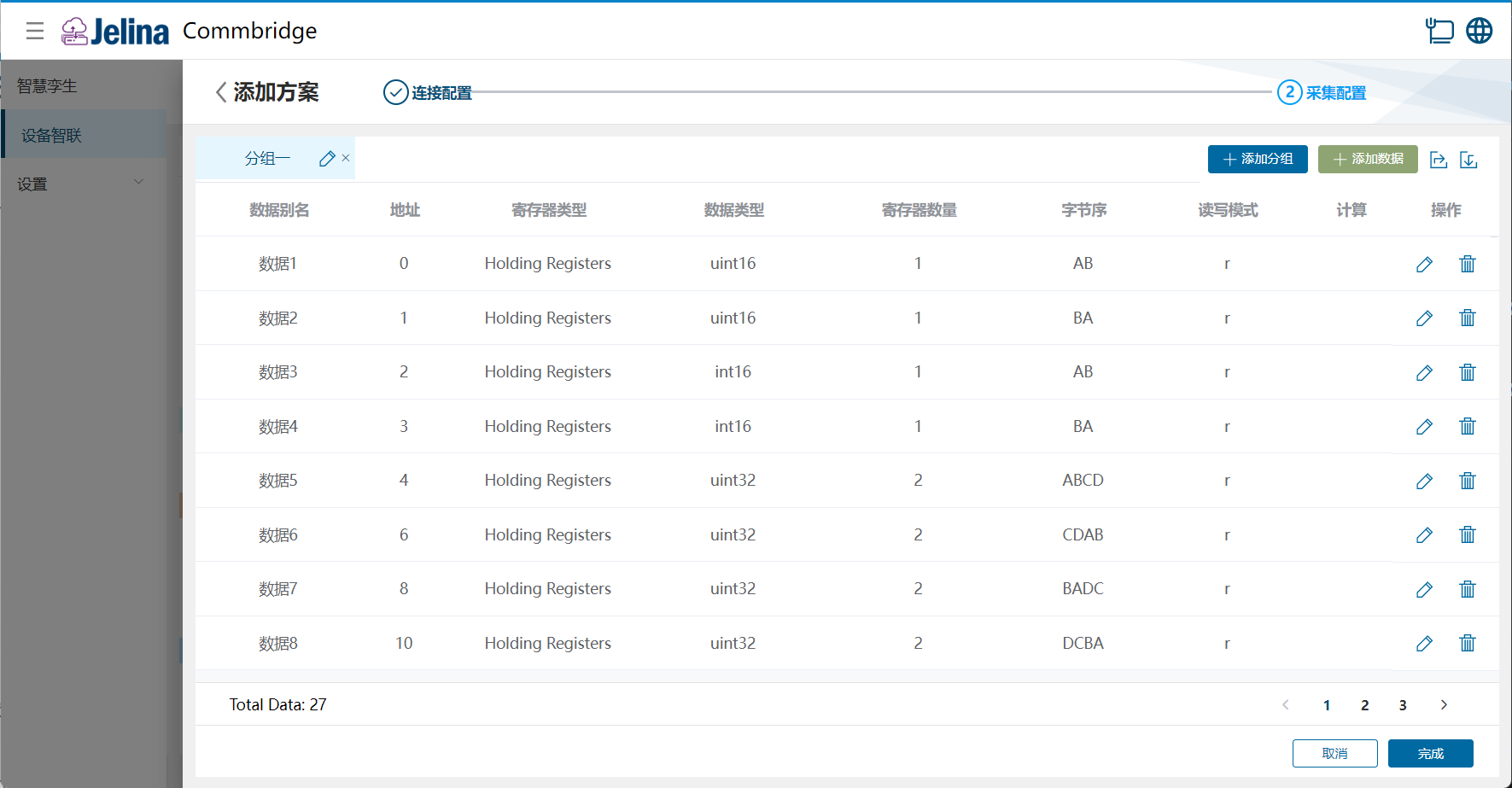
(4) Open the sample file and enter group and point configuration.
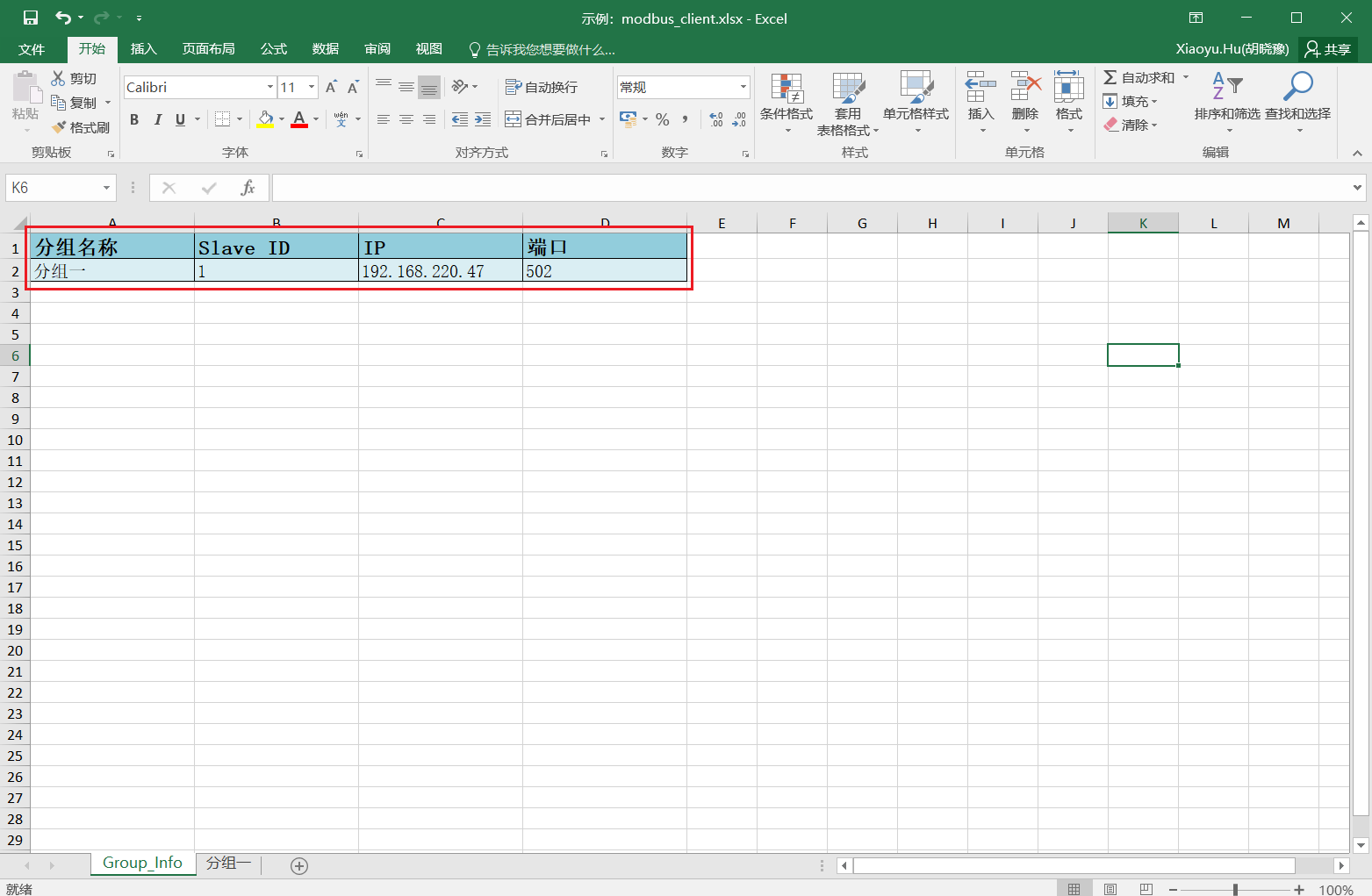
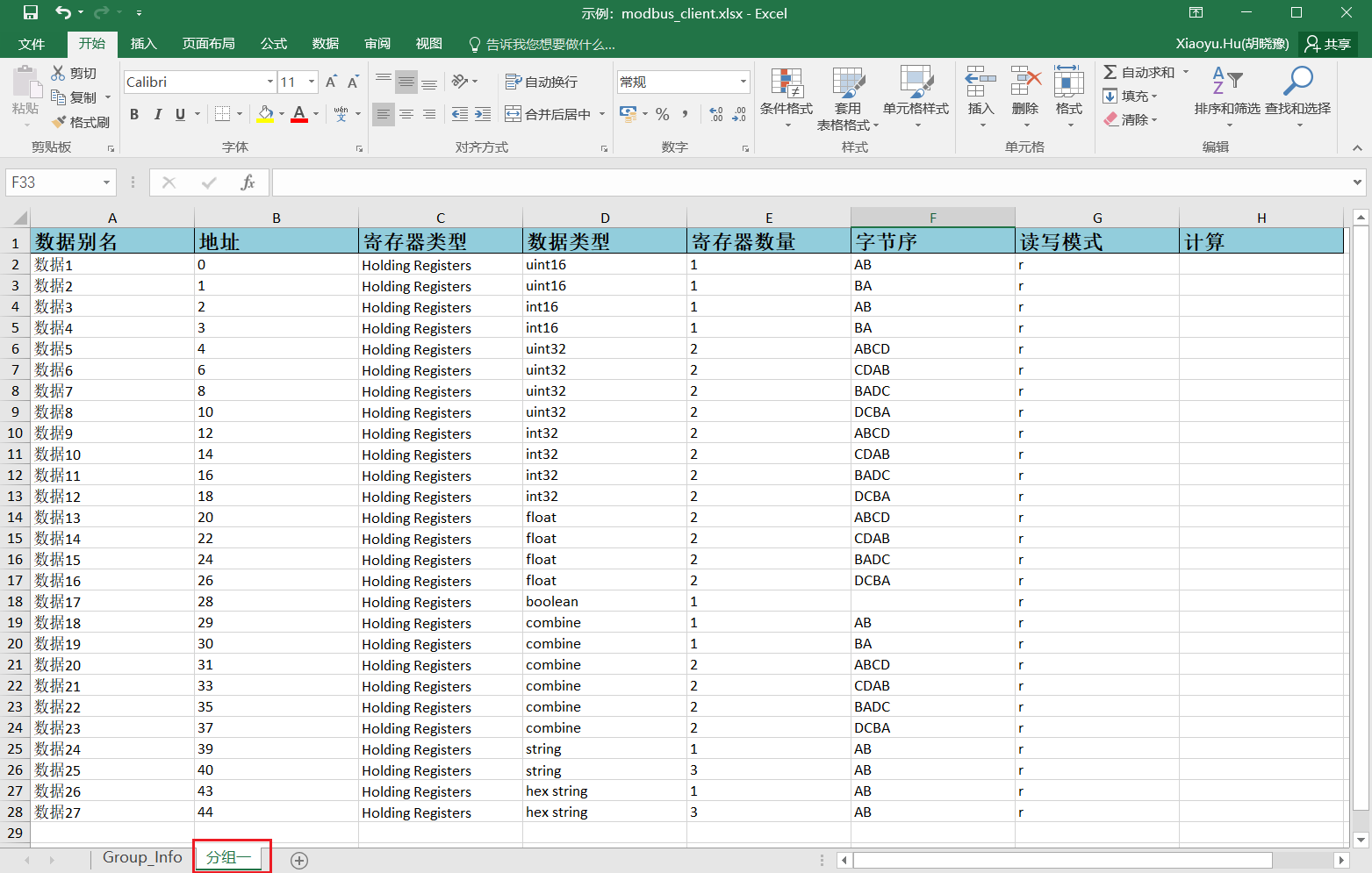
(5) Select Import → Upload file → OK.
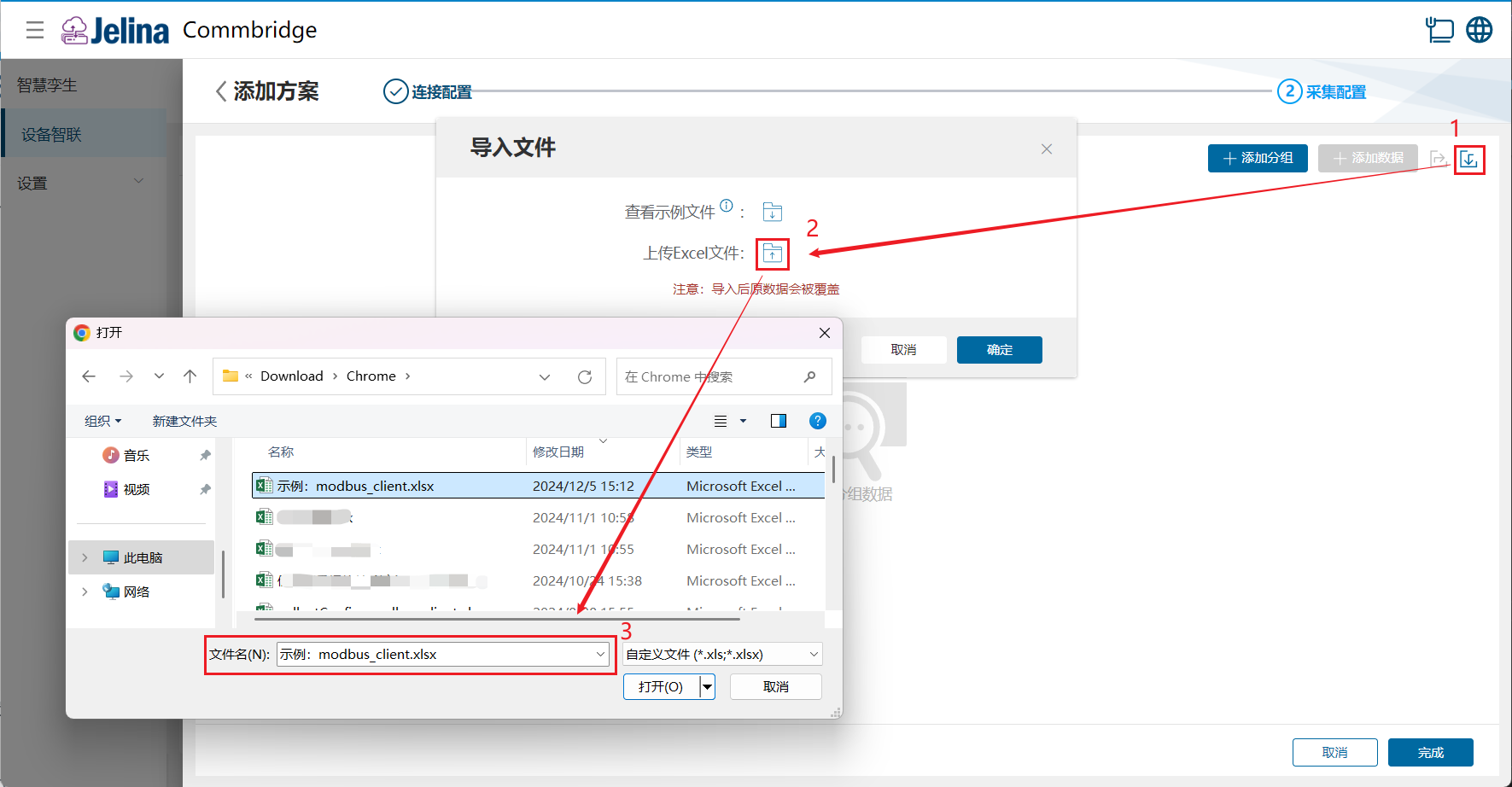
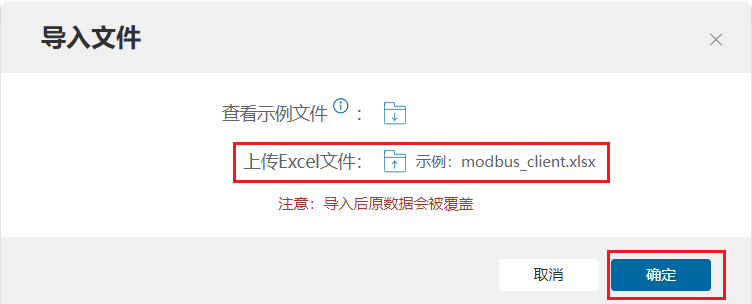
(6) After successful import, select Finish to add the acquisition scheme.
Bulk export
Section titled “Bulk export”Prerequisite: the workspace contains a Modbus Client (Master) node with a Modbus acquisition scheme.
- Double-click Modbus Client (Master) to open scheme editing.
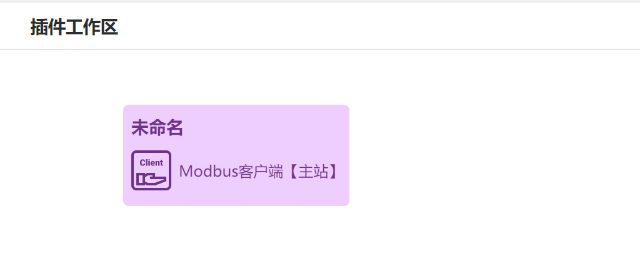
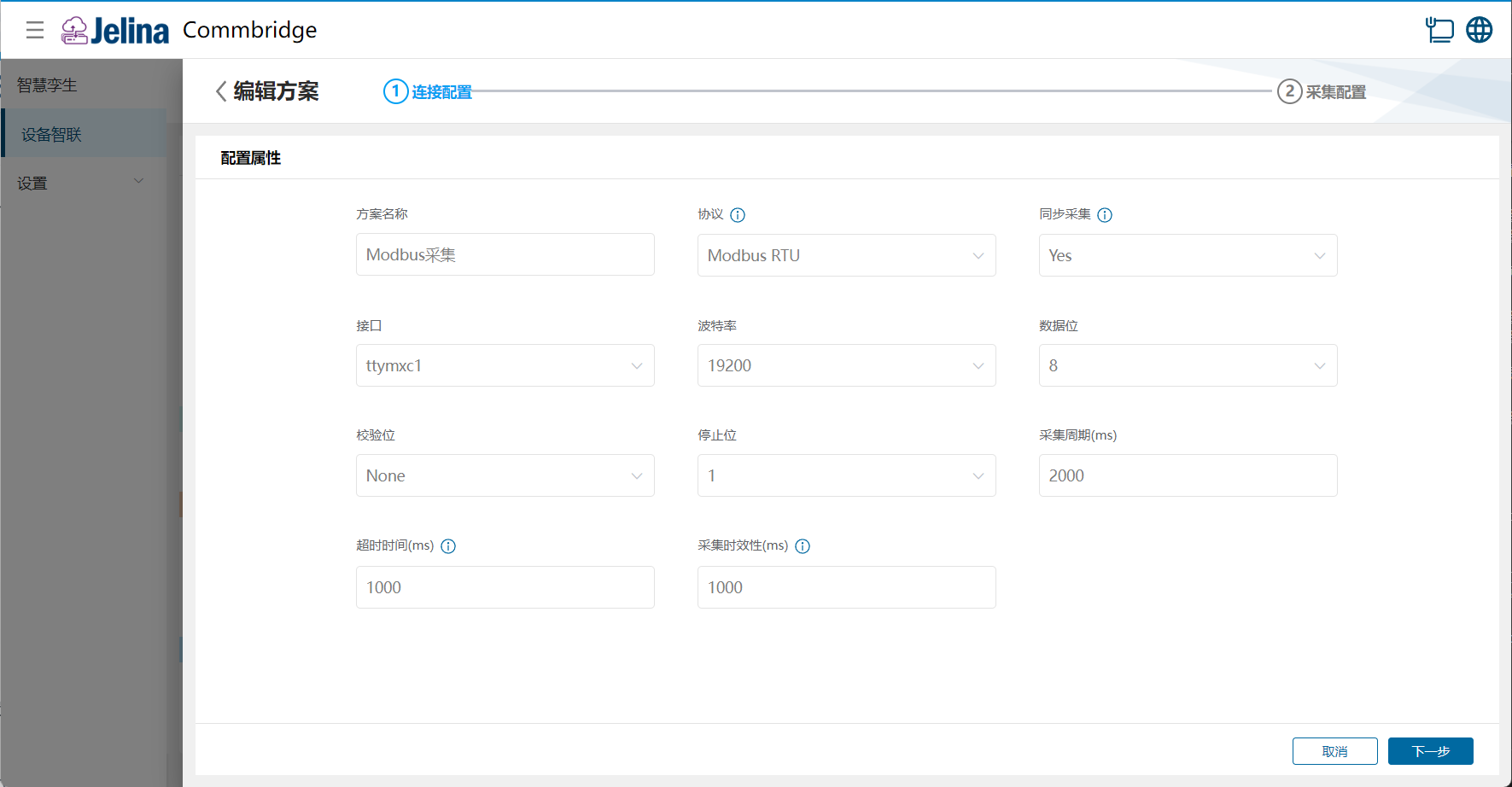
- Select Edit for Modbus export, complete connection settings, and select Next.
- Select Export.
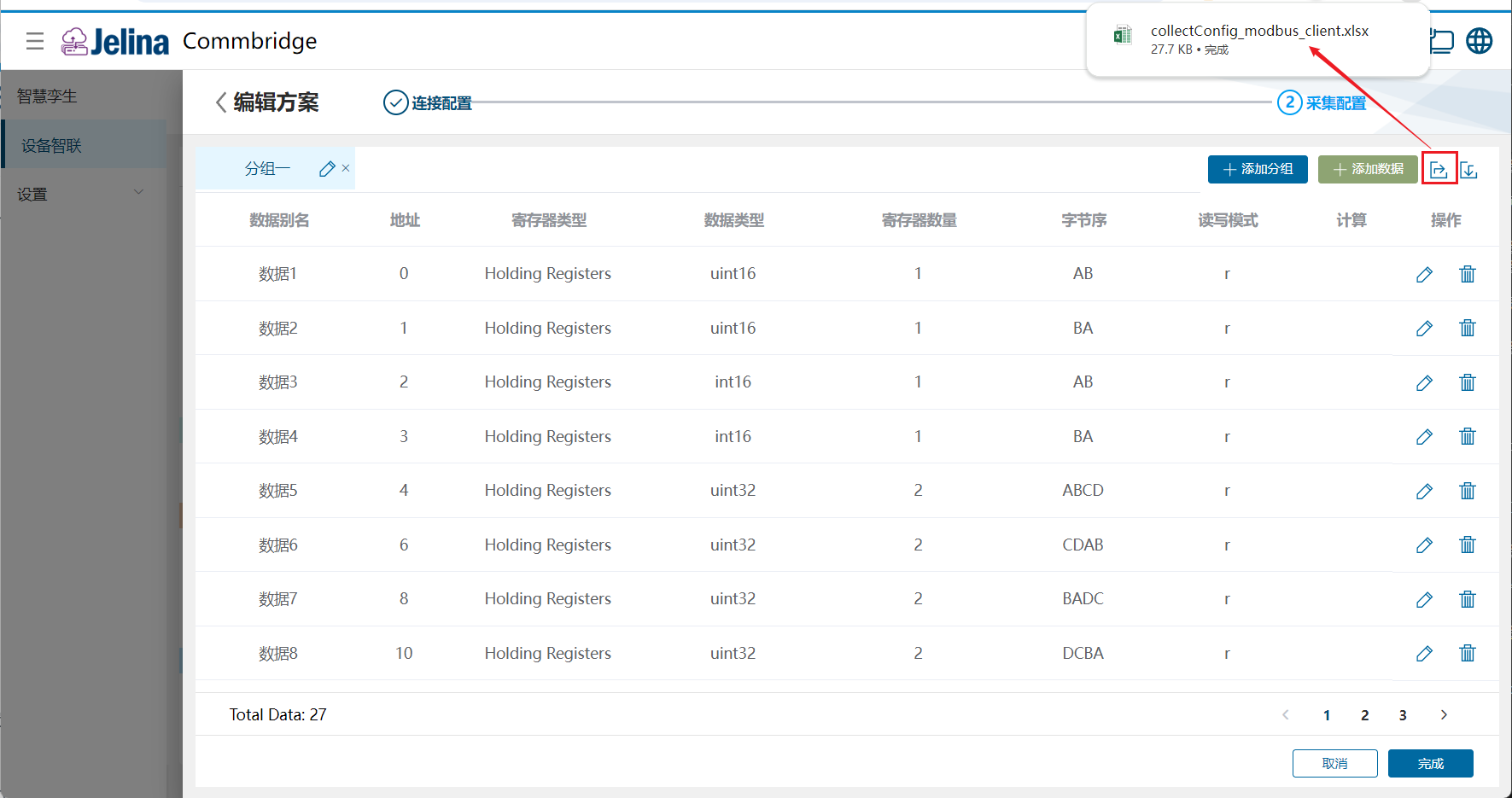
- Inspect CollectConfig_Modbus.xlsx.