
OCPP Management System
The currently supported OCPP version is 1.6J.
1. Create nodes
Section titled “1. Create nodes”(1) Open Digital Twin in CommBridge, then select Device Connectivity on the left.
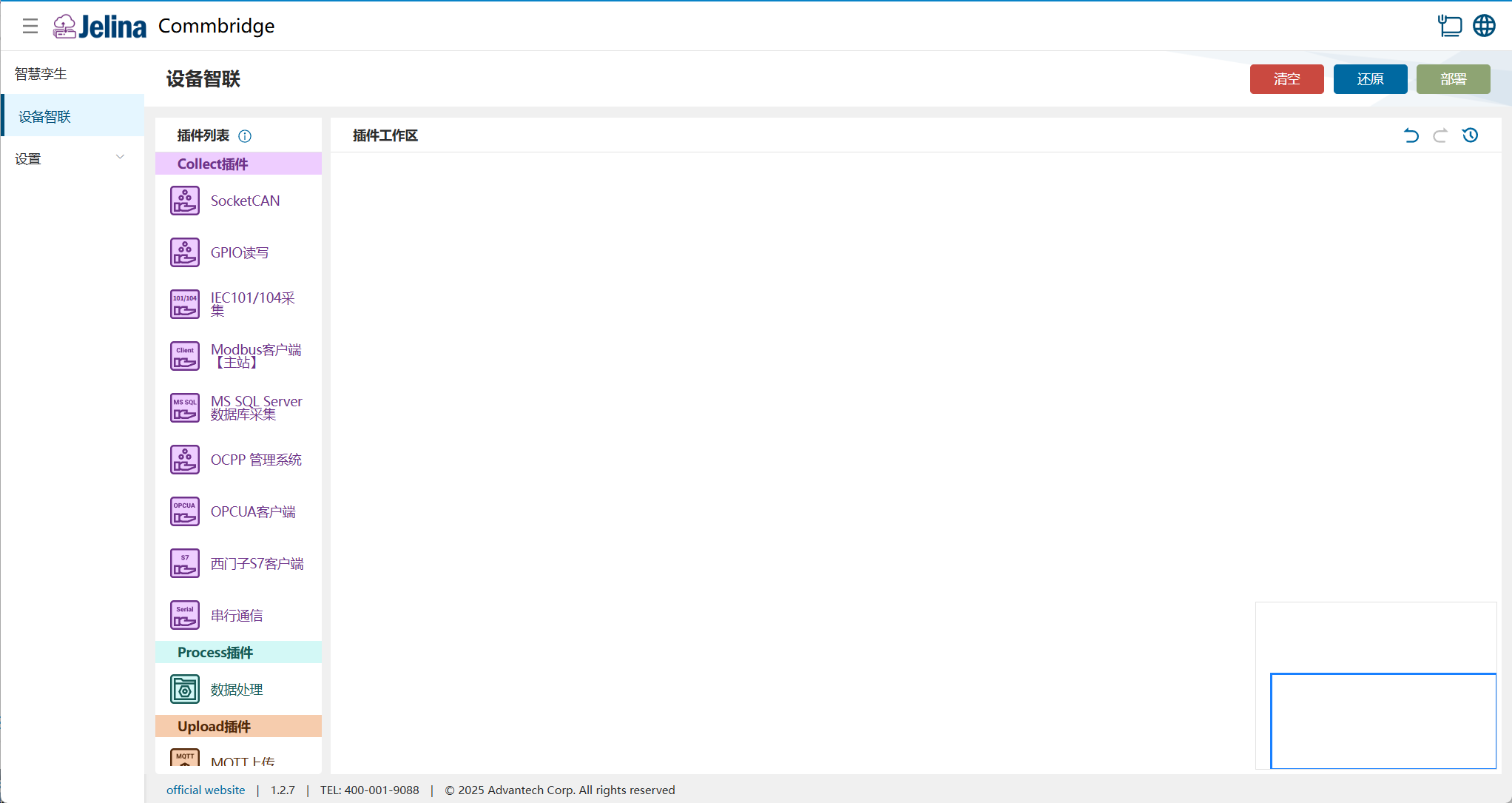
(2) Drag the OCPP Management System, Data Processing, and MQTT Upload plugins to the plugin workspace to create three nodes.

(3) Connect the three nodes in this order: OCPP Management System → Data Processing → MQTT Upload.

2. Create a scheme
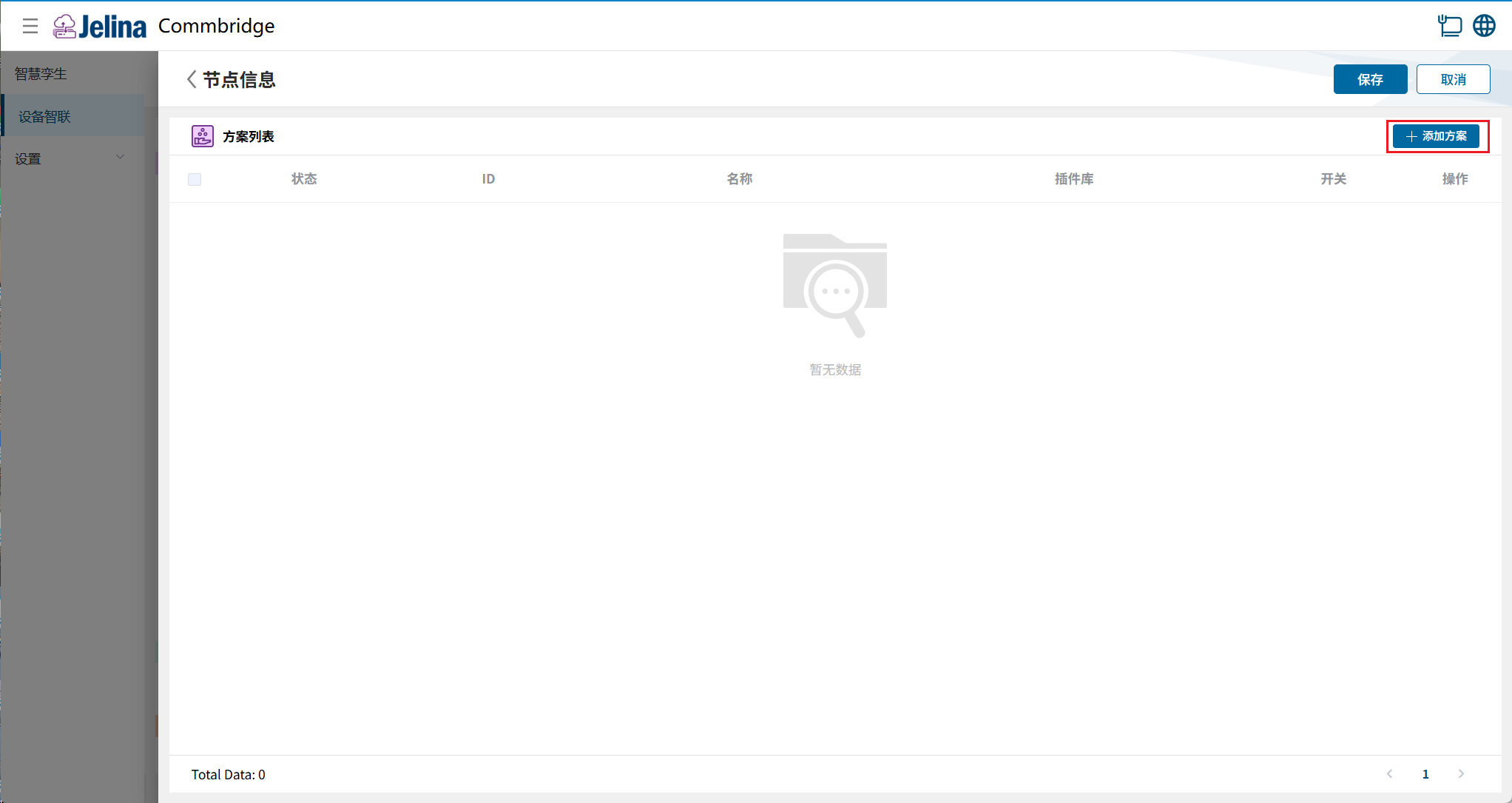
Section titled “2. Create a scheme”(1) Double-click OCPP Management System, then click Add Scheme.
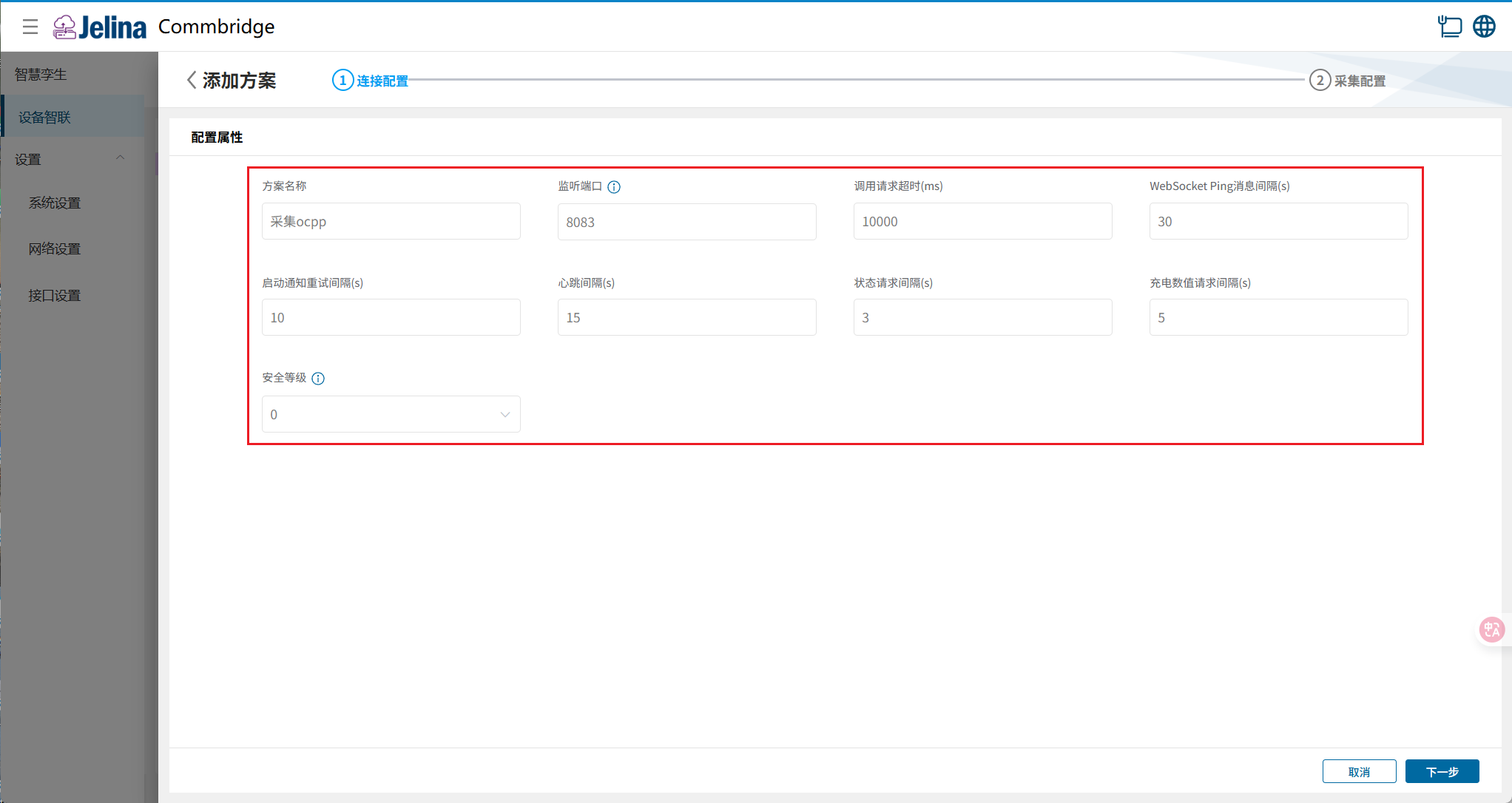
(2) Enter the connection settings, then click Next.
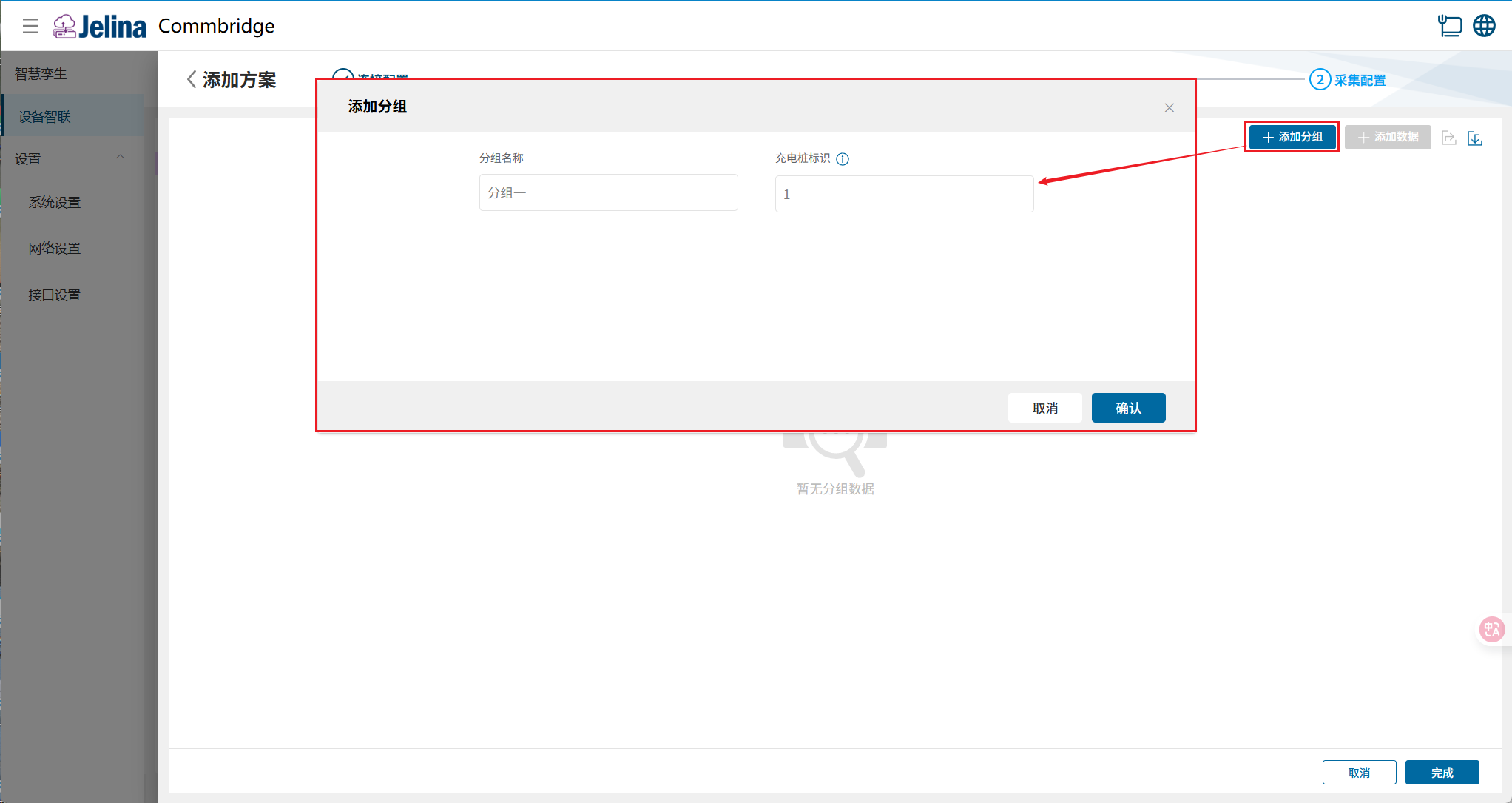
(3) Click Add Group, enter the group settings, then click Confirm.
(4) Click Add Data, enter the point settings, then click Confirm.
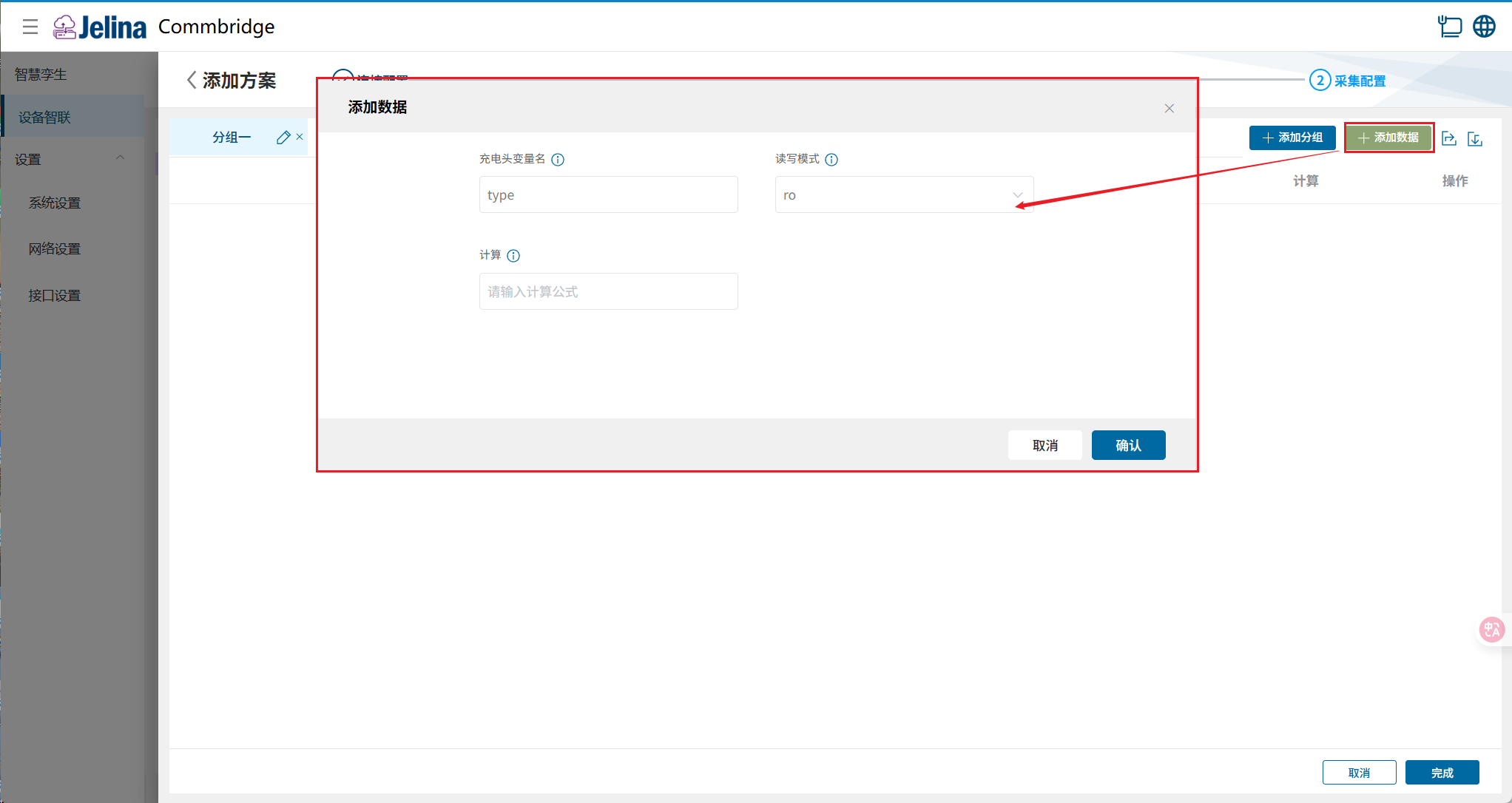
(5) Click Finish to add the acquisition scheme.
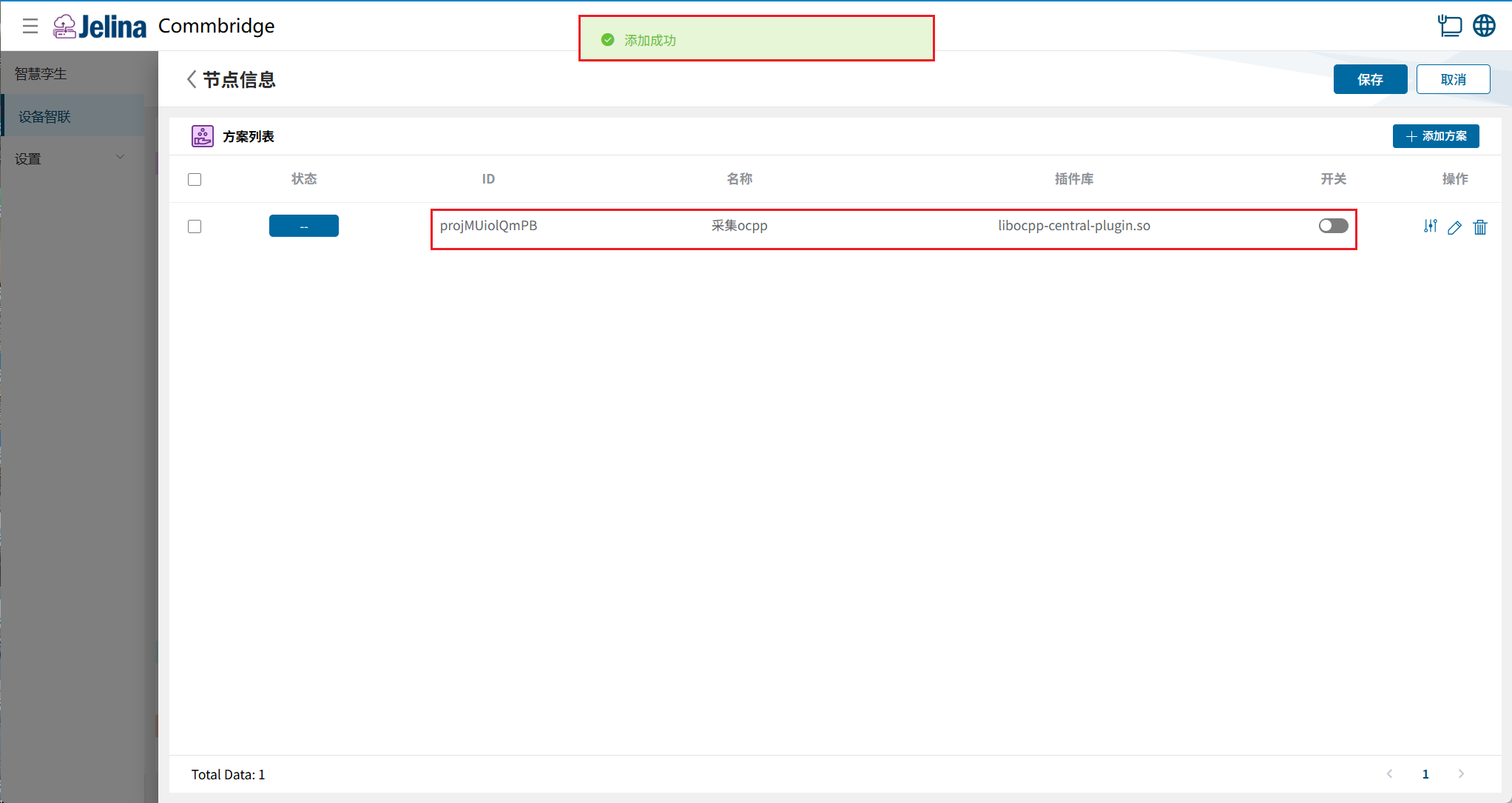
(6) Enable the scheme, then click Save.
3. View results
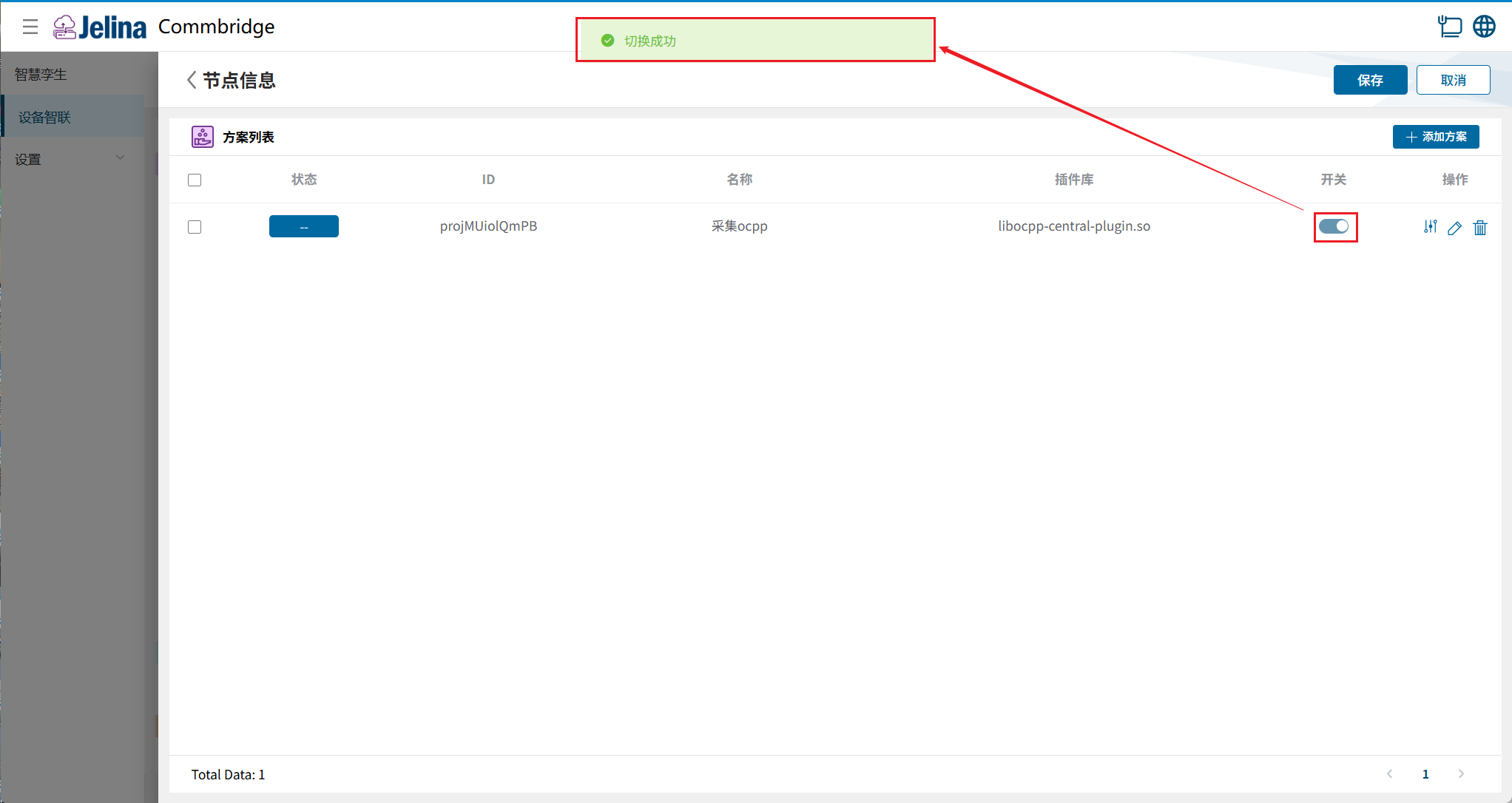
Section titled “3. View results”(1) Click Deploy in Device Connectivity to deploy successfully.
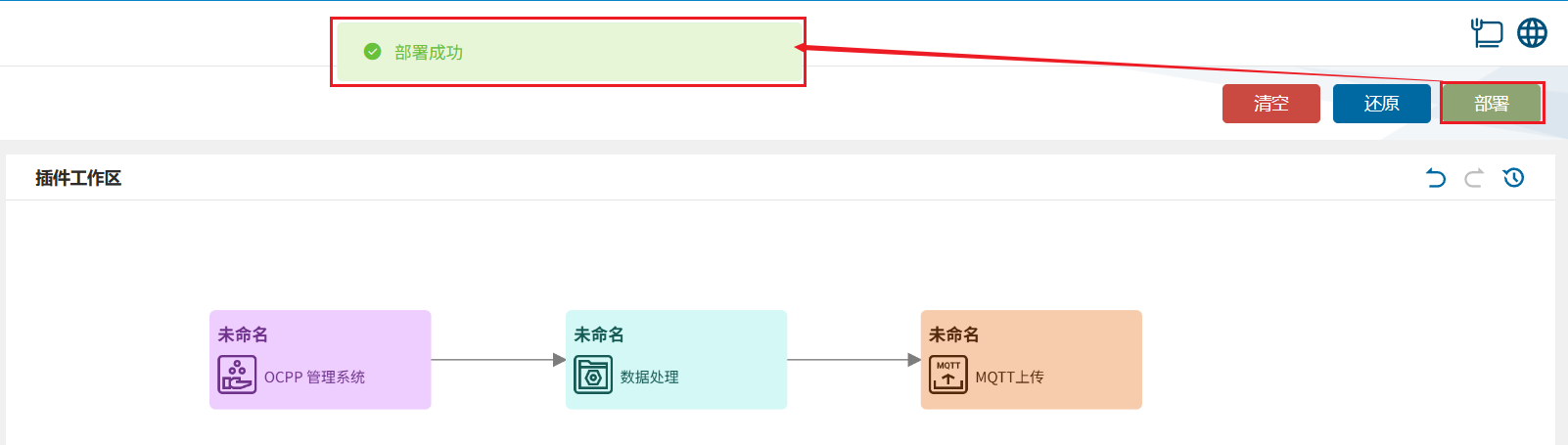
(2) Switch to Digital Twin and hover over the OCPP Management System node to display its information list.
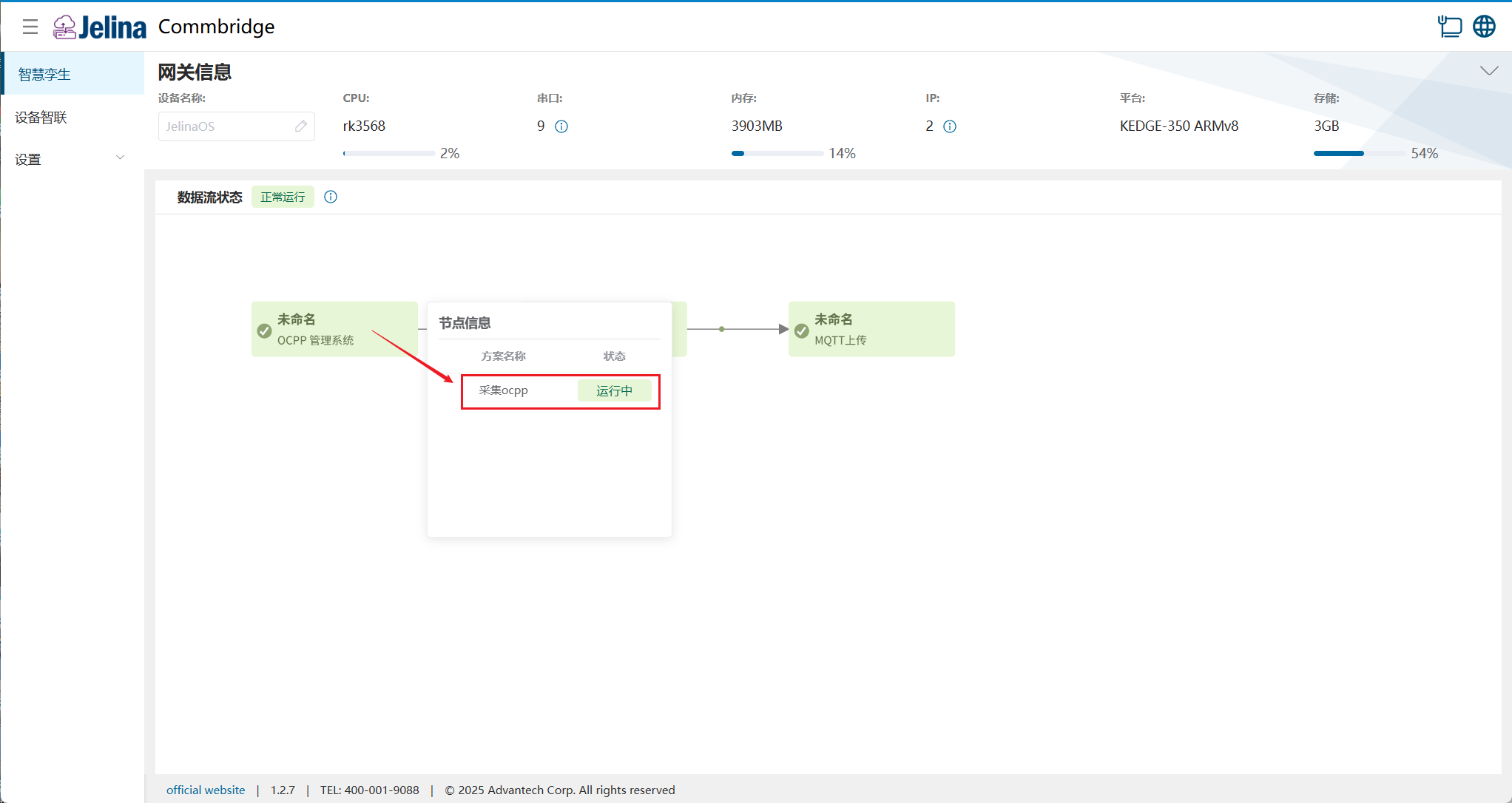
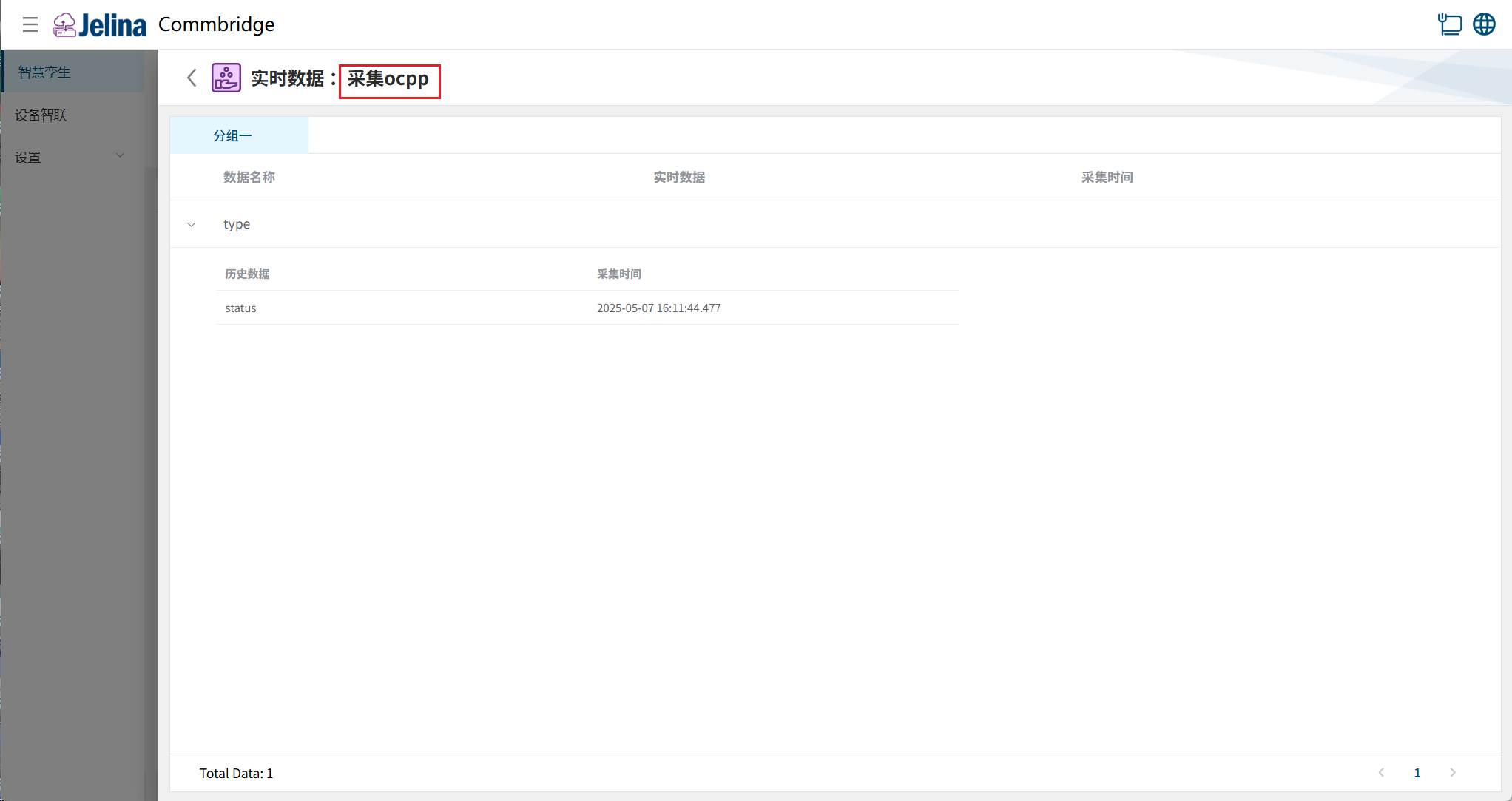
(3) Click the scheme to view real-time and historical point data for its groups.
Acquired data (before processing):
4. Configuration details
Section titled “4. Configuration details”Connection settings
Section titled “Connection settings”| Name | Prerequisite | Description | Format | Example |
|---|---|---|---|---|
| Scheme name | User-defined name for the scheme | Nonempty | OCPP acquisition | |
| Listening port | Port on which the OCPP server accepts WebSocket connection requests from charge points | Natural number, range: (0,2147483647] | 8083 | |
| Call request timeout (ms) | Maximum time the server waits for a charge point response. The request is considered failed if this time is exceeded | Natural number, range: (0,2147483647] | 10000 | |
| WebSocket Ping interval (s) | How often the server sends Ping messages to charge points to keep the connection alive | Natural number, range: (0,2147483647] | 30 | |
| Boot notification retry interval (s) | Retry interval when sending BootNotification fails as a charge point first connects | Natural number, range: (0,2147483647] | 10 | |
| Heartbeat interval (s) | Interval for periodic heartbeat messages between the charge point and server to ensure the connection remains valid | Natural number, range: (0,2147483647] | 15 | |
| Status request interval (s) | Interval at which the charge point requests status updates from the server to obtain the latest status information | Natural number, range: (0,2147483647] | 3 | |
| Meter value request interval (s) | Interval at which the charge point periodically sends charging data, such as current, voltage, and power, to the OCPP server | Natural number, range: (0,2147483647] | 5 | |
| Security level | Security levels 0–3; see below | Select 0, 1, 2, or 3 from the drop-down list | 0 | |
| Use CommBridge certificates | Security level 2/3 | Whether to use the certificates supplied with CommBridge | Select No or Yes from the drop-down list | |
| Root certificate | Use CommBridge certificates is No | Public-key certificate issued by a certificate authority (CA), used to verify the validity of other certificates | ||
| Root certificate private key | Use CommBridge certificates is No | Private key paired with the root certificate, held only by the certificate authority and used to sign other certificates | ||
| Server certificate | Use CommBridge certificates is No | Public-key certificate issued by a root or intermediate certificate, identifying a particular server | ||
| Server private key | Use CommBridge certificates is No | Private key paired with the server certificate, used to decrypt data encrypted through that certificate |
Note
Security levels:
- Profile 0: no security profile; ws protocol.
- Profile 1: HTTP Basic authentication; ws protocol.
- Profile 2: TLS with HTTP Basic authentication; wss protocol.
- Profile 3: TLS with client certificates; wss protocol.
Add a group
Section titled “Add a group”| Parameter | Prerequisite | Description | Format | Example |
|---|---|---|---|---|
| Group name | User-defined name for the group | Nonempty | Group 1 | |
| Charge point identity | Unique identifier assigned to each charge point for server-side management and identification | 1 | ||
| Authentication key | Security level 1/2 | Credentials required for HTTP Basic authentication |
Add data
Section titled “Add data”| Parameter | Description | Format | Example |
|---|---|---|---|
| Connector variable name | Automatically populated connector variable name; cannot be added manually | Nonempty; cannot start with a digit or underscore, or contain spaces | type |
| Read/write mode | Supports ro (read only), rw (read/write), and wo (write only) | ro, rw, wo | ro |
| Calculation | User-defined formula based on the data alias | Unrestricted |