
MS SQL Server database acquisition
1. Configure the database
Section titled “1. Configure the database”(1) Download and install SQL Server 2012, configuring the database IP, port, username, and password:
a. IP address: 192.168.220.29
b. Port: 1433
c. Username: test
d. Password: 1234
(2) Download and install DBeaver.
(3) Create a SQL Server connection in DBeaver and enter server connection information.
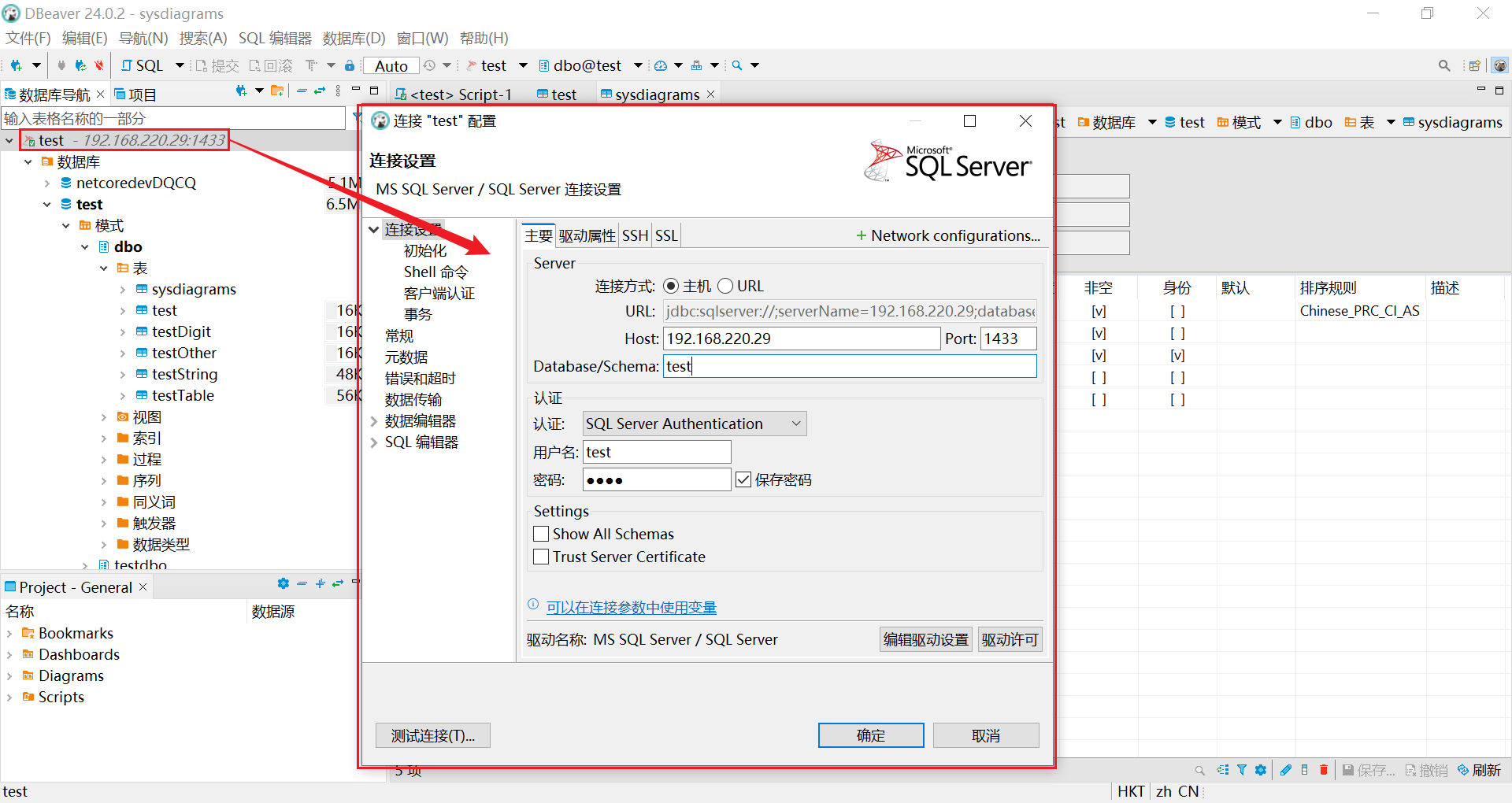
(4) Create and open database test.
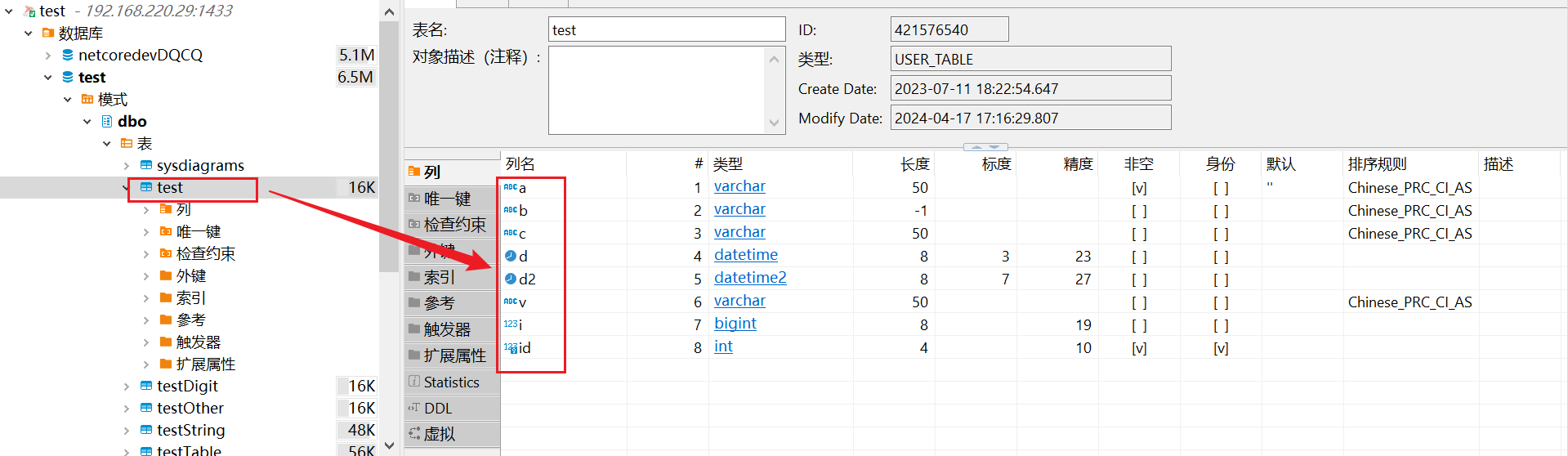
(5) Add data to the table.
Note:
- The MS SQL Server acquisition plugin acquires real-time data only when the specified time field changes.
- Tables in the
dboschema are acquired by default.
2. Create nodes
Section titled “2. Create nodes”(1) Open CommBridge Digital Twin and switch to Device Connectivity.
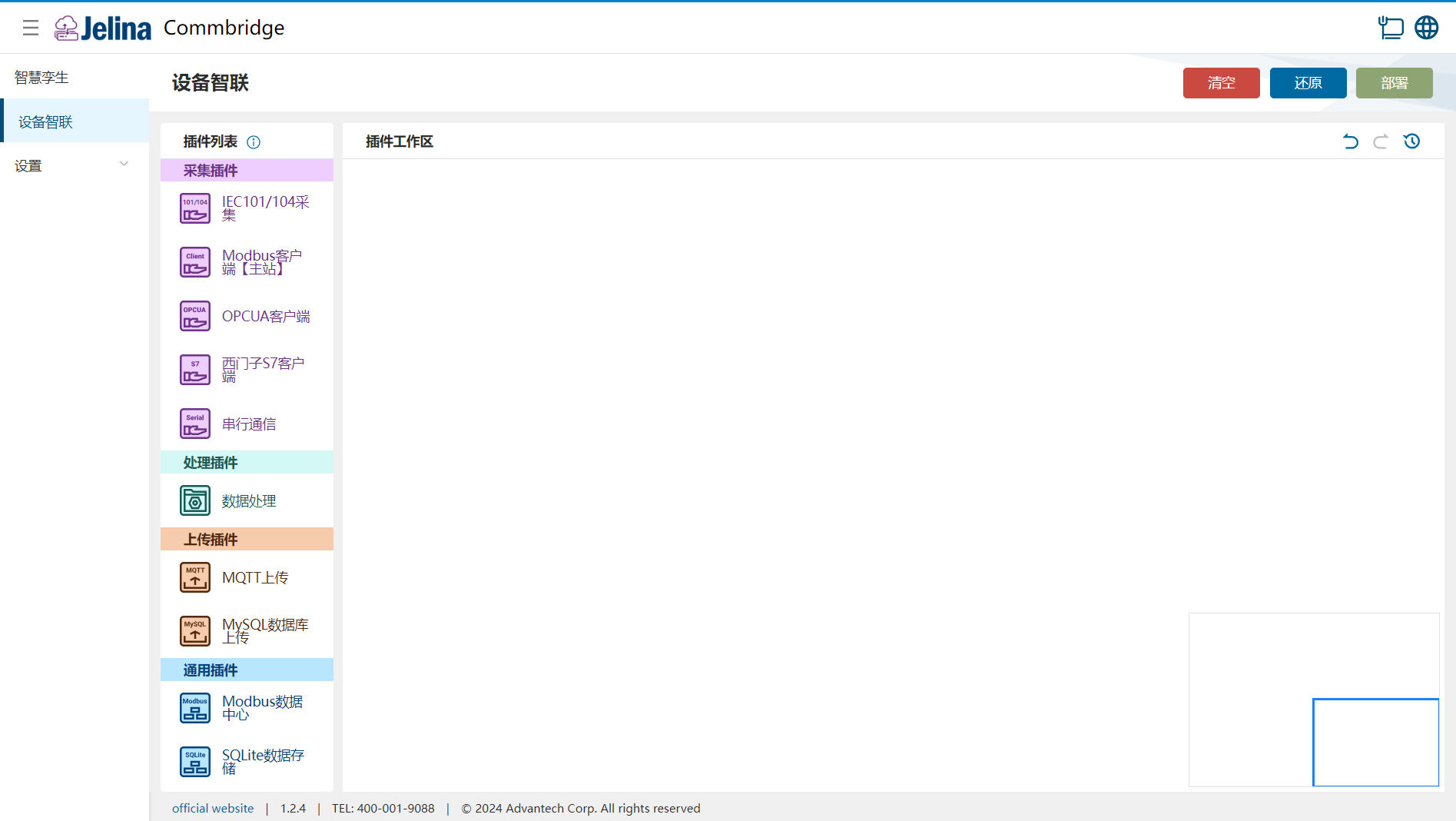
(2) Drag MS SQL Server Database Acquisition, Data Processing, and MQTT Upload into the workspace to create three nodes.

(3) Connect MS SQL Server Database Acquisition → Data Processing → MQTT Upload.

3. Create a scheme
Section titled “3. Create a scheme”(1) Double-click MS SQL Server Database Acquisition and select Add scheme.
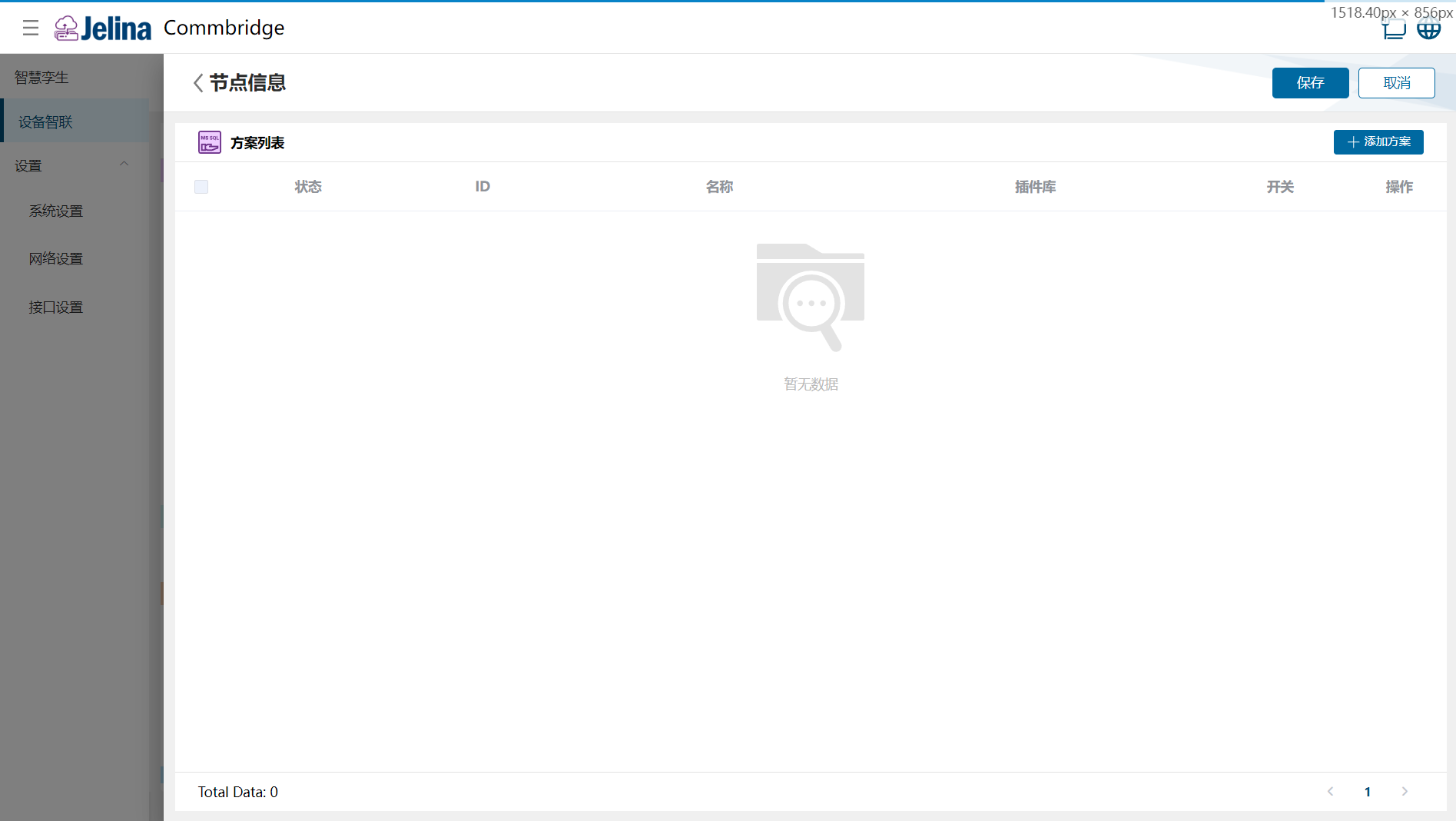
(2) Enter connection settings and select Next.
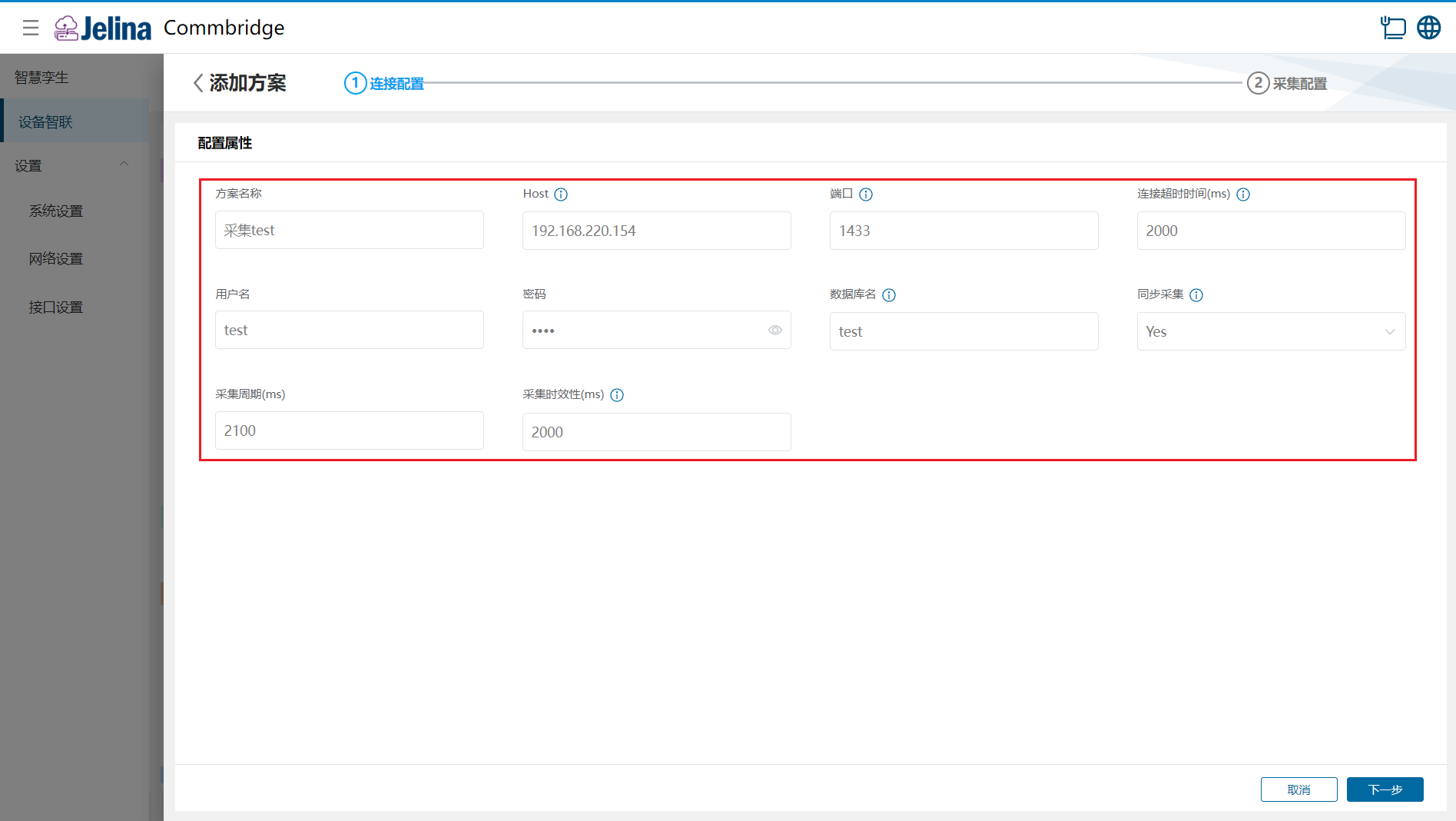
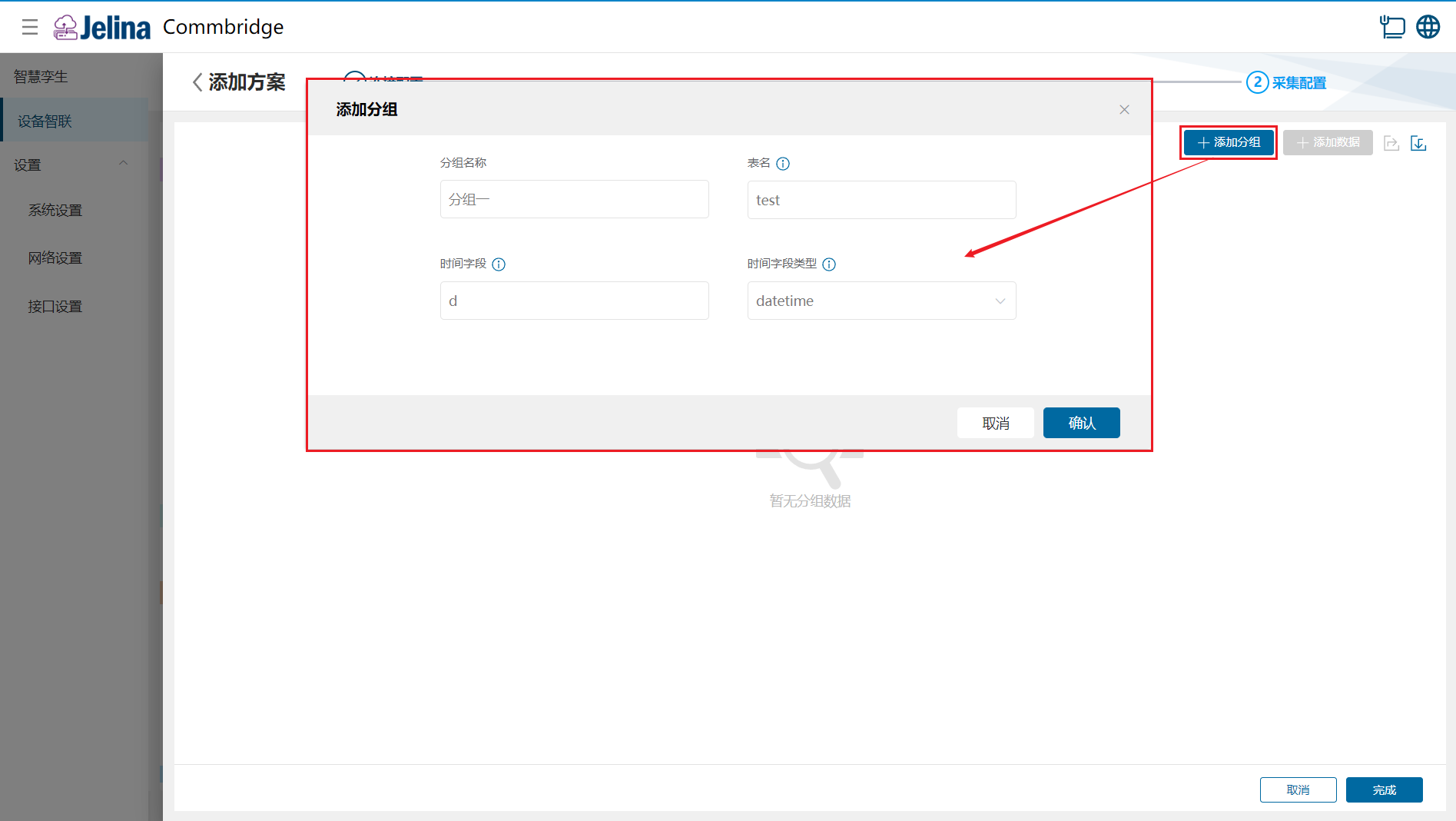
(3) Select Add group, enter group information, and confirm.
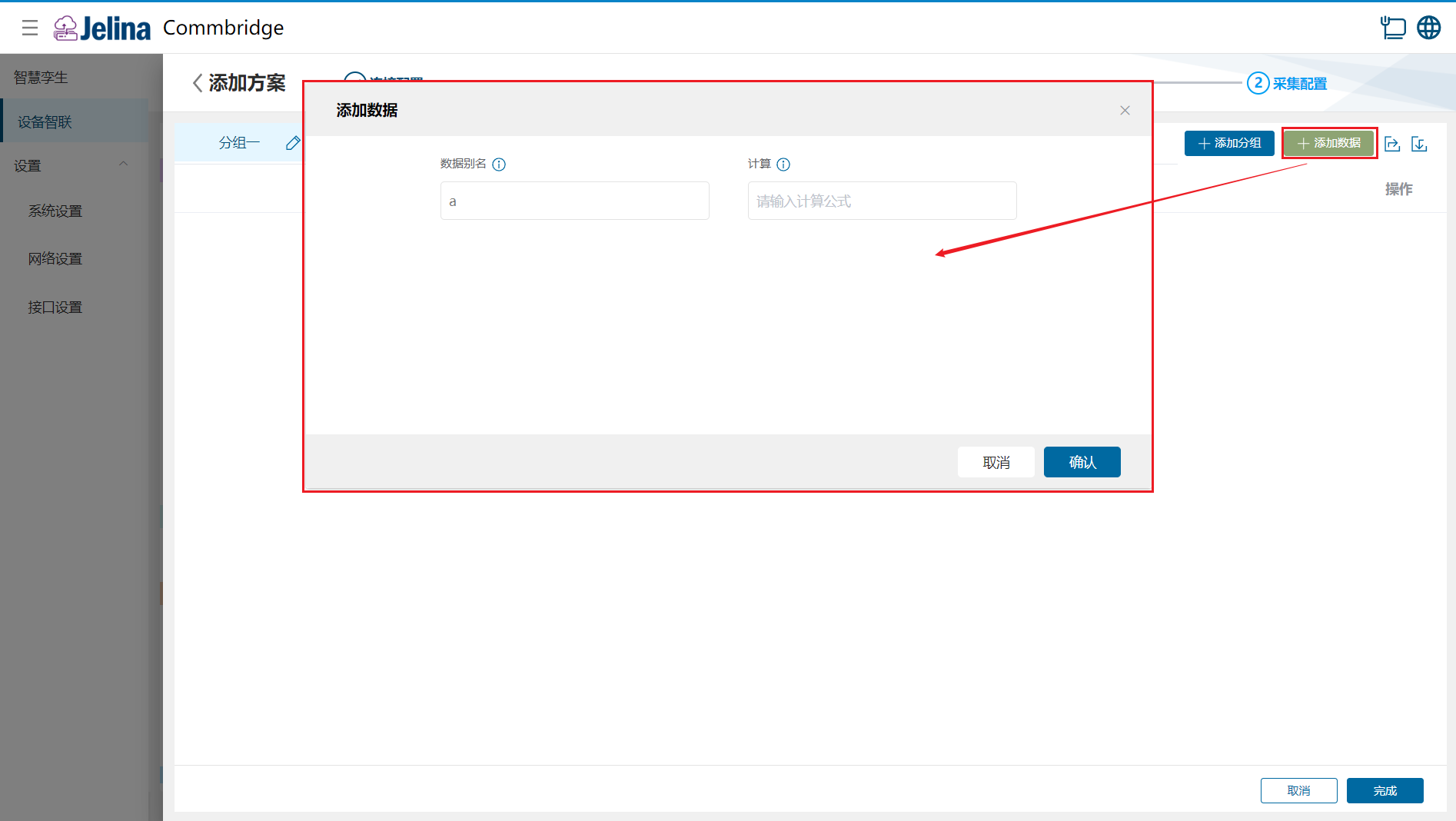
(4) Select Add data, enter point configuration, and confirm.
(5) Select Finish to add the acquisition scheme.
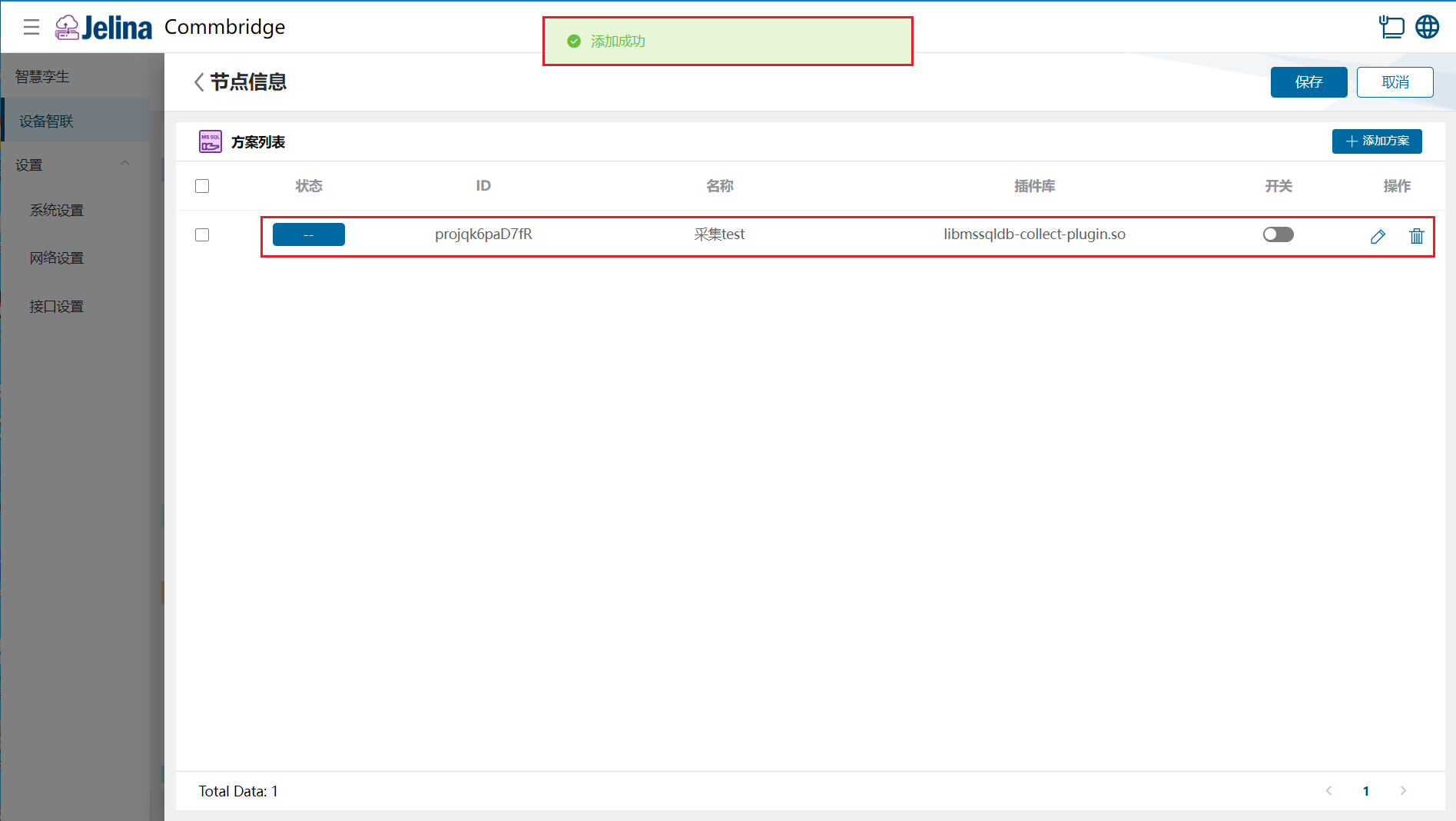
(6) Enable the scheme and select Save.
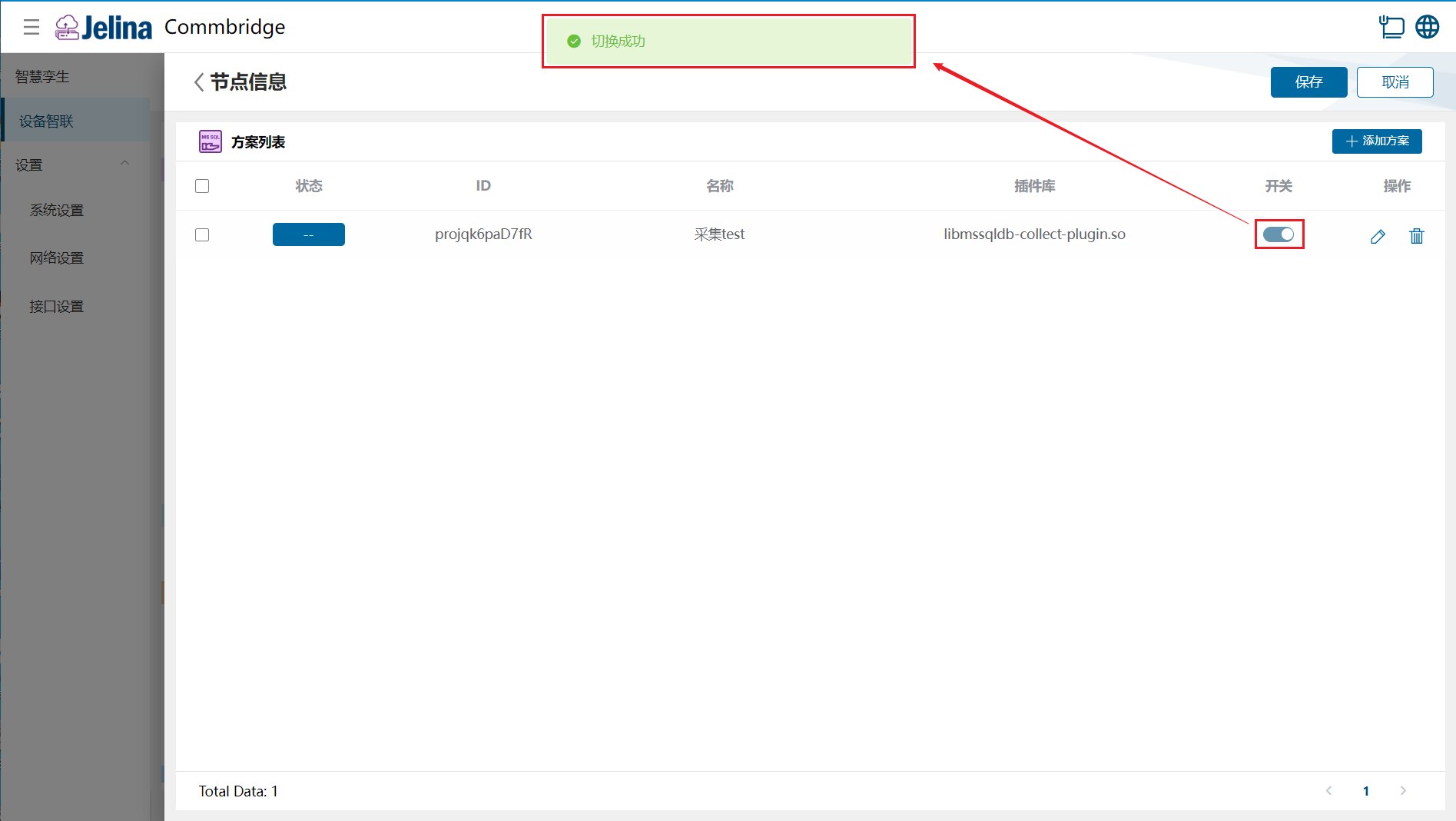
4. View results
Section titled “4. View results”(1) Select Deploy under Device Connectivity and wait for success.
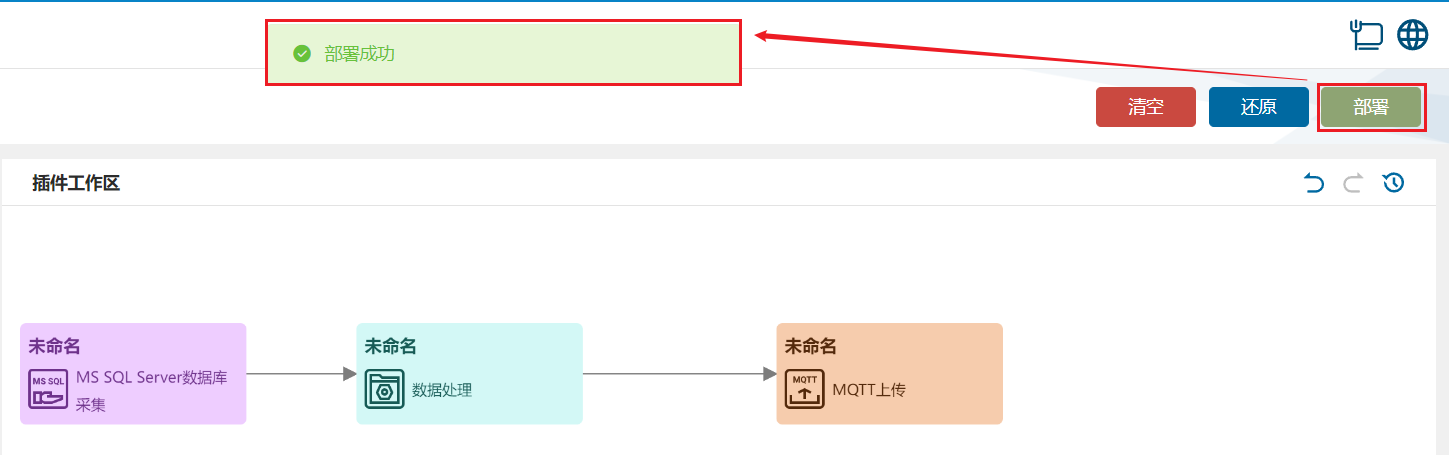
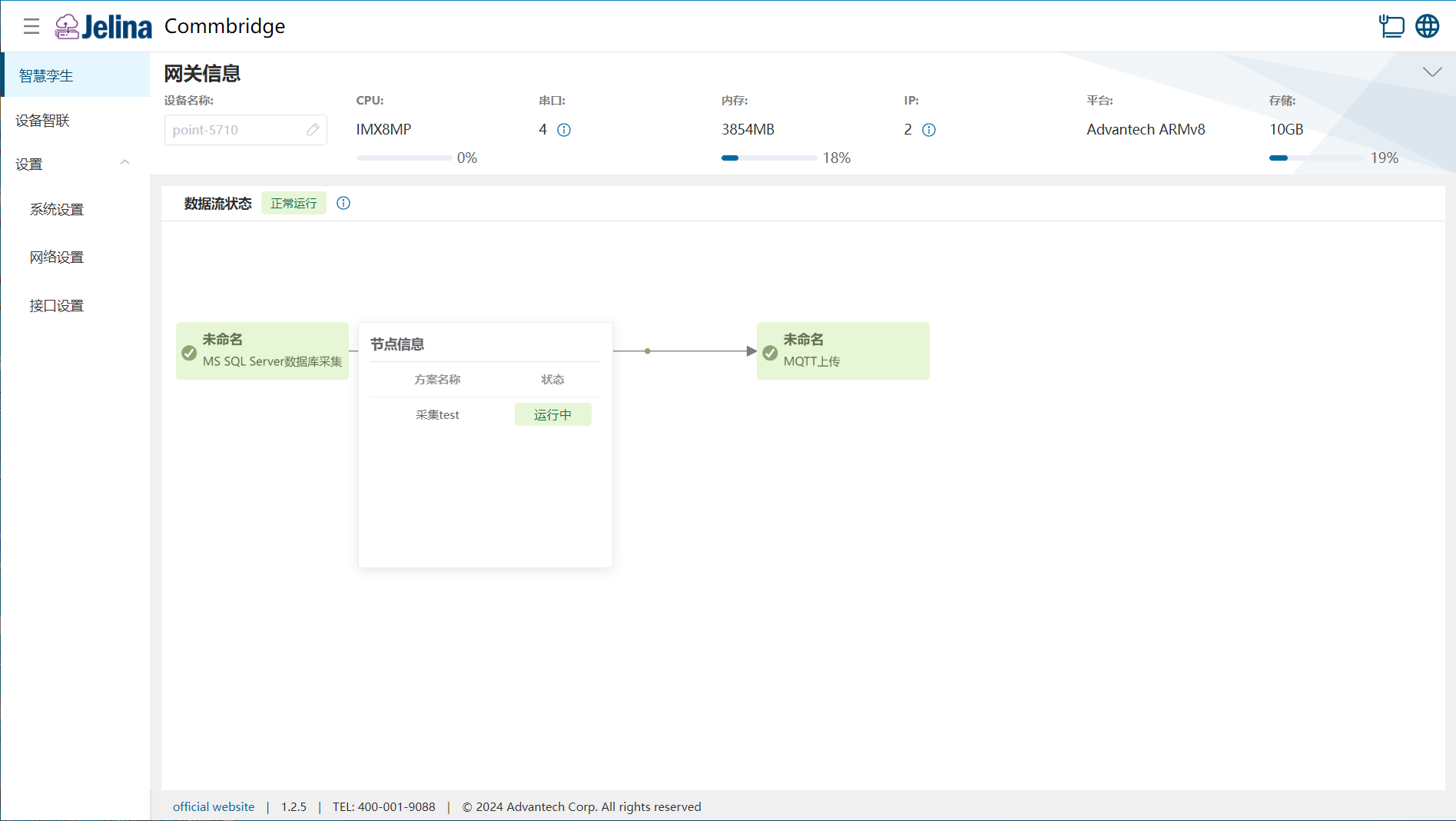
(2) Switch to Digital Twin and hover over MS SQL Server Database Acquisition to display node information.
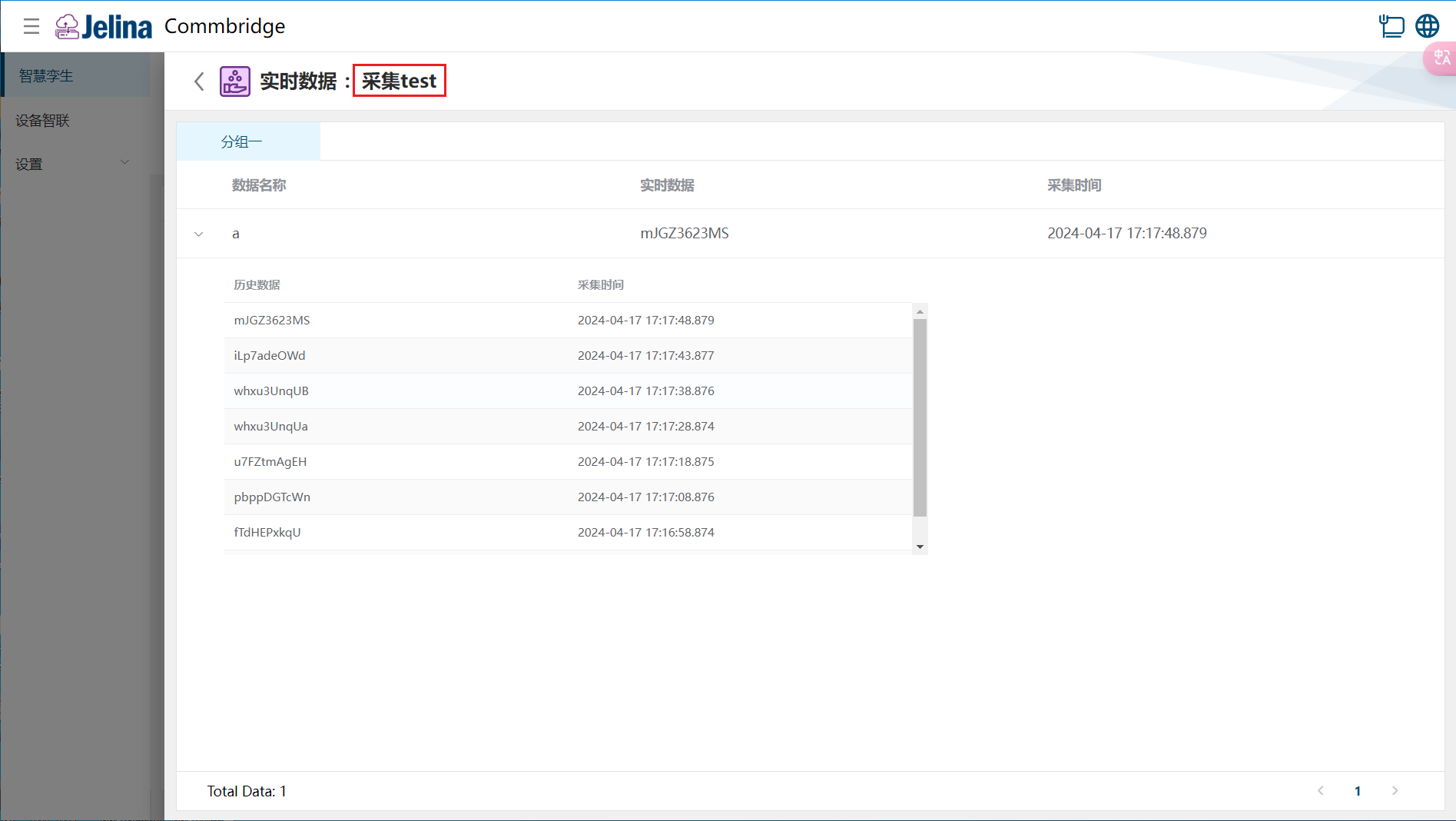
(3) Select a scheme to view real-time and historical point data in its groups.
5. Configuration reference
Section titled “5. Configuration reference”Connection settings
Section titled “Connection settings”| Parameter | Description | Format | Example |
|---|---|---|---|
| Scheme name | User-defined scheme name | Nonempty | Test acquisition |
| host | IP address of the source SQL Server database | Dotted-decimal address | 192.168.220.154 |
| Port | Source SQL Server port | Integer, 1–65535 | 1433 |
| Connection timeout | Timeout for SQL Server requests | Number, (0, acquisition interval] | 2000 |
| Username | SQL Server connection user | Nonempty | |
| Password | SQL Server connection password | Nonempty | |
| Database name | SQL Server database name | Nonempty | test |
| Synchronous acquisition | Enable or disable synchronous acquisition | Yes, No | YES |
| Acquisition interval | Polling interval between register reads for each group in the scheme | Number, (100,2147483647] | 2100 |
| Data freshness | All points in a group must be acquired within this period, including frame delay, or the group’s data is discarded | Number, (0, acquisition interval] | 2000 |
Note: Scheme-level acquisition interval and freshness apply to point data across the entire scheme.
Group configuration
Section titled “Group configuration”| Parameter | Prerequisite | Description | Format | Example |
|---|---|---|---|---|
| Group name | User-defined group name | Nonempty | Group 1 | |
| Table name | MS SQL Server database table name | Nonempty | test | |
| Time field | Table column that must be a time field | Nonempty | d | |
| Time field type | Data type of the time field | Dropdown; see below | datetime | |
| Acquisition interval | Synchronous acquisition is No | Polling interval in ms | Number, (100,2147483647] | |
| Data freshness | Synchronous acquisition is No | Time in ms | Number, (0, acquisition interval] |
Note: Group-level acquisition interval and freshness apply to all point data in that group. Time field types: datetime, datetime2, bigint (Unix timestamp in seconds), bigint (Unix timestamp in milliseconds), varchar (date format).
Data configuration
Section titled “Data configuration”| Parameter | Description | Format | Example |
|---|---|---|---|
| Data alias | User-defined name matching the SQL Server table column | Nonempty | a |
| Calculation | User-defined formula based on data aliases |
Supported data types:
- Exact numerics: bigint, numeric, bit, smallint, decimal, smallmoney, int, tinyint, money.
- Approximate numerics: float, real.
- Date/time: date, datetimeoffset, datetime2, smalldatetime, datetime, time.
- Strings: char, varchar, text.
- Unicode strings: nchar, nvarchar, ntext.
- Other: uniqueidentifier.