Acquire sensor temperature over serial communication
1. Objective
Section titled “1. Objective”Use Serial Communication to acquire temperature from a temperature/humidity sensor, process it, and display results in real time.
2. Devices and plugins
Section titled “2. Devices and plugins”- Devices
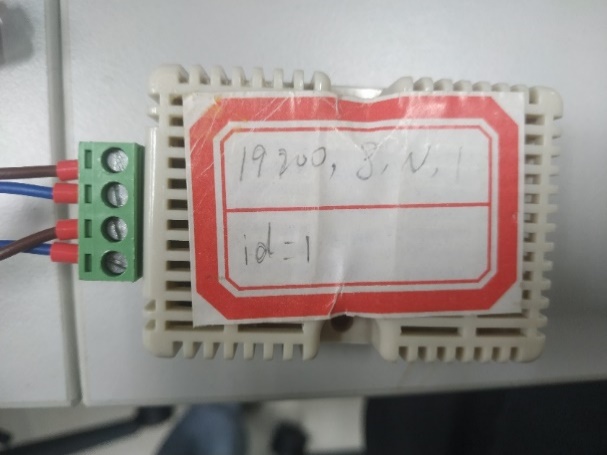
(1) RSDS13 RS485 temperature/humidity sensor, the acquisition data source.
Consult its manual or manufacturer website for protocol, communication output, and baud rate:
| key | name |
|---|---|
| Interface | ttyO3 |
| Baud rate | 19200 |
| Data bits | 8 |
| Parity | None |
| Stop bits | 1 |
| Temperature read command | 0f 03 00 00 00 01 85 24 |
(2) EPC-R3220 device.
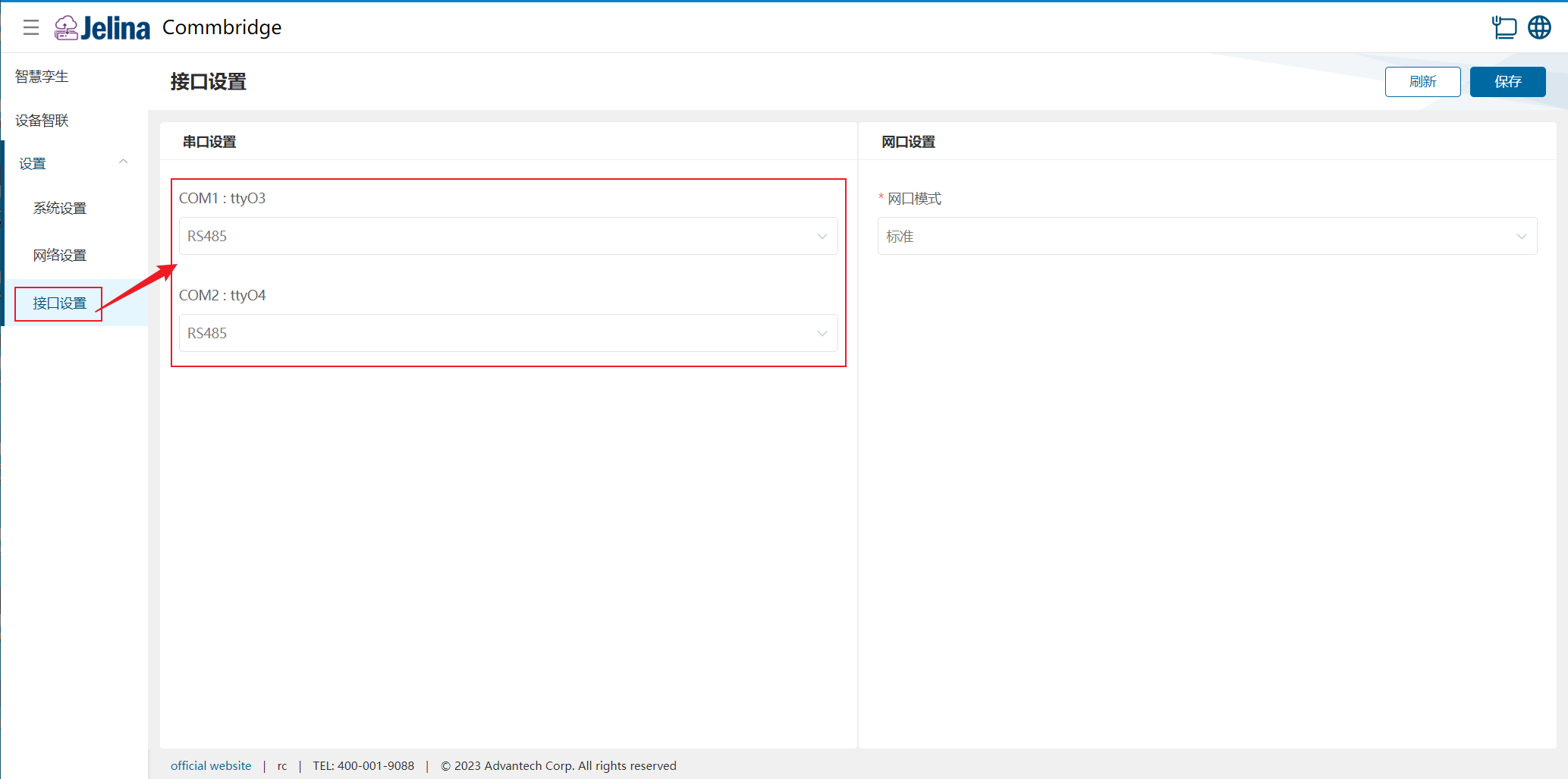
Under Interface configuration, set both COM1 and COM2 serial modes to RS485.
- Plugins
Serial Communication, Data Processing, and MQTT Upload.
3. Rules
Section titled “3. Rules”(1) Connect the RSDS13 RS485 sensor and EPC-R3220 according to the applicable wiring requirements.
(2) Enter the relevant parameters to acquire sensor data.
The resulting connection scheme is:

4. Key steps
Section titled “4. Key steps”(1) Configure Serial Communication acquisition.
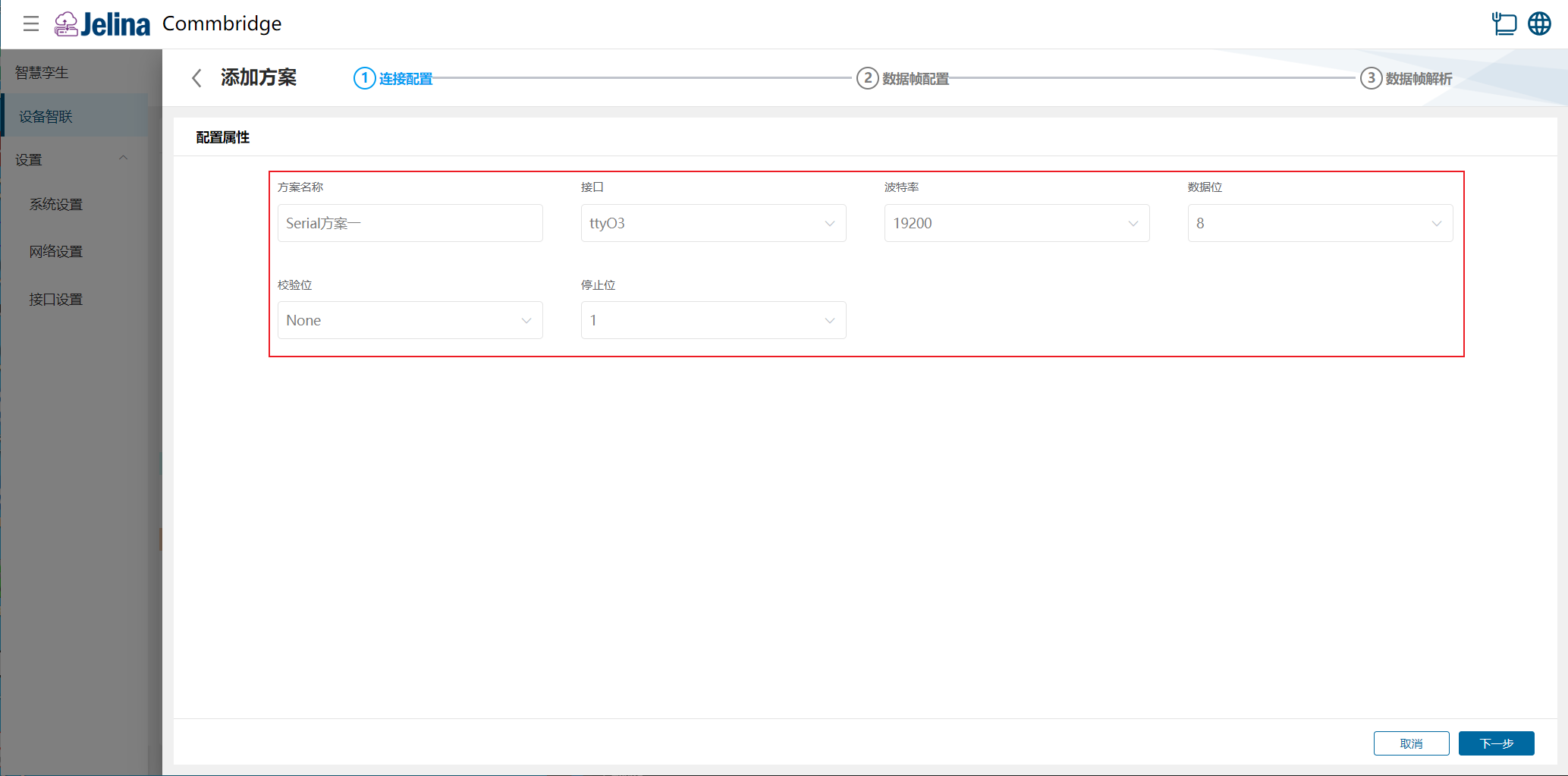
1). Connection settings. Scheme name is required.
Set sensor parameters as illustrated and enter:
- Scheme name: Serial scheme 1
- Interface: ttyO3
- Baud rate: 19200
- Data bits: 8
- Parity: None
- Stop bits: 1
2). Data frame configuration. Frames are parsed only when their enabled state is enabled.
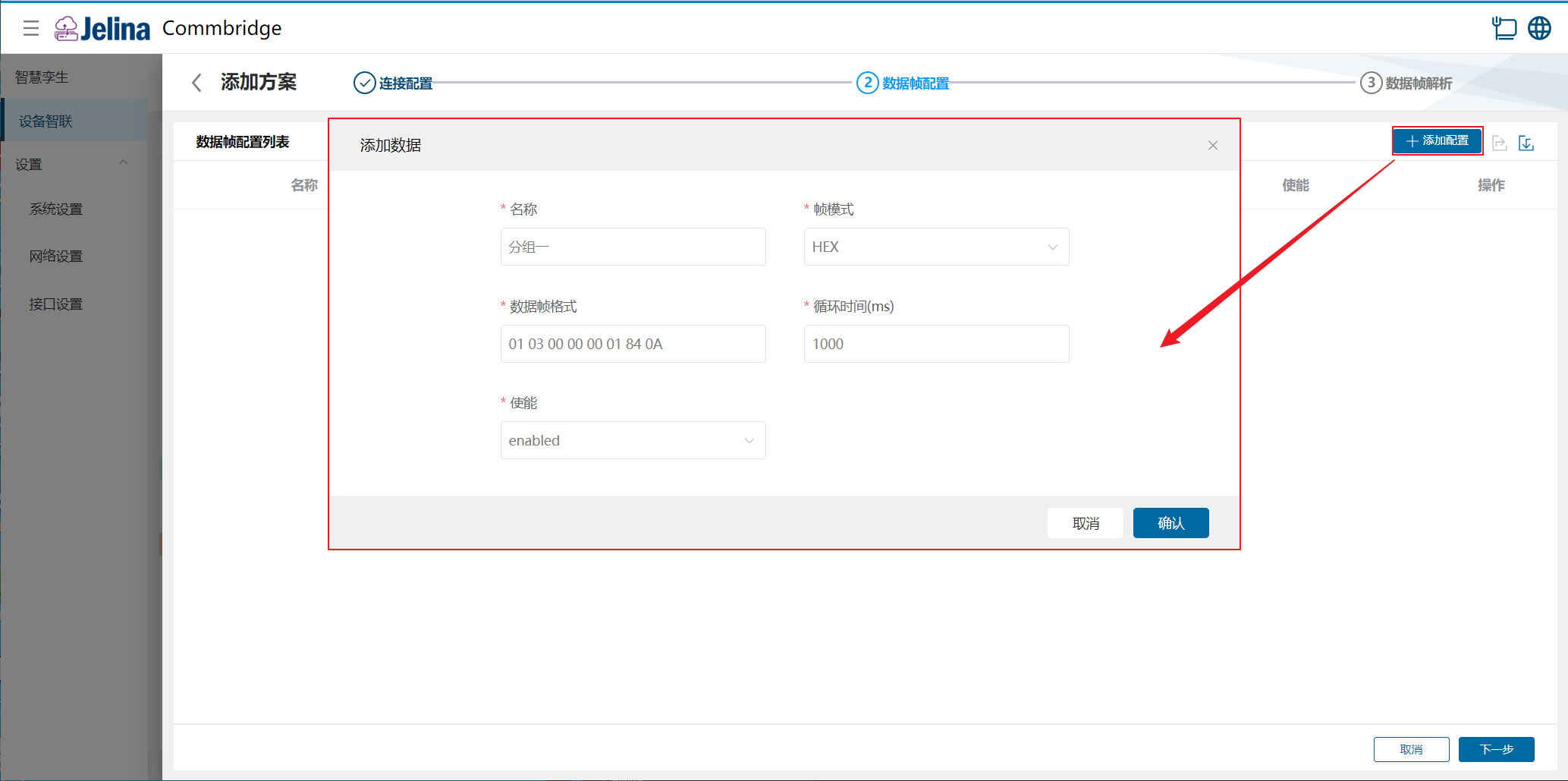
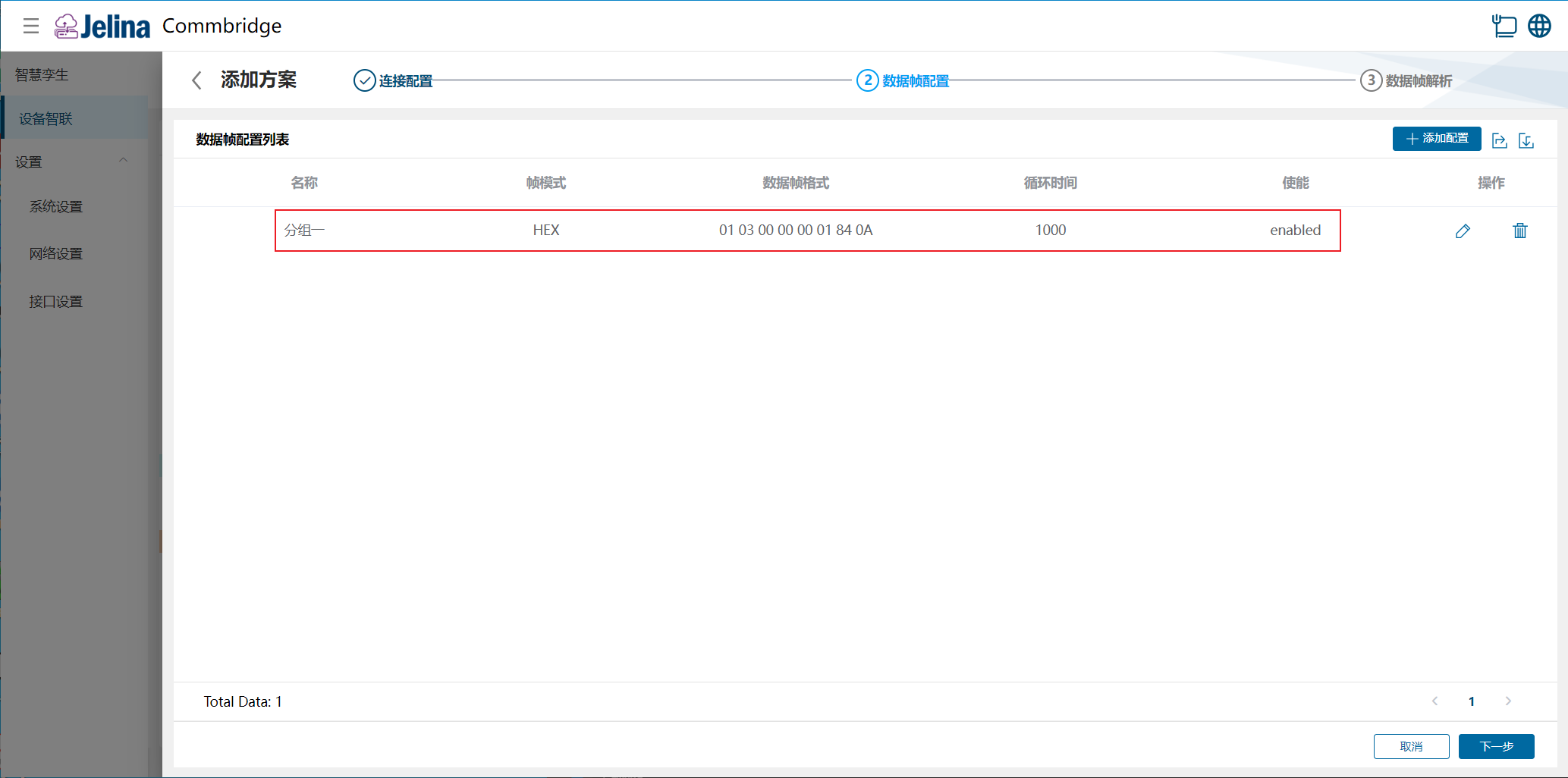
Select Add configuration, enter data, and confirm. Valid data adds a new entry.
The device address (id) is 1. Enter:
- Name: Group 1
- Frame mode: HEX
- Frame format: 01 03 00 00 00 01 84 0A
- Cycle time: 2000
- Enabled: Enabled
Note:
The RS485 temperature read command sends 01 03 00 00 00 01 84 0A.
| Command | 01 | 03 | 00 | 00 | 00 | 01 | 84 | 0A |
|---|---|---|---|---|---|---|---|---|
| Meaning | Device address | Read command | Register start address high byte | Register start address low byte | Read quantity high byte | Read quantity low byte | CRCL | CRCH |
84 0A is the 16-bit CRC result for 01 03 00 00 00 01.
The CRC rule is CRC-16/MODBUS X16+X15+X2+1.
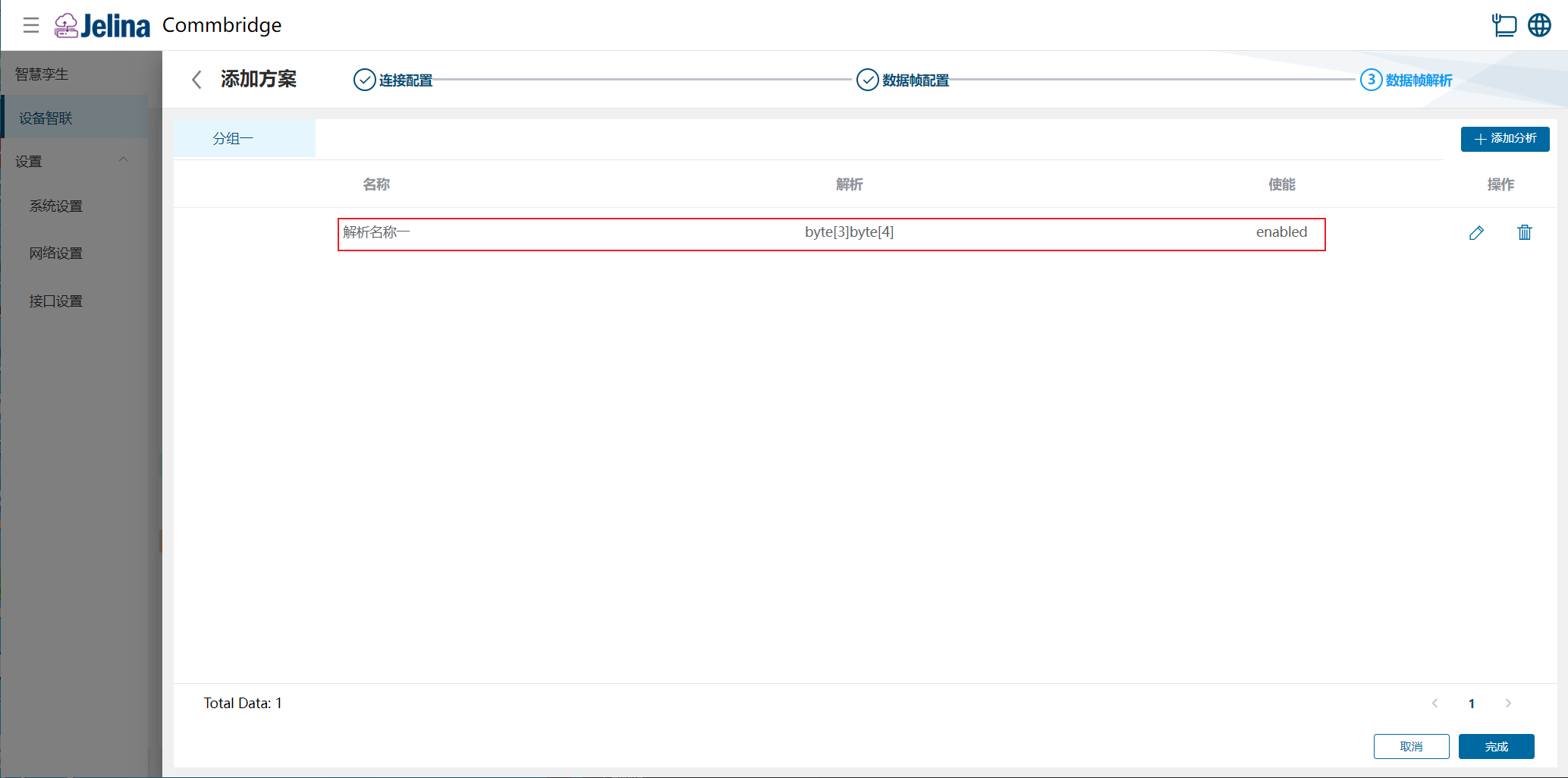
3). Data frame parsing.
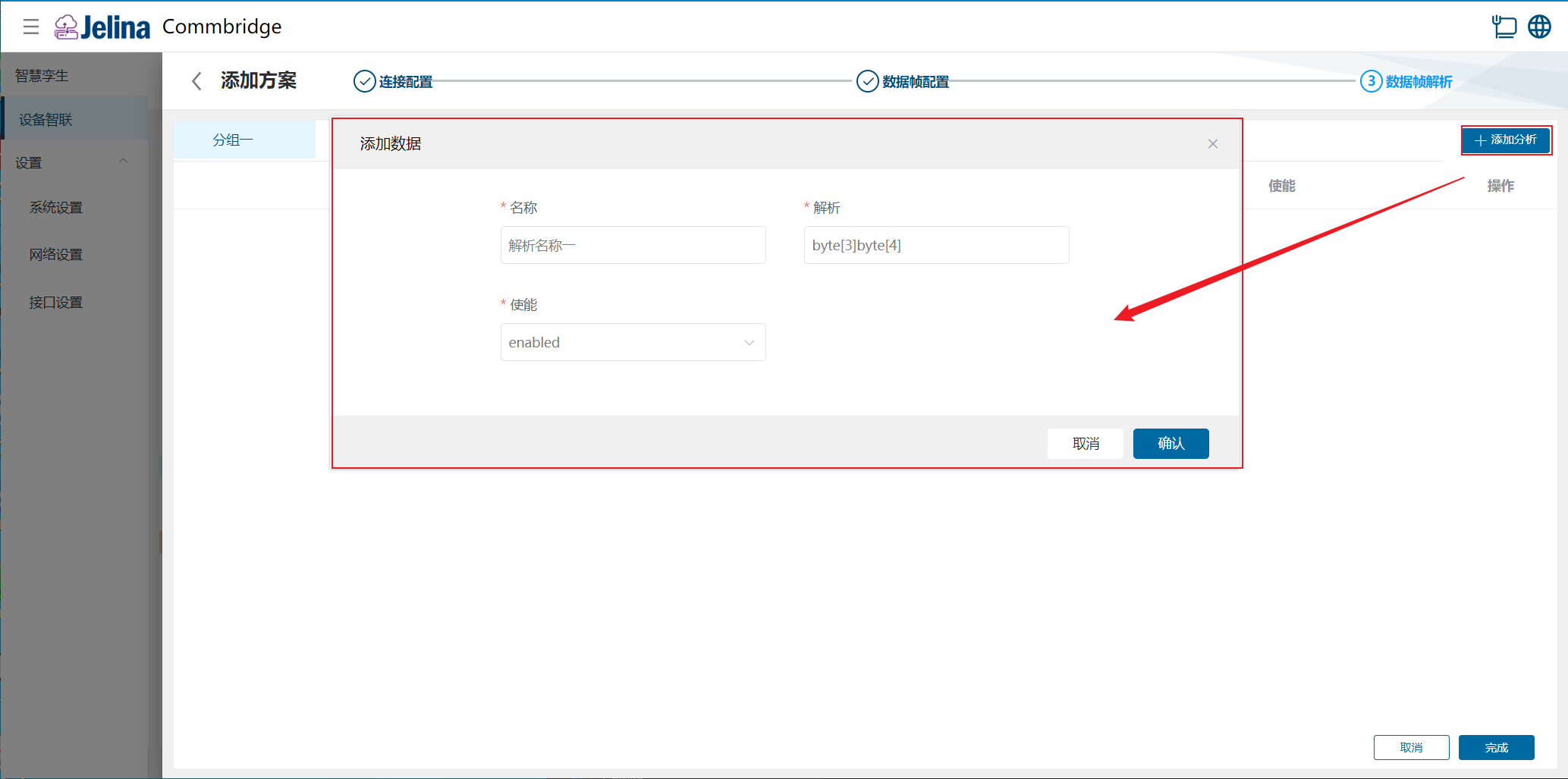
Select the tabs at the top → Add configuration, enter data, and confirm. Valid data adds a new entry.
Enter:
- Name: Parser 1
- Parsing: byte[3]byte[4]
- Enabled: Enabled
5. Results
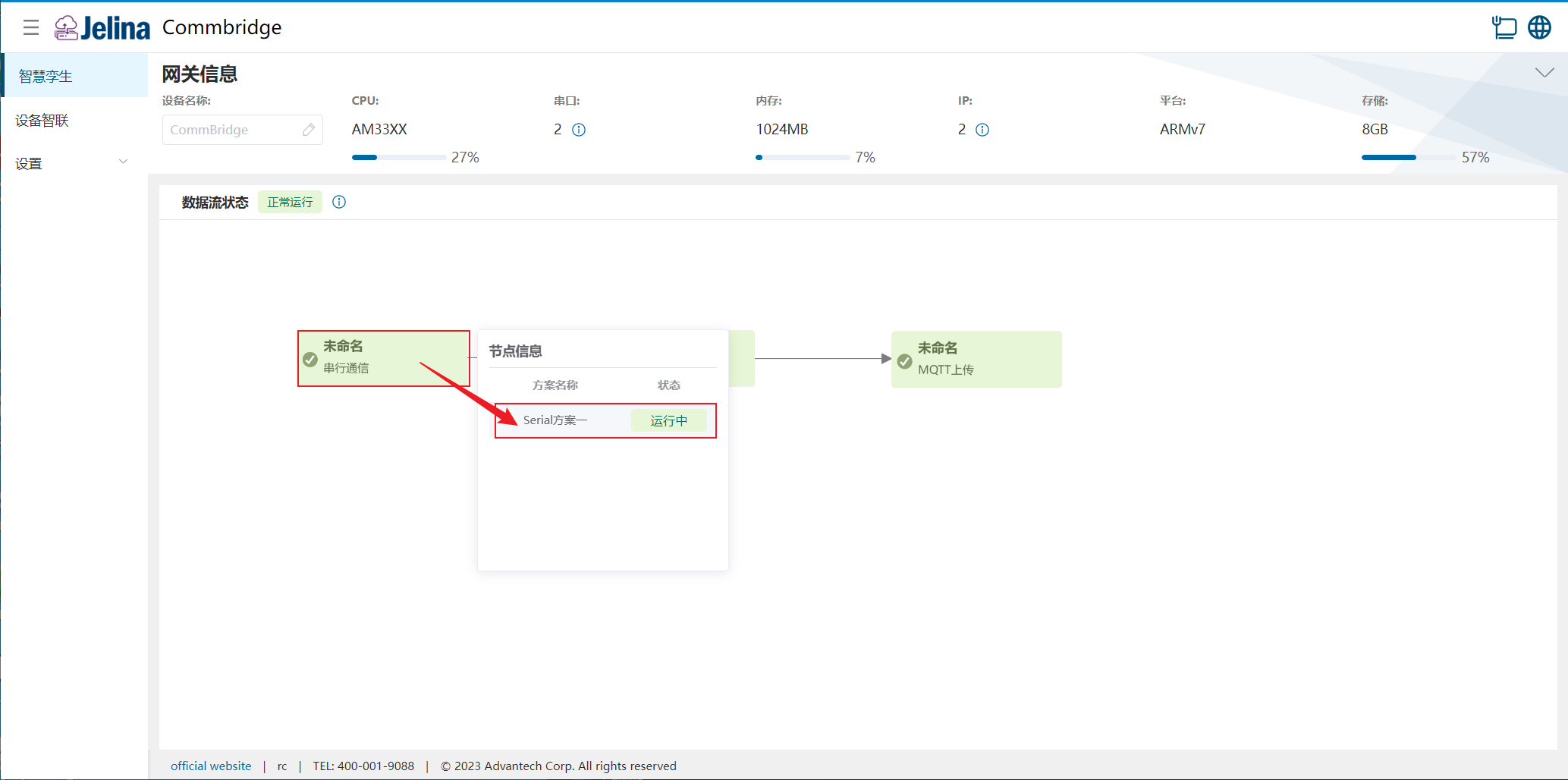
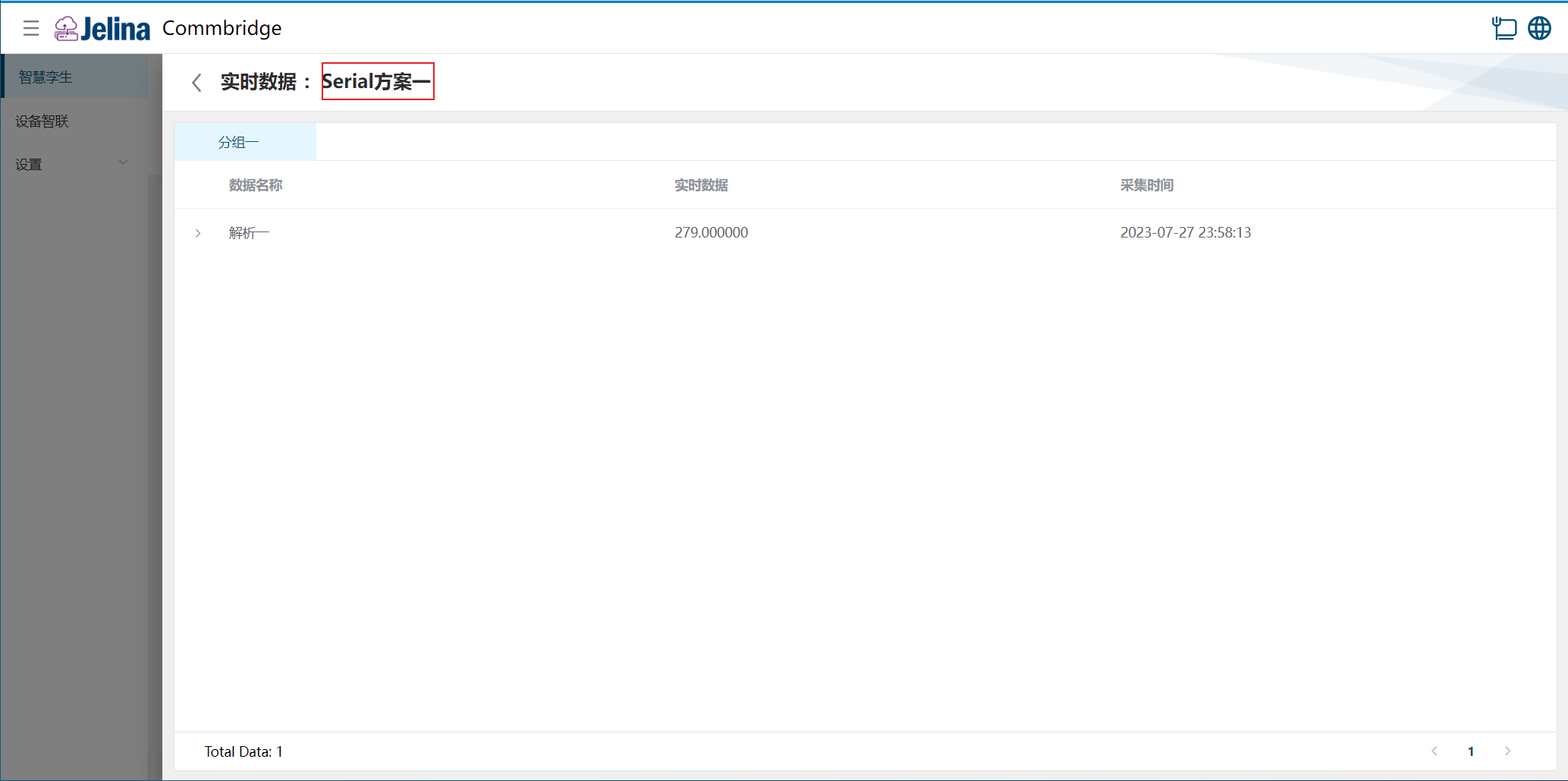
Section titled “5. Results”Open Digital Twin, hover over Serial Communication, select the scheme, and view real-time data.