
OPC UA acquisition
Provides OPC UA client functionality for data acquisition.
1. Create nodes
Section titled “1. Create nodes”(1.) Open CommBridge Digital Twin and switch to Device Connectivity.
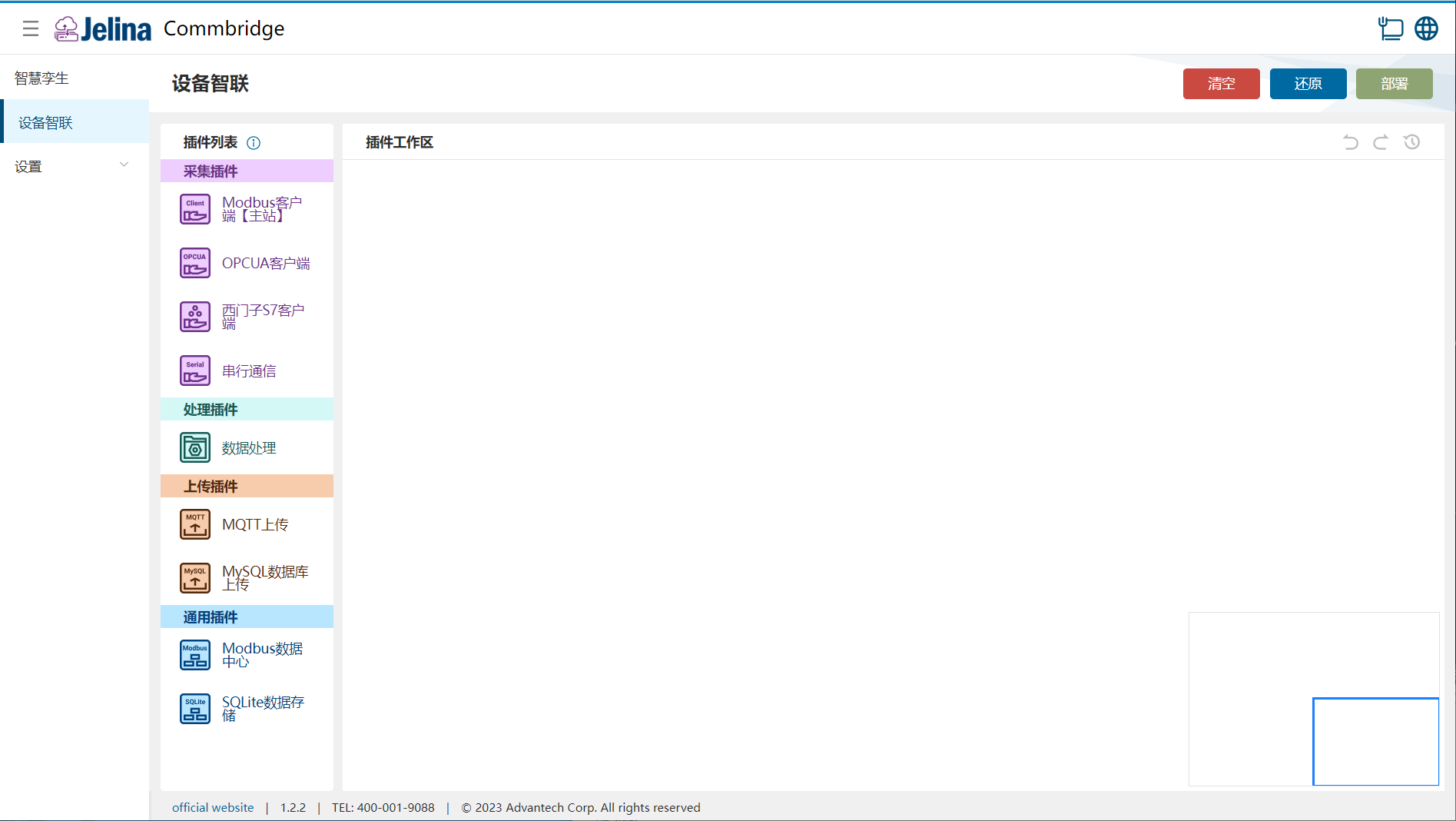
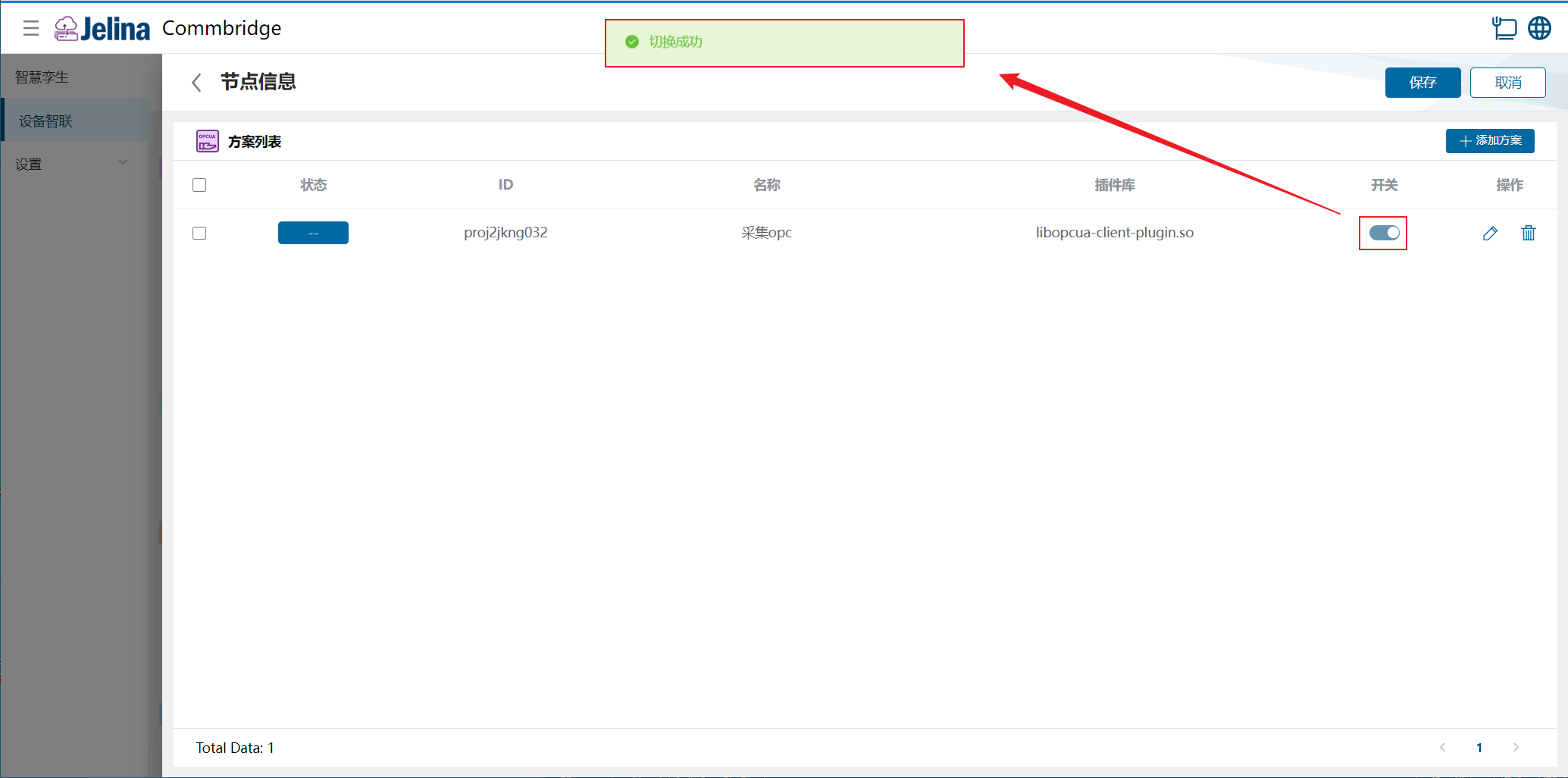
(2.) Drag OPCUA Client, Data Processing, and MQTT Upload into the workspace to create three nodes.

(3.) Connect OPCUA Client → Data Processing → MQTT Upload.

2. Create a scheme
Section titled “2. Create a scheme”(1.) Double-click OPCUA Client and select Add scheme.
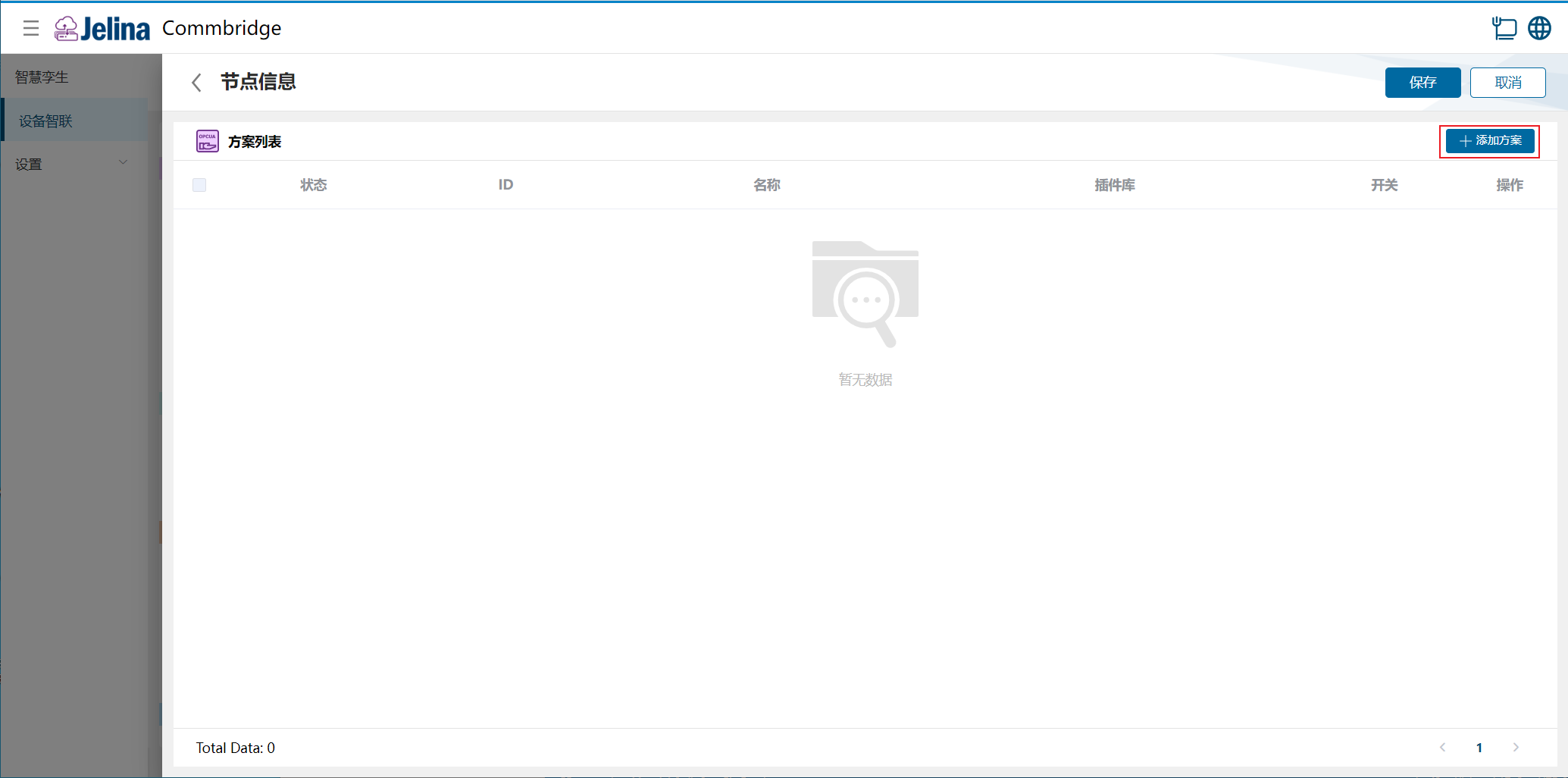
(2.) Enter connection settings and select Next.
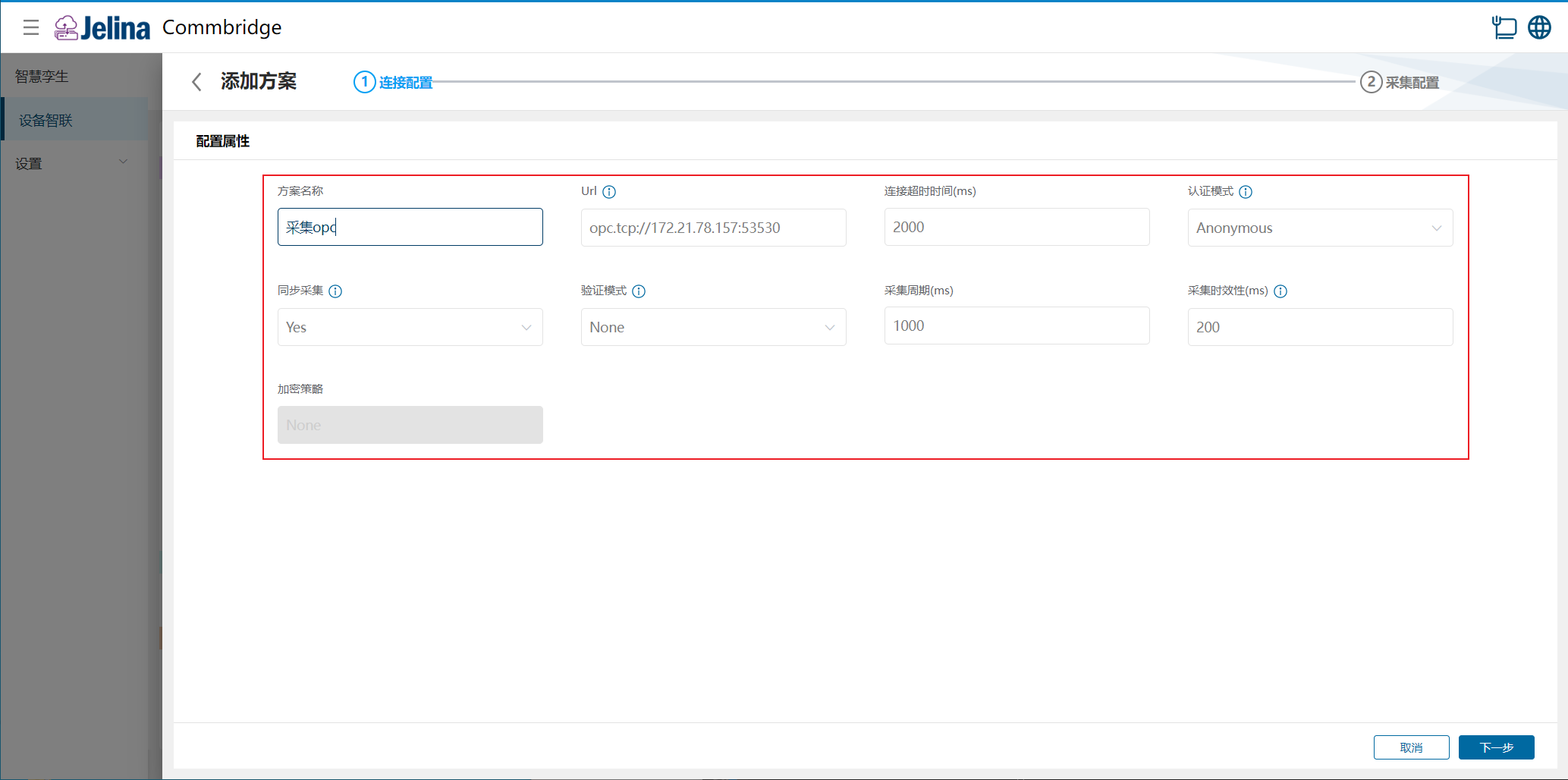
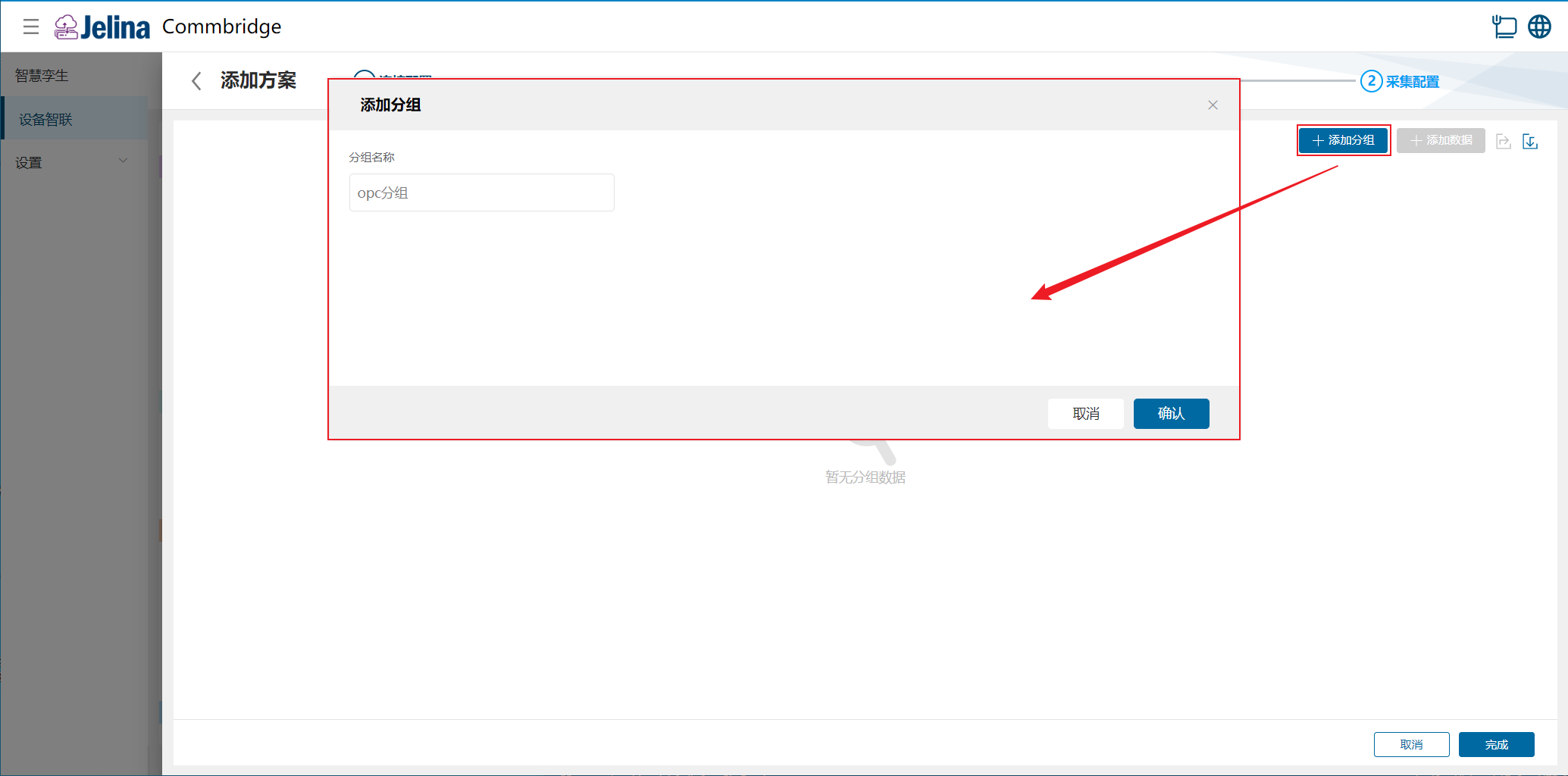
(3.) Select Add group, enter group information, and confirm.
(4.) Select Add data, enter point configuration, and confirm.
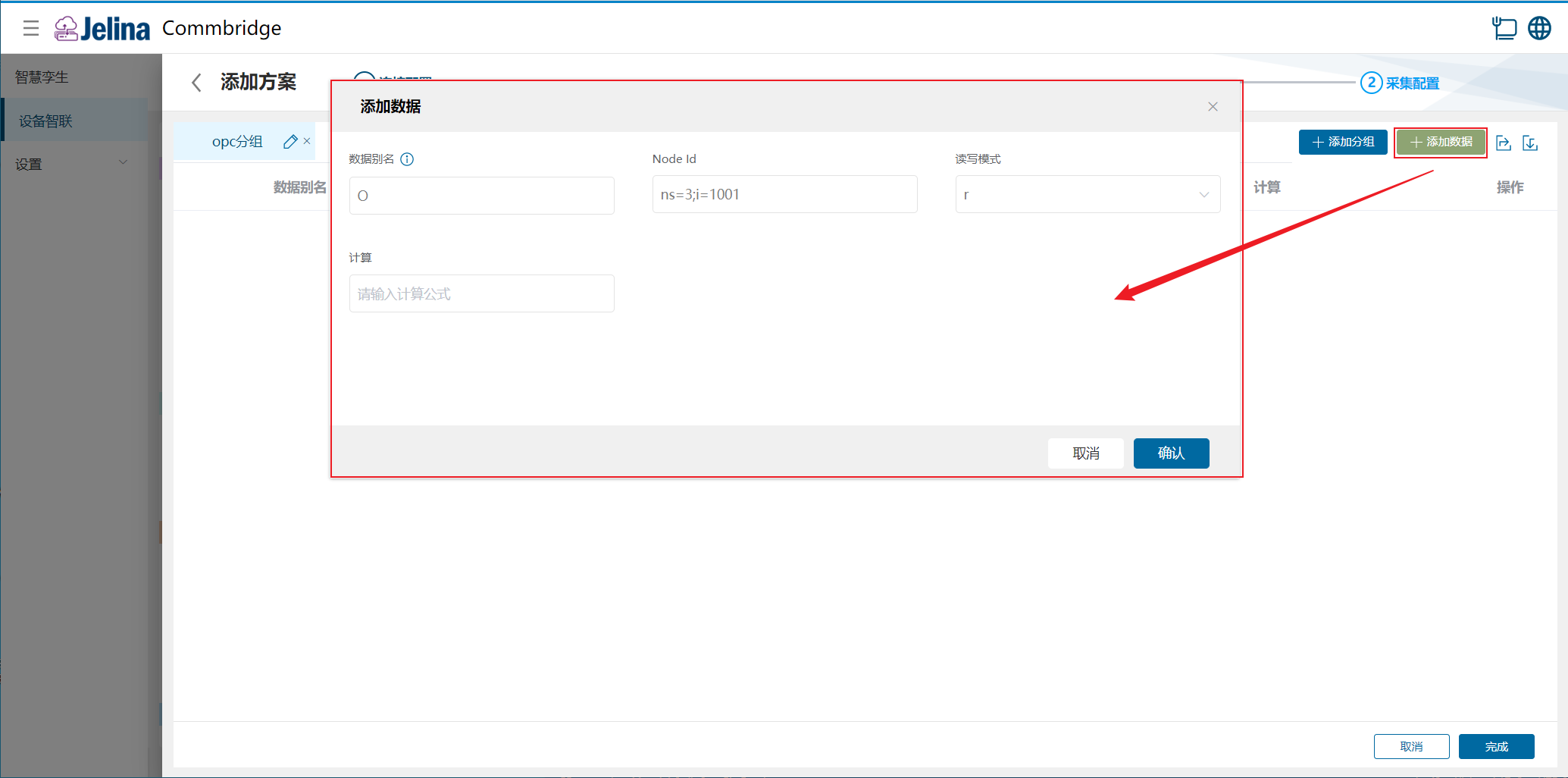
(5.) Select Finish to add the acquisition scheme.
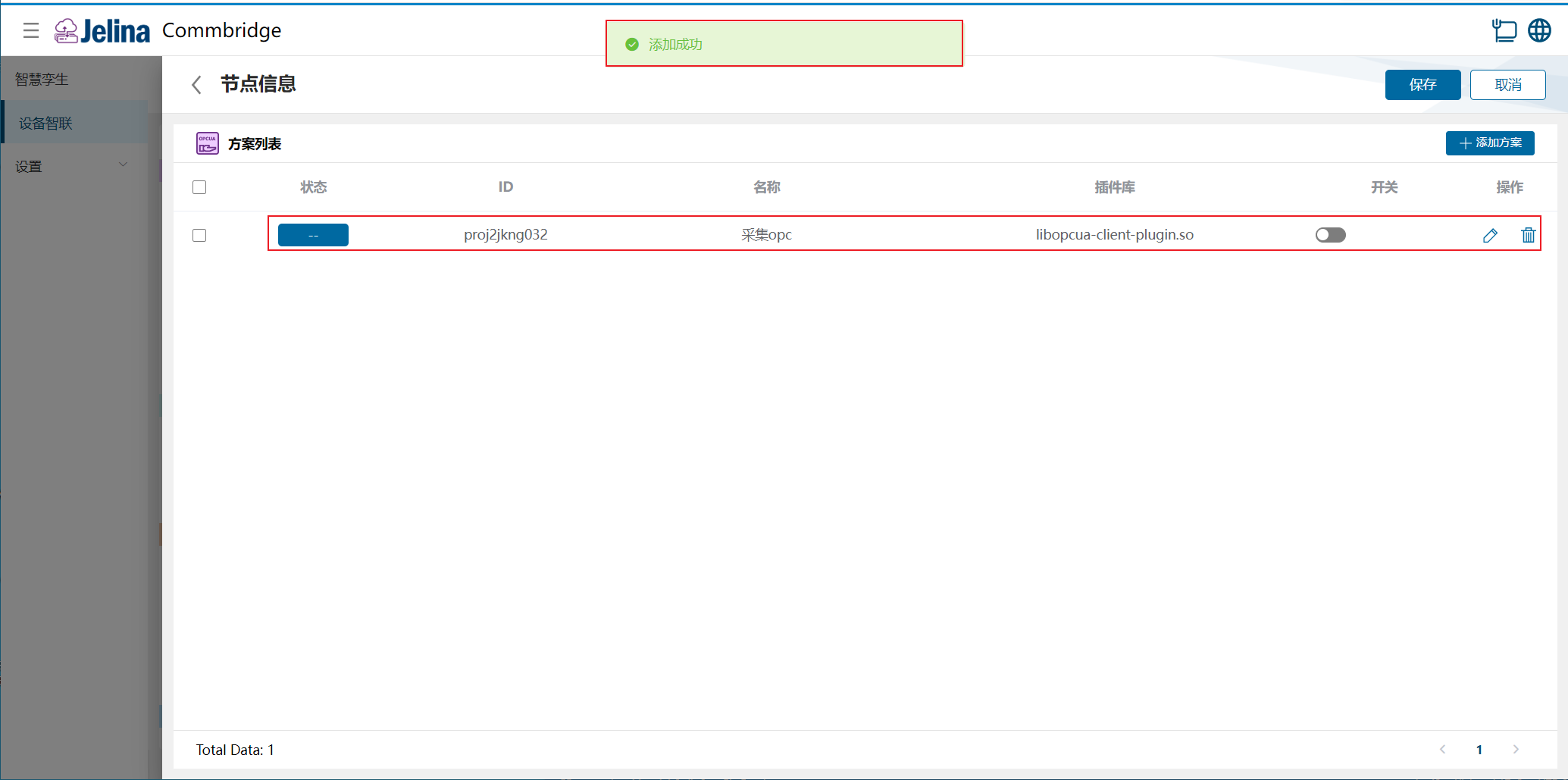
(6.) Enable the scheme and select Save.
3. View results
Section titled “3. View results”(1.) Select Deploy under Device Connectivity and wait for success.
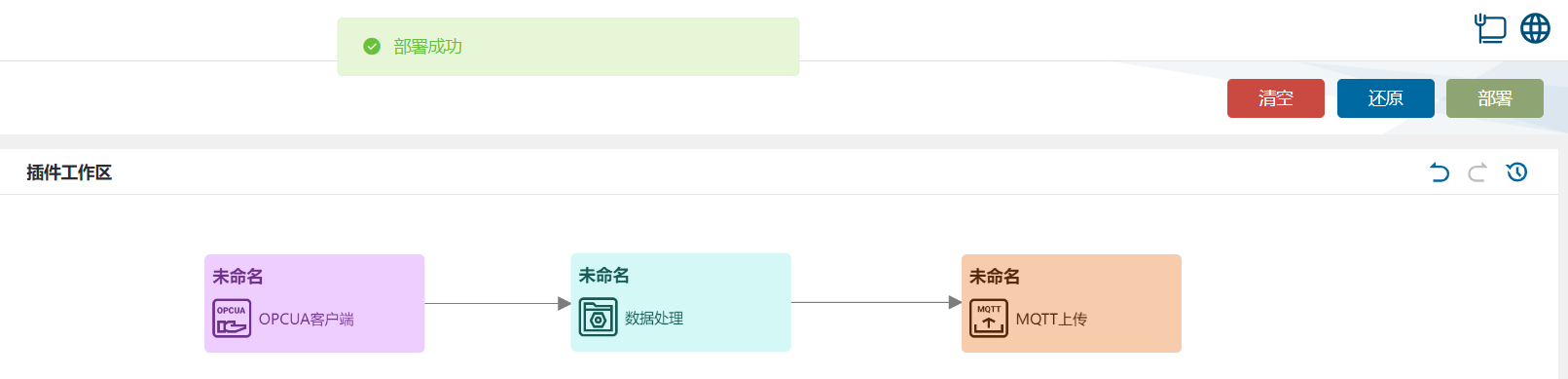
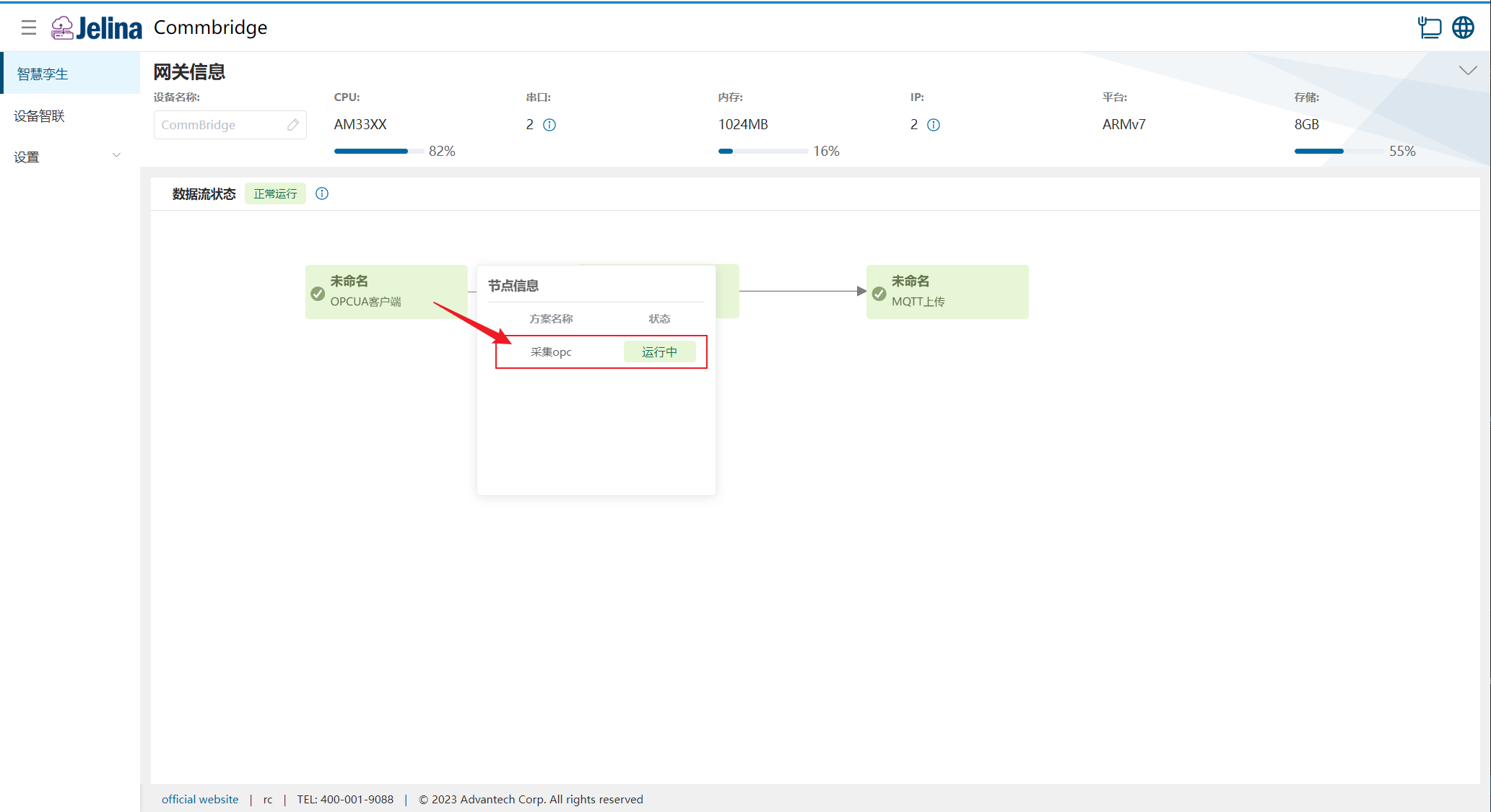
(2.) Switch to Digital Twin and hover over OPCUA Client to display node information.
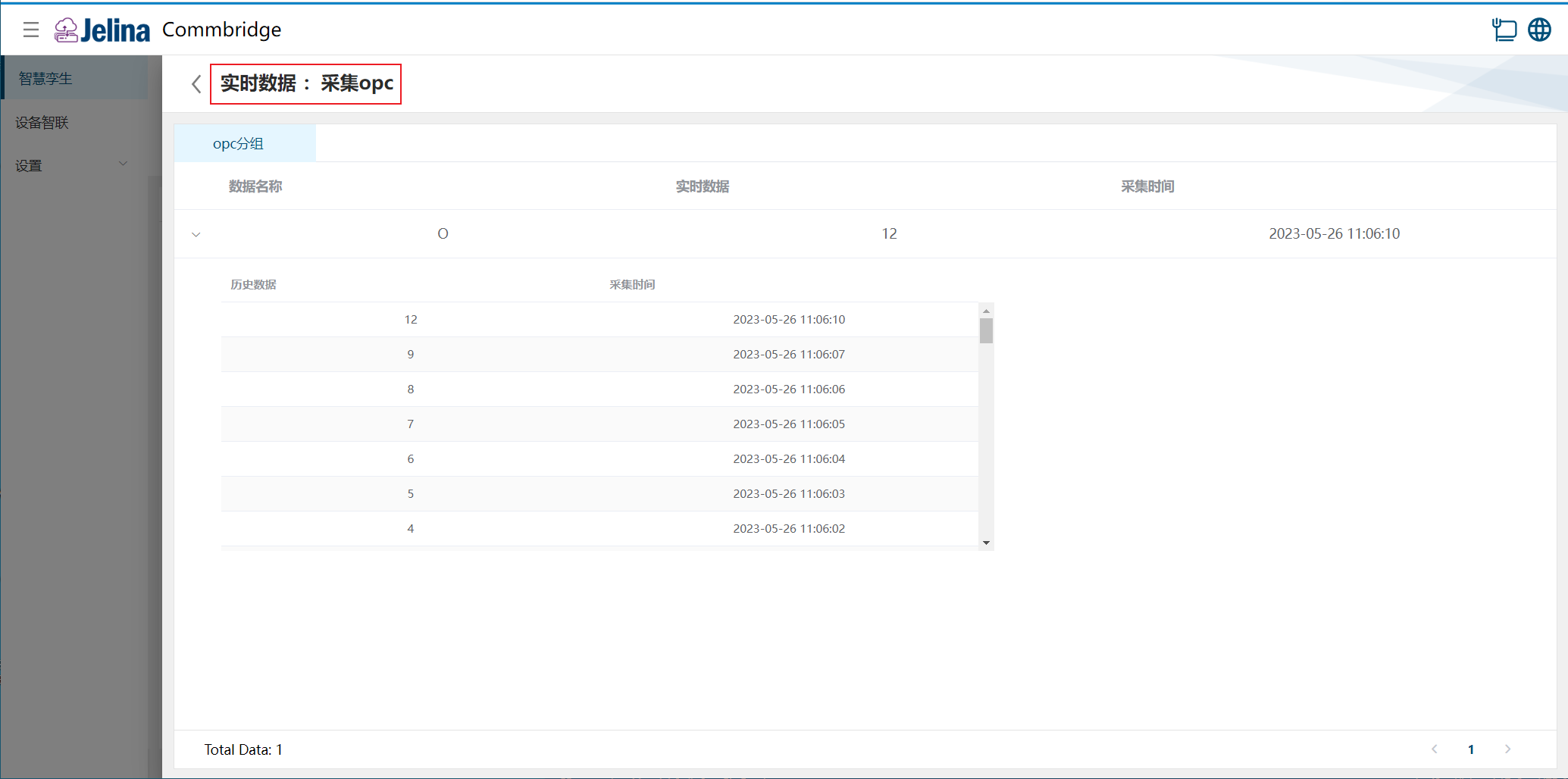
(3.) Select a scheme to view real-time and historical point data in its groups.
4. Configuration reference
Section titled “4. Configuration reference”Connection settings
Section titled “Connection settings”| Name | Prerequisite | Description | Format | Example | Notes |
|---|---|---|---|---|---|
| Scheme name | User-defined scheme name | Nonempty | OPC acquisition | ||
| Url | OPC UA server TCP URL | opc.tcp://IP:port | opc.tcp://172.21.78.157:53350 | ||
| Connection timeout (ms) | OPC UA server request timeout | Number, (0, acquisition interval] | 1000 | ||
| Authentication mode | Two server authentication methods | Anonymous, User | Anonymous | ||
| Security mode | Three security modes | Dropdown | None | ||
| Security policy | Five security algorithm policies | Dropdown | None | ||
| Synchronous acquisition | Whether acquisition is synchronous | Yes, No | Yes | ||
| Acquisition interval (ms) | Synchronous acquisition is Yes | Data polling interval | Number, (100,2147483647] | 1000 | Applies to all points in the scheme |
| Data freshness (ms) | Synchronous acquisition is Yes | Data acquisition freshness period | Number, (0, acquisition interval] | 500 | Applies to all points in the scheme |
| Username | Authentication is User | OPC UA connection user | Nonempty | ||
| Password | Authentication is User | OPC UA connection password | Nonempty | ||
| Use CommBridge certificate | Authentication is User or security mode is not None | Whether to use CommBridge’s client certificate | Dropdown | No | |
| Trusted certificate | Authentication is User or security mode is not None | Target server certificate file | PEM, filename ending in .pem | ||
| Certificate | Use CommBridge certificate is No | OPC UA client certificate file | PEM, filename ending in .pem | ||
| Private key | Use CommBridge certificate is No | OPC UA client key file | PEM, filename ending in .pem |
Note:
- Authentication: Anonymous or User (username/password).
- Security modes: None, Sign, SignAndEncrypt.
- Security policies: None, Basic128Rsa15, Basic256, Basic256Sha256, Aes128Sha256RsaOaep.
- With synchronous acquisition set to Yes, all groups share acquisition interval and freshness settings. With No, each group configures them separately.
Add groups
Section titled “Add groups”| Parameter | Prerequisite | Description | Format | Example | Notes |
|---|---|---|---|---|---|
| Group name | User-defined group name | Nonempty | OP group | ||
| Acquisition interval | Synchronous acquisition is No | Polling interval in ms | Number, (100,2147483647] | Applies to all points in the group | |
| Data freshness | Synchronous acquisition is No | Time in ms | Number, (0, acquisition interval] | Applies to all points in the group |
Note: OPCUA can read only one data item at a time.
Add data
Section titled “Add data”| Parameter | Description | Format | Example |
|---|---|---|---|
| Data alias | User-defined alias, unique within the group | Nonempty; cannot begin with a digit or underscore or contain spaces | O |
| Node Id | Uniquely identifies and locates a node in the OPC UA server | ns/nus=<namespace index>;<identifier type>=<identifier> |
ns=3;i=1001 |
| Read/write mode | r (read-only) or rw (read/write) | r, rw | r |
| Calculation | User-defined formula based on data aliases |
5. OPC UA protocol parameter details
Section titled “5. OPC UA protocol parameter details”Node Id details:
String representation:
ns/nus=<namespace index>;<identifier type>=<identifier>.
-
Namespace index: NamespaceIndex, the server’s decimal index for a namespace URI. For index 0, the entire
ns=0;clause is omitted. -
Identifier type: IdentifierType, the identifier’s format and data type. Supported flags:
| Flag | Identifier Type |
|---|---|
| i | Numeric(UInteger) |
| s | String |
| g | Guid |
| b | Opaque(ByteString) |
- Identifier: identifies the node in the OPC UA server address space.
Node Id examples:
- ns=2;i=5001
- ns=2;s=My
- ns=1;g=09087e75-8e5e-499b-954f-f2a9603db28a
- ns=1;b=M/RbKBsRVkePCePcx24oRA==